Sony Cybershot Memory stick issue
|
Anonymous | I have the Sony 5.0 megapixel cybershot. Everytime I have a memory stick (I have three of them) in there, it only lets me take one picture and then says, NO MEMORY SPACE, which isn't true! And it does this with all three sticks and I know they're empty. Any ideas about what's going on? Can it be fixed? It was fine for the longest time and then this just suddenly started happening. |
|
Gold Member Username: Project6Post Number: 3193 Registered: Dec-03 | Are you sure it is using the memory of the stick or is it the camera's internal memory? |
|
Anonymous | Hmm... I'm not sure I even knew my camera HAD an internal memory thing? How do I check that? As far as I know, it's the sticks. And they used to work fine. Then suddenly -- poof -- they stopped. Thanks so much for answering! |
|
Yakup Unregistered guest | I had have the same problem. On the display of my Sony DSC-P52 was the message "NO MEMORY SPACE". After formatting the memory stick the message was gone. The DSC-P52 has an option to format, I don't know if your camera has it too. |
|
Anonymous | Thanks! That did the trick. Really, really appreciate it! |
|
Unregistered guest | Hi Well Sir i have a question for u ... i have Sony Cyber-Shot Camera (2.0 mega pixels)... last month i had this problem with its memory stick ... it displays a message "Memory Stick Error" ... i am all confused what to do ... so can u please help me out or suggest something ... waiting for your reply Thank U!!!! |
|
Unregistered guest | in memory stick pro 512MB photos automatically gets deleted i m using sony dsc s60 photos gets deleted when i switch off the camera not all photos gets deleted, only few |
|
Unregistered guest | I also have Sony Cyber-Shot Camera (2.0 mega pixels). After removing all of the photo's off of the memory stick via my computer I get a error that says " No Memory Space" and "no file" I guess that I must have deleted a important file off of the memory card?. |
|
Gold Member Username: Project6Post Number: 4303 Registered: Dec-03 | Try reformatting the card by using the camera. |
|
prahadan Unregistered guest | Hi there, I have just got a Sony DSC-T1, with 1GB PRO DUO HIGH SPEED memory card. I format the card with the camera, then try to record video on 640FINE setting (which should give about 13 minutes of video). After 6 minutes, the camera announces that the buffer is full, and after that if I try to take pictures or do anything, I just get a flashing file error or file formatting error. Can anyone help with this issue? DO you think updating the firmware might help? Thanks, Dan |
|
New member Username: EasyluckyfreePost Number: 9 Registered: Feb-06 | if you can plug in your memory stick in your computer without using your camera, either through a port on the computer itself or through a driver, you should be able to open up the memory stick folder and see everything saved on it. that happened with a memory stick i was dealing with. i took a picture and it said it was full. i plugged it in and in the folder there were a bunch of leftover crap on it. that's probably the problem with your memory stick. |
|
New member Username: DreamomaraPost Number: 1 Registered: May-06 | I have 2 sony memory sticks with around 50 pics each and on my camara i can see them but when i put the memory sticks in to the scan disk thingy thing nothing comes up at all. I do have a third stick and it works just fine.....i need major help i have some of my wedding pics on it and i want them... |
|
New member Username: Lith1umSydney, NSW Australia Post Number: 1 Registered: Jun-06 | i have a Sony Cyber-Shot U DSC-U30, & i have a problem with this camera. i've been using it for some time now and it's been perfect but then all of a sudden when i take pictures or record, the image is pitch black. the screen is pitch black, i cannot see anything. i have tried taking a picture but the result comes out the same, it is pitch black, what should i do to fix this problem? |
|
New member Username: LakemamaMany, La Usa Post Number: 1 Registered: Jul-06 | i need help unlocking a memory stick! one of my kids must have locked it by accident and i have no manual. how do i unprotect it? |
|
Gold Member Username: Project6Post Number: 8409 Registered: Dec-03 | Look for a protection tab on the stick itself. |
|
New member Username: LakemamaMany, La Usa Post Number: 4 Registered: Jul-06 | ok, berny the protection tab only protects, i don't see how it'll un-protect. |
|
New member Username: LakemamaMany, La Usa Post Number: 7 Registered: Jul-06 | no sorry i didn't read your response correctly, my husband was harassing me for other stuff. sorry again. didn't mean to be rude. i did find that tab u talked about and thanks for the help. |
|
Gold Member Username: Project6Post Number: 8412 Registered: Dec-03 | it happens. |
|
New member Username: Roger3125Post Number: 1 Registered: Jul-06 | WEll Thank God I have found a group that talks about my Cyber-Shot and better understands it. I know this sounds dumb BUT how do you clear a memroy stick of all the pics on it. I used to have a program that would automaticallyh saved the pics to my harddrive and then give me the option to delete all pics from the card. New PC with same camera and don't recall what program it was nor how to delete the pics from a memory stick. Can someone help...and thank you all for being here |
|
New member Username: LakemamaMany, La Usa Post Number: 8 Registered: Jul-06 | hey roger, while the memory stick is in your camera, you can choose the settings tab and format the stick and that will erase all the stuff on the memory card. or if you have the memory stick hooked up to your pc and your pc reads the pic on like drive "e" or "f", you can use the windows explorer function and click on that particuar drive where the memory stick is and format it there or erase the stuff there too.don't feel stupid, i ask all sorts of questions, that's why we have to hang out together her............diana |
|
New member Username: MrappPost Number: 1 Registered: Jul-06 | my cybershot DSC-P92 does not recognize the memory card. everytime I turn it on the camera says no memorystick. I bought a knew memory stick and it still doesn't work. |
|
New member Username: BookwormbryPost Number: 1 Registered: Jul-06 | another memory stick problem... i have a sony cybershot p93A, about a year and a half old. it was working great, but just recently i've had problems with it and my sandisk 1 GB memory stick pro. i take pictures, can see them in preview mode on the camera, then go to upload it with my card reader or the USB cable (i've tried both ways) and nothing. the photos are magically gone. i can get them back with photorescue, sometimes. but anyone know why my pictures aren't being captured right? i checked for firmware updates on sony's website, but couldn't find any. |
|
Gold Member Username: Project6Post Number: 8777 Registered: Dec-03 | Format it using the camera. |
|
New member Username: BookwormbryPost Number: 2 Registered: Jul-06 | already done - i format it every time i empty all the pictures off. |
|
Gold Member Username: Project6Post Number: 8798 Registered: Dec-03 | Try a different memory card to isolate the problem. |
|
New member Username: KjoywalkPost Number: 1 Registered: Jul-06 | I have a sony cyber-shot 5.1. My computer will not read what is on the momory stick. The stick was recently formated and only has 15-20 pictures on it. It will read what is on the internal memory. I may have gotten sand inside the camera. Any suggestions? |
|
New member Username: Tajs_momHonolulu, HI USA Post Number: 1 Registered: Jul-06 | I keep getting a "memory stick error" c:13:01 how do I fix it? When I tried to format it, it came back with the same error. I recently downloaded the pictures then deleted the files from the memory stick with my computer. Anyone know how I can get past this one? |
|
New member Username: TstyoungLos Angeles, CA USA Post Number: 1 Registered: Jul-06 | I have a silly question to ask. If I deleted a picture on my camera. Is there a way to go back and retrieve it? |
|
Gold Member Username: Project6Post Number: 8870 Registered: Dec-03 | Yes, but not by any conventional means. |
|
New member Username: Crzee_4_bkBrooklyn, New york United states Post Number: 1 Registered: Aug-06 | on my sony dsc-p9 camera evrything works fine except the memory i tried taking pic but its still says no memory card..the card in there is a 128 mb card..i tried connecting the camera to the cpu but it doesnt read it..what do i do? take it to a specialist? |
|
New member Username: Lilazngurl931Post Number: 1 Registered: Aug-06 | Can u delete pictures on a memory stick duo? because my owners guide said u can ... i think i wasn't sure so can u? |
|
Gold Member Username: Project6Post Number: 9281 Registered: Dec-03 | Yes you can. Format the memory stick using the camera. |
|
New member Username: Roger3125Orange County,, Orange Post Number: 2 Registered: Jul-06 | Just timing in to say thanks to Diana for answering my question. Now onto question 2: I referred earlier to a program I used to have my late PC. I was neat...I'd pop the memory stick in and it would show thumb pics of all the pics on the strick and you could hit "All" or just some to save but what was really neat was it gave you the option to erase evrything after downloading. It was a wonderful program and now can't for the life of me remember what it was. Anyone have an idea? |
|
New member Username: Lilazngurl931Post Number: 2 Registered: Aug-06 | how do u format the memory stick on the camera? will it mess up the camera or do anything weird 2 the camera...?? |
|
Gold Member Username: Project6Post Number: 9559 Registered: Dec-03 | You go to the menu and it will have an option to format the mempry card or read the instruction manual. It will not mess up the camera, it was designed to set up the memory card for use in the camera and delete all the pictures. |
|
New member Username: EurekaPost Number: 1 Registered: Aug-06 | ERROR c:13:01 For those of u who encountered this error. I have a sony dscf505 2.1 MP camera. As I was attempting to enter a memory stick duo adapter in the camera I slightly felt a resistance that should have send a message to my brain to stop imediatly. But as adventures as I am I gave it an extra push. The next thing I read on the screen was a "memory stick error" with the code "c:13:01" . That did'nt work was my first reaction. So I put my regular stick in of 64 mb, yet to my surprise the error stayed. Did I reck the the thing I said to myself. I checked the Mstick on my laptop and it worked just fine. So it had to be the camera. So I started my investigation( remember adventures type) formatting was im[possible sinds I could'nt get acces to it, trying other Msticks gave the same error. Then I checked my slot on the camera. It's a bit tricky to see but there are about 10 pins that connect to the MemoryStick once u push it in and it locks in place. One of those pins was bent. I had a gut feeling that this could be the problem I was encountering. Sinds adjusting the pin with something small from inside the slot did'nt help I was forced to open up the camera. It's very tricky to unmount the tiny cables and flatcables but after a bit of fidling I got to the slot and I couldt see on the outside of the slot that one pin was indeed bent all the way out of the slot. Gently pushed it back into place as best as I could. Again very fidly parts to put back together. If ur not up to this fidly thing PLEASE DONT SART UNSCREWING UR CAMERA. Take it to a shop where people know what they are doing. So after have put it all back together and srewed al of its tiny screws back in. I tried my regular Memorystick of 64MB again. It looked as it was going to jam, but carefully I got it into place. Guess what....eureka the camera was working fine again. But think twice before u want to open up your camera, because everything is so tiny an fidly to take apart let alone to put it all back together. Eray |
|
New member Username: RonaldarooPost Number: 1 Registered: Aug-06 | Have a DSC S600 and Memory Stick PRO Duo 512Mb and can download photos onto the computer.How can I upload photos from the computer to the memory stick. Thanking you in antipation for your help. Ronald John Saunders |
|
Platinum Member Username: Project6Post Number: 10165 Registered: Dec-03 | The easiest way is to get a memory card reader. This will enable you to use your memory card as a storage device as well. |
|
New member Username: Armywife97Post Number: 1 Registered: Aug-06 | I have a Sony memory stick duo 1GB and I have a card reader that I usually use in it, but lately the card reader won't read the memory stick. I can see the pictures just fine in the camera preview screen, but I can't get them onto my computer. Any suggestions? |
|
Platinum Member Username: Project6Post Number: 10267 Registered: Dec-03 | Check the connection between your card reader and your PC. Also check the protection tab on your memory stick. |
|
New member Username: AznablePost Number: 1 Registered: Aug-06 | Hi, Ive read this entire thread and Ive got the A la Carte of problems here.. and by the way Thanks IN ADVANCE if you read this.. and A Million thanks if you got a clue how to help me out on this one.. I do get the Error 13:01c message, but the good news is that Ive ruled out my camera, with the help of another camer and mem stick. The Problem: Ive got nearly 200 photos on a SONY Memory Stick PRO Duo 1GB using a Memory Stick Duo Adaptor (MSAC-M2)(stick made by MagicGate?) Once I got home from classes my internal Memstick drive wouldnt read any more than the first 5 pics.. so I thought It was probably the Comp's Drive acting up. I then used two different USB / Mem Stick Adaptors to try to retreive all the pix off the stick.. with No luck. On a side note, before the third Adapter I was still able to read the pix on the camera, and couldnt transfer the pix into another folder.. but could take and retrieve test pix off a 2nd newly made folder (in the camera).. Then after trying the 3rd USB / Memstick Addapter .. the whole Stick Failed, 1301c error in the cam and now Nothing Reads it.. What are my Options?? Is this stick kaput? is there still any way to get anything to read this? or Should I be looking for my reciept? Thank you |
|
New member Username: Bill_mcRockledge, FL USA Post Number: 1 Registered: Oct-06 | I have a Sony TV, I bought a 1G Sonyscan disk pro memory stick. I have a friend who has a Sony Cyber Shot camera but it will not format the pro stick. I can read the stick and copy pictures to it but it won't work in my TV. Is there software available that will allow me to format the pro stick? |
|
New member Username: Roger3125Orange County,, Orange Post Number: 3 Registered: Jul-06 | To answer my own question about what is the best and esiest application to make Memory Albums with pics, movie clips and music of your choice hands down it is Windows Movie Maker. I've invested hours over a period of 6 months and many hundreds of dollars trying them all. Windows MM is best of all and if you look on your PC--> Programs more than likely it came on your PC as a freebie. If you need help email me I'm almost a pro at it after using it for a few hours. |
|
New member Username: Roger3125Orange County,, Orange Post Number: 4 Registered: Jul-06 | I have a problem or rather a question about my CyberShot DSC-W5. I've been told by SONY that all Sony digitals work basicly the same so a solution for one model applies to others as well. Can someone tell me how initialize the camera? Thank you |
|
New member Username: Nomi97Post Number: 1 Registered: Oct-06 | Hi, I am a newbie to this forum, great to see a forum like this. I have a sony dsc w100 and i bought a genuine sony 1gb pro duo. I can take photos with no drama, but when i put the stick in the genuine adaptor and plug it in my card reader and plug it in my laptop, it will recognise the removable drive but when i click to browse it will wont open saying "insert disk". But when connect my camera directly it will browse all pics with no issues. I also took my stick to the photo processing shop and when i plug stick in the machine again it wont recognise. I have formatted it prior to using it. Please help Regards Nomi |
|
New member Username: Mpgabor7Post Number: 1 Registered: Mar-07 | I just took a bunch of photos of my niece's play for my sister. I have a Sony DSC-H1 and use a Sony Memory Stick Pro Duo. I got home and over 3/4 of the photos show an error message: file error. I've tried downloading Sony's Memory Stick File Rescue from Sony and it only recovers the files that I was already able to upload to my computer. If I don't recover these, my sister will be SOOo upset! Can somebody help? |
|
New member Username: Nano602Post Number: 1 Registered: May-07 | I was having the same problem with my 4GB memory stick pro duo, when i took more than 50 pictures with my camera (dsc-w90) i would get the blue screen with the file error message. I'm guessing you guys bought the memory stick on ebay right? I bought mines there and it turns out it's a fake one. If you also bought it there then you most likely have a fake memory stick because I found out that most of the memory sticks sold on ebay are fake, to help you figure out if you have a fake one or not check out this guide or google fake memory stick pro duo. http://www.ebay.com/gds/FAKE-Sony-Memory-Stick-Pro-Duo-MagicGate-Cards-Exposed-/10000000001236041/g.html |
|
New member Username: Chappy675Post Number: 1 Registered: Jul-07 | I have a Lexar 128mb memory stick and my LIFE is on it. Suddenly when I try to view the photos using my scan disc stick reader OR my cybershot camera through a USB, the photos look fine in the thumbnail previews but when I click on a photo to open it they are scrambled. Some photos show the top of one photo and the bottom of another photo. Several photos only display the top 1/3 to 1/2 and the bottom part is just gray. As I said, they all look fine in the previews. I have tried opening with 3 different progams and it's the same. HELP!! |
|
New member Username: SnkmomPost Number: 1 Registered: Jul-07 | I have a sony cyber shot dsc-p10. We just went to disney and i have over 300pics on a san disk 1.0gb memory stick. I went to look at my pics and got the c13:01 memory error. I had no problem taking any of the pictures while I was there. Please tell me there is a way to get my vacation pics back! I have tried other sticks in the camera and they work fine. I don't know what to do. Thanks to anyone who can help!!! |
|
New member Username: Mpgabor7Post Number: 2 Registered: Mar-07 | Regarding posts by: Chappy675 and Snkmom, I hope it's not the same thing that happened to me. In my case it turned out to be an issue with a memory stick bought off of eBay that ABSOLUTELY looked identical to my "real" Sony memory stick. Sony and recovery software was unable to retrieve any of my photos. I hope you all have better luck with yours. |
|
New member Username: MargistevePost Number: 1 Registered: Aug-07 | Hi I have a DSC-T30. I am using a 4GB memory stick I can't remember how to transfer photos from camera to stick help can't take any more pics............. |
|
New member Username: MinniebPost Number: 1 Registered: Aug-07 | I have a sony cybershot 7.2 megapixel digital camera. I recently purchased a 1gb high speed memory stick pro with adaptor from overstock.com. The camera worked wonderfully with the new memory stick. I went on vacation and took about 150 pics with no problem. On the last night of vacation in the middle of snapping away, the camera stopped working. It said access accross the screen and wouldn't allow me to take pics nor see the pics I had taken. I tried to turn the dial to different settings and it cont to say access. Upon returning home I put a different memory stick in and it allowed me to take pics and view pics on that memory stick. I have put the memory stick in printers to at least try to print the pics from my beautiful caribbean vacation but nothing comes up on the screen. I have put the memory stick in other cameras and it cont to say access across the screen. Any help is appreciated with this very frusterating experience. |
|
New member Username: Chappy675Post Number: 2 Registered: Jul-07 | I can tell you from experience... your photos are lost. The files on the stick have become corrupt and you will have to format the stick (a function that you perform using the camera with the stick installed - follow set up instructions). When you do that you will be able to use your stick again, but your files on the stick now (ie: your photos) will be wiped clean. Not sure what caused this. The same thing happened to me. Some say buying memory sticks on Ebay, Overstock.com and other sources where the legitimacy of the sticks may be questioned, is the cause. I bought mine from Circuit City so there goes that idea. A word to the wise... always format the stick before use. This might help prevent this from happening in the future. Debbie |
|
New member Username: HaroldoPost Number: 1 Registered: Aug-07 | I have a DSC P-9 and get the "No Memory Stick" message 90% of the time, occasionally the camera works. I've tried canned air to clean out the slot and when the card was working, I reformatted it, yet I still get the error. I reset the camera (pin hole next to battery) to no avail. Any other clues, or is the camera a goner? |
|
New member Username: SmajmPost Number: 1 Registered: Sep-07 | I have a Magicgate 256 MB card. I have used this card for the past 2 years taking pictures downloading them to various computers and deleting them with no problems. Recently files that were previously on the card are no longer viewable, I get a No file message when I try to view them on my camera ...however the space is still being used up on the card...eg normally thre is room on the card for say 150 pics and although there is 'No file' I only have room for 20 pics. Does anyone know how I might recover these "lost or hidden files" |
|
New member Username: Aamir007Fort Lauderdale, FL USA Post Number: 10 Registered: Aug-06 | I have a Cybershot DCS-W55 with a Memory card 2GB. I took many pictures in India last month bu can't retrieve them as they get lost in the memory card. When I looked at the memeory card using the camera on the PC it shows a lot of juck character folders and I can't open any of them. I don't want to lose the pictures and need help? |
|
New member Username: Swt_mic94Post Number: 1 Registered: Dec-07 | hey uhm i have a memory stick buhh it's too small so i now it won't let me upload my photos .. any suggestions? |
|
Bronze Member Username: Aamir007Fort Lauderdale, FL USA Post Number: 11 Registered: Aug-06 | buy a bigger one! 2GB at least! |
|
Platinum Member Username: Project6Post Number: 14080 Registered: Dec-03 | meshellnalie, What do you mean it won't "upload my photos"? Do you mean it won't upload any photos to your computer? A bigger capacity memory stick may not solve your problem if you are having trouble moving your files from the memory stick to the computer. Please be more specific so we can pinpoint the problem. Do you reformat the card after you move the pictures from the memory stick? You need to do the formatting on the camera itself. Aamir, You may need to get a retrieval program. Type in "data recovery program" into a search engine and you should get a lot of hits. If you card is made by Sandisk or Lexar, try contacting them as they have free data recovery services. |
|
New member Username: KarenlUnited Kingdom Post Number: 1 Registered: Jan-08 | I was using a Sony (I thought! although having bought it on e-bay I see that may be a problem) 2gb memory stick proDuo in an adaptor in a Sony DSC H1. When reviewing the photos on the camera some of them went really small then I got Access across the screen then Error 13.01 and now I can't view them. I have tried another adaptor, the computer and a digital photoframe but no luck. Is there anything else I can try or are they lost? Would really appreciate some advice. Thanks Karen |
|
New member Username: TelephonePost Number: 1 Registered: Jan-08 | hi there i wonder if anyone can help? i recently purchased a sony dsc-w55 7.2mp camera was working fine untill i inserted the memory stick pro duo 4gb, now when taking pictures and i look to preview them they will not come up on the full screen, all i get is a very small thumb nail pic, also when i down loaded some pics they were over exposed and some pics would not download. Any help and suggestions would be great thanks |
|
New member Username: TelephonePost Number: 2 Registered: Jan-08 | hey karen i have the same problem when reviewing, and wonder if anyone can help |
|
New member Username: TelephonePost Number: 3 Registered: Jan-08 | i guess im not going to get an answer on here then |
|
New member Username: KarenlUnited Kingdom Post Number: 2 Registered: Jan-08 | If you are still able to access any pictures I would recommend that you download them quickly as soon after mine started to do this it stopped working altogether. Karen |
|
New member Username: Monstertruckguy07Post Number: 1 Registered: Jan-08 | I recently bought a 4 GB sony mem stick pro. This was a horrible investment, I went to the Monster Jam this past weekend in Indianapolis and the pics that I took are now corrupted. I could not download them or anything. The sticks are pieces of crap, VERY DISAPPOINTED that I could not have my pics. |
|
New member Username: Monstertruckguy07Post Number: 2 Registered: Jan-08 | Hey Karen I was just reading your post about the errors on your cam. I had the same prob,but I forgot to mention that in my post. I totally lost all the pics and the videos that I had because of that error. I have looked all over the internet for a solution and was unable to find one, that is why I was so disappointed with the card, and not to mention I purchased mine from EBAY too. The only thing that I can tell you is to format the card, you will lose all your pics but it is working now. Hopefully that fixed the prob. Jeremy |
|
Platinum Member Username: Project6Post Number: 14586 Registered: Dec-03 | Be careful when purchasing those Memory Sticks as there have been various counterfeit variants flooding the market so ensure that you are purchasing from a reputable dealer. It is also not a good idea to buy cheap off-brand name memory sticks. And I also advise a lot of people not to purchase memory cards that are beyond 1GB in size. Once a file gets corrupted, chances are the whole card will get corrupted and all your pictures will be gone. It is better to have multiple smaller capacity cards. |
|
New member Username: RosekPost Number: 1 Registered: Jan-08 | I have three different types of Sony memory sticks for my Sony DSC F505. All three were working until yesterday. Memory Stick, Memory Stick Duo and Memory Stick Pro Duo. The Duo and Pro are used with an adapter for my camera. All of the sticks work in the computer with no errors but yesterday started getting the Memory Stick Error C:13:01 when used with my camera. I was able to retreive photos with the computer and reformat but two of the sticks still do not work in the camera. I think if it was a connection problem none of them would work but the regular memory stick is working and the memory stick duo (64mb) works, but if I use the same adapter and put the 1gb duo in it will not work (and it did before). Does anyone have any suggestions?? Thanks. |
|
New member Username: Shipra_priyadarshiGandhinagar, Gujrat India Post Number: 1 Registered: Mar-08 | Hi,I bought a Sony cybershot T70 digital camera from US just one month back and now I am in India.When ever we insert the memory stick in the camera it shows "memory stick formating error".We formated it while going through Home - memory tool - formate.After this it shows the message to reinsert the stick. .Now when we reinserted the Stick it gives same message of formating error.What to do now? |
|
Platinum Member Username: Project6Post Number: 15310 Registered: Dec-03 | Are you using a brand name memory stick or is it a generic brand? |
|
New member Username: Shipra_priyadarshiGandhinagar, Gujrat India Post Number: 2 Registered: Mar-08 | Dear Berny, We are using 2GB PRO DUO memory stick. |
|
Platinum Member Username: Project6Post Number: 15348 Registered: Dec-03 | That is the type...I asked for brand name. |
|
New member Username: Shipra_priyadarshiGandhinagar, Gujrat India Post Number: 3 Registered: Mar-08 | The Brand of our memory stick is SONY. |
|
Platinum Member Username: Project6Post Number: 15368 Registered: Dec-03 | You have a bad memory card. It could also be a bad connection being affected by the humidity. |
|
New member Username: Shipra_priyadarshiGandhinagar, Gujrat India Post Number: 4 Registered: Mar-08 | Do I need to change the memory card or is there any way to make this one working? |
|
Platinum Member Username: Project6Post Number: 15372 Registered: Dec-03 | You need to change the memory card with a working card. You could try to reformat the card through a PC. |
|
New member Username: AnntnwvNashville, TN USA Post Number: 1 Registered: Apr-08 | I didn't know I could format a memory stick. Thanks for that information. What about the camera's internal memory. I had never heard of that. Can you explain it more. Can it be formatted? I really don't know about this. Mine is a Sony 6.0 MegaPixels Super Steady Shot DSC-H2 MPEGMovie VX. I can't remember when I bought it. I was having problems with the pictures being downloaded and half being gray. I hope this fixs that problem. I still don't know about the camera's internal memory. Can you help with this. Thanks in advance. Ann} |
|
Platinum Member Username: Project6Post Number: 15861 Registered: Dec-03 | Go through the menus of your camera. Usually under "set-up". It would also help if you read the manual. This nifty little thing will usually tell you all bout the features of your camera and how it works. You should try it sometime. |
|
New member Username: Banisters_mindAdelaide Hills, Australia Post Number: 1 Registered: May-08 | I'm gonna kick off some fresh contributions to this thread. I own the Sony Cybershot DSC-P92 and have had no problems what-so-ever since I was given it 4 years ago. However recently I am getting a message up on the camera saying "No Memory Stick". I have tried formatting the memory stick through my computer but this hasn't solved the problem. I have tried restting my camera without success and I have tried installing an updated driver/firmware but Vista doesn't seem to want to recognize the firmware and thus won't let me update my camera. Of course I have also tried to format the stick via the camera but because the camera is saying "No Memory Stick" I can't get it to respond. I turn to you good folk here - to seek advice and help in solving this problem. Any help would be muuch appreciated... |
|
New member Username: HaroldoPost Number: 2 Registered: Aug-07 | [quote]I am getting a message up on the camera saying "No Memory Stick". I have tried formatting the memory stick through my computer but this hasn't solved the problem. I have tried restting my camera without success and I have tried installing an updated driver/firmware but Vista doesn't seem to want to recognize the firmware and thus won't let me update my camera. Of course I have also tried to format the stick via the camera but because the camera is saying "No Memory Stick" I can't get it to respond.[/quote] I have the same issue (DSC P9). I called Sony and did a ton of web searching. They suggest brining it to a repair center (at your cost). Considering the cost of a new (and far superior) camera, it doesn't make sense to try and repair it. Sorry to say, it's not worth the time and energy, just get a replacement (not a Sony!) |
|
New member Username: The_zachariahPost Number: 1 Registered: May-08 | I am having the same problem Nauman introduced a while ago. I own a "1GB memory stick pro duo" and it has worked fine up until recently. I insert it into my computer through the "Memory stick duo adapter" by Sony and the icon appears in My Computer but I cannot open it. It just gives me the error "please insert disk into MemoryStick (G: )." However, when I connect my camera with the transfer cable, everything works fine and I can access all my pictures. ALSO, I have used the same memory card AND adapter on a friends computer, which is EXACTLY the same as mine, and everything works fine. Please help me, I have scoured the internet looking for solutions and have not found one yet. |
|
New member Username: Suresh2winPost Number: 1 Registered: Jun-08 | I have a sony cyber-shot 7.2. My laptop is not reading what is on the momory stick. The stick was recently formated and only has 15-20 pictures on it. Any suggestions? |
|
New member Username: GobshitePost Number: 1 Registered: Mar-09 | I have a sony cyber-shot DSC-T300, with a 2GB memory card - I need to format the card but there are loads of pictures on there that I have nowhere else, and my computer won't recognise the card (presumably because it needs formatting)... I know the answer will probably be no, but does ANYONE know of ANY way I can save the pictures??? Should I bother trying the photo machines in Boots to see if they will recognise the card or is it a lost cause??? Thankyou. |
|
New member Username: JezziePost Number: 1 Registered: May-09 | Hi, I have a sony cyber-shot dsc-w210 and i use a sony memory stick pro duo 1GB. Today when i was deleting a photo i must of stupidly pressed the wrong button that says delete all images in this folder! Is there anyway i can undo this? and would the images be saved anywhere else on my camra or memory stick? i cant find my manuel. please help..... |
|
New member Username: Mbj8945Mumbai, Maharashtra India Post Number: 1 Registered: May-09 | I am using Sony DSC-S650 camera. It requires Pro Duo Memory Card. I have such 1 GB card. I used it for about 400/500 snaps w/o any difficulty. Suddenly it started giving message " Memory Stick Locked" Like SD card this card do not have locking/unlocking tab. Please help me to overcome this difficulty.} |
|
New member Username: Loops9Post Number: 1 Registered: Jun-09 | Hi. Ive read the whole thread and i cant see anything that will answer my question. I have a 4g memorystick in my sony cybershot camera. Ive only used it twice with about 100 pictures used. everytime i turn the camera on it keeps telling me to reinsert the memory stick which i have done lots of times and i dont know what i can do. Please help. Lou. |
|
New member Username: Ariel12Post Number: 1 Registered: Jul-09 | I have a Sony Cybershot DSC-S950 and i keep getting an error message saying that I don't have a memory stick in the camera, but I do. I already tried to format the memory stick but it didn't work. Does anyone know what to do please? Thank You |
|
New member Username: DukeyboycatPost Number: 1 Registered: Aug-09 | I have a sony cybershot DSC-P10 would like to buy a memory stick with a larger memory to take on holiday and cannot find one anywhere - was sent a pro duo stick but its too small for the camera - anyone with any ideas please? |
|
New member Username: HelenartistPost Number: 1 Registered: Aug-09 | I bought my camera, a Sony Cybershot DSCCS950, and a 4gb Sandisk pro duo memory stick, 4 months ago. It stopped working a week ago. I was transferring images to the computer and the camera battery stopped working. Now the computer does not recognise when I connect the camera, and the camera screen says "reinsert the memory stick". When I do that it says "Menu" and when I press menu it then goes back to saying reinsert the memory stick. The battery is now recharged but the camera shows there are no shots remaining. I have tried reformatting the memory stick but that hasn't helped. It is clearly a common fault on these cameras. I could replace the memory stick. What else can I do now? |
|
New member Username: DoglockPost Number: 1 Registered: Aug-09 | Camera sony cybershot W170 Memory stick is sony pro dou magicgate 8gb did work in camera but since I used photo recovery software the camera will not recognise it. camera will not re formatting the card but the card will work in my computer card reader- any ideas would be appriciated |
|
New member Username: Jaybee228Post Number: 1 Registered: Aug-09 | I just bought a 4GB Sony memory stick, I put it in the camera and it was working fine. I took it out and put it into the adapter into my laptop, and now whenever I put it in my in camear it reads (reinsert memory stick). I don't know what to do. |
|
New member Username: Smcgoldrick09Post Number: 1 Registered: Sep-09 | I have a sony cybershot 7.2 mega pixels camera. out of no where my camera keeps telling me to reinsert the memory stick. i did and it keeps doing that.... |
|
New member Username: Kaylee316United States Post Number: 1 Registered: Oct-09 | Heyyy I have the Sony Cybershot 12.1 mega-pixel digital camera.. the pictures are ahh-mazing!! but one problem... I DONT KNOW WHAT MEMORY STICK TO USE!! aaahh!! I was sooo excited to get it but my memory card wont fit  someone pleaseee help!!!! do you know where i can get it? (i live in California) do you know if its at a place like target or walmart or something??? also.. nothing too expensive... thank you sooo much!! <3 someone pleaseee help!!!! do you know where i can get it? (i live in California) do you know if its at a place like target or walmart or something??? also.. nothing too expensive... thank you sooo much!! <3  |
|
New member Username: Nano602Post Number: 2 Registered: May-07 | QUOTE: "Heyyy I have the Sony Cybershot 12.1 mega-pixel digital camera.. the pictures are ahh-mazing!! but one problem... I DONT KNOW WHAT MEMORY STICK TO USE!! aaahh!! I was sooo excited to get it but my memory card wont fit :-( someone pleaseee help!!!! do you know where i can get it? (i live in California) do you know if its at a place like target or walmart or something??? also.. nothing too expensive... thank you sooo much!! <3 :-)" ----------------------------------------- You dont mention what model it is but being Sony most if not all of the newer models use a "Memory Stick Pro Duo". Yes, you can find it at Walmart or Target. As far as price... well that depends on what size you want it there are 2GB, 4GB, and 8GB and even 16GB there are also 1GB out there but they're not too common anymore. The prices range from about $15 to $75. Check Walmart, you can also find it at many other stores like: Best Buy, Officemax, Staples, Radio Shack, Fry's Electronics, and other stores that have electronics. Make sure you check your manual or at least write the model of the camera and take it with you to the store to make sure it uses that kind of memory, like I said Sony uses that kind of memory on their newer model cameras. |
|
New member Username: Kaylee316United States Post Number: 2 Registered: Oct-09 | Fernando!! Thank you soooooooooooooo much! You are an answer to my prayers!! haha I will go tomorrow! thanks again! |
|
New member Username: Sd592Post Number: 1 Registered: Oct-09 | Hi, I have a Sony DSC-S950 10.1 megapixel camera with a 4gb Sandisk Memory Stick pro duo. When I tried to look at pictures on the camera it a blue screen came up and most of the recent pictures which said " File Error". I turned the camera off and back on and still same problem so I tried to take a picture and the camera froze and then shut off. When I turned it back on again the screen said "Reinsert the Memory Stick" Ive tried doing so several time to no avail. What should I do? Is there any way to recover the photos, I had about 300 pictures on it and I would really hate to lose them. |
|
New member Username: AinoPost Number: 1 Registered: Dec-09 | Hi, I have a Sony Cyber shot 5.0 mega pixels model# dsc-f717. Just bought it at goodwill for $50.00. It came only with batteries (lucky i had a charger for it) Inserted the battery, displaying NO Memory Stick. I purchased a memory stick pro duo 8gb, put it in and dam didn't fit. Surfing the net for more info and there was the answer to my solution, NEED a Memory Stick Duo Adaptor. In doing that found out that there are different kind such as: 128 MB Memory Stick Pro Duo w/Adaptor - SanDisk Sony 16gb memory stick produo with adapter Memory Stick Pro Duo Adapter F/SonyMS card 4/8/16GB WHAT IS THE PROPER MEMORY STICK AND HOW DOES IT LOOK LIKE? DOES IT MATTER WHAT KIND I BUY/USE? OPEN FOR MORE INFO ON THIS CAMERA, NEW TO THIS ONE..... |
|
New member Username: MarionetPost Number: 1 Registered: Jan-10 | I have a Sony DSC-S600. The camera doesn't see any of the Sony DUO PRO magicgate memeorycards that I insert. These cards do work in any other equipment I put them. I guess the slot in the camera has a fault however when I look inside with a strong torch there is nothing damaged. Any suggestions? Regards. |
|
New member Username: Nemrac78Post Number: 1 Registered: Jan-10 | PLEASE HELP! I have a sony cyber-shot dsc-s950 steady shot. When I turn it on it automatically says "reinsert the memory stick". It already has the memory stick in it. Any solutions are greatly appreciated. =) |
|
New member Username: Bpatel17Post Number: 1 Registered: Mar-10 | Help!...my sony cyber shot 8.1 mega pixel camera shows format error every time i reinsert the memory card and how do we get the pictures from internal memory on the computer..please help. Thank You |
|
New member Username: ShiragPanaji, Goa India Post Number: 1 Registered: Apr-10 | hi, i have a sony cyber-shot dsc-h7, with a sony magic gate 2 gb memory stick pro duo. when i preview images on the camera i can view them. but when i insert the memory card in the card reader or if i connect the cam to the laptop using usb connection, it says no images ..the folder is empty. please can anyone suggest what to do? |
|
New member Username: Asha_krishnaPost Number: 1 Registered: Apr-10 | I have Sony Cyber-Shot Camera (2.0 mega pixels)... last month i had this problem with its memory stick ... it displays a message "Memory Stick Error" n when i tried to format the memory card it is asking for code demo ... i am all confused what to do ... so can u please help me out or suggest something ... waiting for your reply Thank U!!!! |
|
New member Username: SiddiqullahPost Number: 1 Registered: May-10 | Solution for All Sony Camera with the Issue re-insert memory card. I had the same problem with my Sony W190 which was brand new. I did everything to make is work but failed, I changed the memory card, formatted it through computer. Tired every thing but no luck. I have a PSP as well when I took my PSP memory card and inserted it and guess what It worked. So the trick that I did was. I took the memory card of the camera and inserted it in my PSP and went to setting and format the memory card. When I took it out and plugged it in the Camera It start working. The Same memory Card was not working before. I am not saying that you have to buy PSP for this You can do this with any other Sony Item which takes the same memory card. If you have one in your home. s Question are welcomed Many thanks |
|
New member Username: Cybershot8Post Number: 1 Registered: Jun-10 | I have a sony cybershot camera. I was taking pictures and suddenly my camera froze. Then I turn the camera off and on. The next thing is reinsert the memory stick. I did that but it keeps on telling me to reinsert the memory stick. And it's not reading on my pc too. I took lots of pictures of my toddlers which is very precious to me. I know it's my fault for not saving it onto the disk in advance. Please help me and let me know if there is anyways to recovery the pictures. Many Many Thanks. |
|
New member Username: MonbradPost Number: 1 Registered: Jun-10 | hi i have an dsc w35 cybershot. 7. 2 megapixels. I formated my memory stick in an Imac and then when i try it on the camera it said it had an error. SO i borrowed another memory card and it read it just fine, except the camera didnt save the pictures in it but in the internal memory of the camera. Then i went to a store and the same thing. Reading this forum i decided to formated my memory using the camera and now it works just fine. So i guess my question is do i have to format all the memory sticks i buy to make them work in my camera.? Thanks |
|
New member Username: AnetPost Number: 1 Registered: Jul-10 | hi, i have an dsc w55 cyber shot, 7.2 mega pixels. i have a problem with the memory stick. when i connected my camera on my comp, i couldn't see any picture i've tried everything, but still nothing i can see the pictures on my camera, but i can't see them on my comp is there any program that can help me to get my pictures??? can you help me please??? i really need this pictures. thank you in advance. |
|
New member Username: SiddiqullahPost Number: 2 Registered: May-10 | @ cybershot8 : You have only one option to get your Pictures back. Basically what happened with you memory is something called Half Raw and Half formatted. Windows doesn't work if something like that happens with your memory card. Now basically you need to install a Ubuntu Linnux or just run it from a live CD (doesn't need installation ) and you can have a live CD for free from ubuntu website. once you get the CD. simple restart your computer and boot from CD it will give you 2 option. 1: Install ubuntu 2: run from live cd Choose the second one and ubuntu will start with in 2-3 minutes. simply insert your card into card reader and you will see the magic, Linux will fix it and you will see it on desktop . All you picture will be there Many thanks |
|
New member Username: PersianloserPost Number: 1 Registered: Aug-10 | CooPer: Hi sir. I have sony camera. it's DSC-H3. last month a piece of it's memory (4 GB) broke. and it could't keep photos and videos. I Formatt it. it worked for a short time. and it was not able to keep files again. i connect it to pc to recover my files. i saw a message: Drive is not formatted. format it? and I started to format it. at the end of formatting I cancelled it. because i thaught i would not be able to recover it by pc. and now my memory reader and camera both are not able to read this memory. and on the screen of camera this message showed: reinsert memory. I wanted to format it but it showed message again. so what should I do right now? I really need the files which terminated. give me a suggestion. } |
|
New member Username: Louise123Post Number: 1 Registered: Aug-10 | Hey there everyone I've got a Sony Cyber shot DSC-W220 Optical steady shot. I think I put the memory stick (Sony magicgate 4gb) in while the camera was turned on & now I get the message 'reinsert the memory stick'. I've tried to format the memory stick using the camera but then I get the same message again. I've also tried doing it via a memory card reader on the laptop but the laptop isn't seeing it. I can't use the lead from the camera to the laptop as I've lost it. My memory stick doesn't fit into the card reader built into the laptop either. Any suggestions? If I just buy another memory card do you think it'll work? |
|
New member Username: Robbo6Post Number: 1 Registered: Aug-10 | hi guys, hope someone can help as my girlfriend thinks ive broken her camera, she has a sony cyber shotdsc-s930. It keeps saying file error and wont download pics onto the pc, hope someone has an idea what to do thanks rob |
|
New member Username: GumsyPost Number: 1 Registered: Aug-10 | Hello. I can't view the DCIM folders on my SONY Cybershot w50 where my pcitures are all saved (They're in a folder) whenever I connect the USB and the memory stick. I really need the pictures. The only file that's in the Drive E is the Windows Back Up Utility. I can't even extract the files from the back up utility. The files are all in there but I can't either extract the files. What should I do? I really need those photos. I hope you'd be able to help me with this. It would be greatly appreciated. Thank you. |
|
New member Username: Evans31Post Number: 1 Registered: Aug-10 | I would be really grateful if anyone can help - I have a Sony cybershot camera. Whilst downloading pictures to my laptop, my camera battery died so I took it out & recharged it. But now I cannot use my camera as it says "Error formatting memory stick" and more importantly, I can't get the remaining (wedding & baby) photos off the memory. If I insert the memory stick directly into my laptop, it asks if I want to format the stick. I'm scared to do this in case it wipes it. Can anyone help me get my photos back off the stick? Does anyone know how to fix this? Thank you for your help. |
|
New member Username: Rjp31Post Number: 1 Registered: Oct-10 | I have a DSC-N2. It worked fine for several years. I recently replaced the memory chip with a larger capacity one, and not the camera will not recognize either of them. I simply get a message that says "No memory space in internal memory." How do I format the chip or get the camera to recognize it? |
|
New member Username: SiddiqullahPost Number: 3 Registered: May-10 | @Ron The camera is telling you that there no INTERNAL MEMORY. which means when you took out your memory card out of your camera it select internal memory as storage and usually the internal memory is on 64 MB which gets full just by taking 3 pictures. Step to do: Take out the memory card and turn on the camera. Go to pictures and delete the 3 or 4 pictures and then Insert your memory card. It will recognize it. if it still didn't work all you need to do is. Go to setting and change the storage from internal memory to MEMORY CARD. |
|
New member Username: Rjp31Post Number: 2 Registered: Oct-10 | Tried erasing the internal memory. Replaced the memory stick. Still not recognized. Says internal is empty and 5 shots available. Occasionally screen flickers and memory card icon appears, but then disappears. Can't find a setting that allows me to change storage from internal to memory card. Any other suggestions? |
|
New member Username: SiddiqullahPost Number: 4 Registered: May-10 | @ Ron ---the only other i can suggest is . IF you have any other sony device like psp or any other sony device . just place your memory card in it and format it and then place it back in to the camera and see what happens |
|
New member Username: VegasmaxBig Spring, Texas United States Post Number: 4 Registered: Feb-09 | Hey I have a problem again...Have a SONY DSC-F828 . Getting a error message NO MEMORY STICK. tried new SanDisk 1.0gb same message...i can read and see pictures on the 4.0Gb CompactFlash card. But ont on the camera. Had this happen before under a agreement plan sent it off it came back working fine. Did not use the camera for many months until I got it out for the World Series, now I get this error message. what is wrong and did the folks just half way fix the problem when I sent it off. And not replace the real problem with a new part or what? Is there something i can do? new card did not fix it, pins look fine,goes in easy and feels ok....I am at a loss. Please reply Ron Maxwell vegasmax@wtxs.net |
|
New member Username: ShinbabyPost Number: 1 Registered: Dec-10 | hi, i have these photo from the laptop.. it was taken through my cellphone and i'm trying to move it in the memory stick of my sony cybershot.. and when i already copy it there, i check the picture in the camera it wasn't there, but when i look it in the laptop it was there.. what should i do ? |
|
Silver Member Username: Ieee488Post Number: 518 Registered: Dec-07 | Why would you want to move the photos to the memory stick in the Sony Cybershot? |
|
New member Username: ShinbabyPost Number: 2 Registered: Dec-10 | because my dad want it to be there.. |
|
Silver Member Username: Ieee488Post Number: 520 Registered: Dec-07 | Well, it is certainly an expensive way to archive photos. You had better convince him this NOT the normal process. |
|
New member Username: Nuzhat_sabrinaPost Number: 1 Registered: Dec-10 | another victim of sony cybershot format error c 13 01. i recently got back from a trip, which obviously included a lot of photography on my part. i wanted to upload the photos, and this is what happened. i tried to open the files after scanning, but the scanning got stuck or sth, so i disconnected my camera from the computer without turning it off. and the next thing i see is- that error message flashing on my camera screen. ive considered formatting, but the photos are too dear to me n my family to be wiped out. anyone got an idea on how to retrieve my photos?? and btw, my pc is failing to detect my camera ever since the problem occurred, n i Do Not own a memory card reader ='( |
|
New member Username: AnadyPost Number: 1 Registered: Dec-10 | I have a sony cyber shot dsc-s980 and after removing the pictures from the memory stick, I placed it back into the camera. It reads no memory space on memory stick. I don't know what to do any suggestions? Thanks for all your help inadvance |
|
New member Username: June1391Post Number: 1 Registered: Dec-10 | Hi. I have a Sony Cybershot w350 and it works fine most days. But sometimes I get an "Error formatting memory card" thing pop up.. When that happens, I just take our my memory card and slot it into my laptop and quickly get the photos out of there and save them etc which is good. BUT! I'm going on a holiday soon, and if I take pictures and switch my camera off and then suddenly the next time I try to use it, the same error comes up, I haven't got my laptop with me, and I won't be able to save my photos, and I'll just have to reformat it and lose everything. Is there a complete fix from this EVER happening again. It happens quite a few times.. Please help! |
|
New member Username: DollfacePost Number: 3 Registered: Sep-10 | I have the same problem,thanl you for all the answers. |
|
New member Username: AhmadrazashahRawalpindi, Punjab Pakistan Post Number: 2 Registered: Jul-10 | sone body need help WE CAN PROVIDE SERVICE AND HELP REGARDING SONY AND OTHER PRODUCTS SUCH AS PANASONIC PHILIPS SONYA TOSHIBA TCL SAMSUNG LG SHARP JVC MITSUBISHI CONTACT US FOR FAST REPAIR SONY BRAVIA LCD TV SONY CYBER SHOT DIGITAL CAMERA SONY DVD SONY PROJECTION TV SONY PROJECTOR SONY PLAY STATION SONY PSP SONY LAPTOP YOU CAN CONTACT ME thanks ahmadrazashah |
|
New member Username: Troubled168 Post Number: 1 Registered: Mar-11 | I really have an old camrera a Sony Cybershot 2.0, I have SanDisk memory stick 256 MB, this was just handed down to me by mom so its really old, my laptop can't read my memory card, neither does other units here in our house , on our PC and on my sis laptop, it won't work, I tried connecting it via the cam and via a card reader but none of em won't work ( I really need those pictures in the memory card, plsssss. |
|
Silver Member Username: Ieee488Post Number: 563 Registered: Dec-07 | There is no such model as a Sony Cyber-shot 2.0 per Sony's website. |
|
New member Username: Troubled168 Post Number: 2 Registered: Mar-11 | Sony Cyber Shot 2.0 Mega Pixels 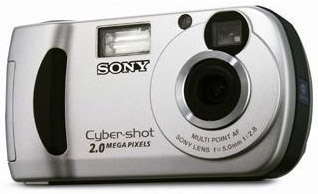 |
|
Silver Member Username: Ieee488Post Number: 564 Registered: Dec-07 | 2.0 is NOT a model number; it means it takes 2.0 megapixel photos And the photo unfortunately tells me nothing. |
|
New member Username: Troubled168 Post Number: 3 Registered: Mar-11 | I did not say that it is a model number, and I'm not the expert here,. |
|
New member Username: Troubled168 Post Number: 4 Registered: Mar-11 | MODEL NO: DSC-P31 |
|
Silver Member Username: Ieee488Post Number: 565 Registered: Dec-07 | explains how to transfer the pictures from the camera to a computer running Windows XP using a standard USB connection there is much helpful information on Sony's website Good luck! |
|
New member Username: Sravya_gonuguntlayahoocomPost Number: 1 Registered: Mar-11 | i have sony cyber shot 7.2 mega pixel cam... with 2GB memory stick pro duo... when im inserting the memory stick to the cam... it shows a sign that.. " reinsert the memory stick" with error: C:13.01 when im reinsterting it shows the same error... i dont know how to store my photos... when it is connected to computer.. its not detecting... help me out of this... pleasee..... |
|
Silver Member Username: Ieee488Post Number: 569 Registered: Dec-07 | http://www.thefakegeek.com/2009/04/how-to-fix-the-sony-c1301-error/ |
|
New member Username: PantalionPost Number: 1 Registered: Apr-11 | my M2 memory card on my k800i always have corrupted files?? is there any problem with my memory card? |
|
New member Username: PantalionPost Number: 2 Registered: Apr-11 | my M2 memory card on my k800i always have corrupted files?? is there any problem with my memory card? |
|
New member Username: Tchkids13Post Number: 2 Registered: May-11 | I have a Sony Cybershot and my 4GB memory stick is telling me that it's full after only taking 210 images. Is there a way to fix the resolution on my images to fix this? |
|
Silver Member Username: Ieee488Post Number: 601 Registered: Dec-07 | If you have lost the owner's manual for your Sony camera, download it from Sony's website. You need to read to learn how to change the setting for the still image size. For example on the old model DSC-P10, there is a choice of 5M, 4.5M, 3.1M, 1.2M. It will be different for your camera. |
|
New member Username: HannabananapancakesPinellas Park, Florida United States Post Number: 1 Registered: May-11 | hi i have a cyber shot DSC-W330 and the other day i took some pictures on it, but i forgot that i had taken the memory card out, so its on my internal memory, is there any way i can put the internal pictures on my memory card from the camera? |
|
Silver Member Username: Ieee488Post Number: 602 Registered: Dec-07 | You can copy from internal memory to the PC. Download the manual and read of other capabilities. |
|
New member Username: Marinewife8908Post Number: 1 Registered: Jul-11 | I have a Sony cybershot the other day I was taking pictures when it popped up " re-insert memory card into camera." The memory stick is a Sandisk memory stick pro duo. Is there anyway to get those pictures back? Oh and the stick won't read in any device. Please Help! |
|
Diamond Member Username: WingmanaliveWww.stainles... .ecrater.com Post Number: 24957 Registered: Jun-06 | Is it a 2g stick or greater? I've heard that 2g and higher cards often have data loss, either due to random static or magnetic fields. The same tech that allows things to get smaller doesn't mean it makes them more reliable. I use a 2g card in my digi cam with no problems but that doesn't mean nobody would. |
|
Platinum Member Username: PlymouthCanada Post Number: 16532 Registered: Jan-08 | Paul This is a Sony issue, I have a Kodak since 2 years with 4 Gig wich has never lost the data, so only Sony experiment this problem! |
|
New member Username: Marinewife8908Post Number: 2 Registered: Jul-11 | It is a 4gb stick. So does this mean my pictures are gone? |
|
Platinum Member Username: PlymouthCanada Post Number: 16539 Registered: Jan-08 | Be sure that the slot contact are clean of dust! Try the card in a computer reader then copy your pictures then format it! You can also found a recover data software by googling it! |
|
New member Username: Marinewife8908Post Number: 3 Registered: Jul-11 | We have tried putting the card in a computer reader already, and nothing. I will check out the recover data software. Thanks...I just really hope my pictures aren't gone for good. |
|
New member Username: NanimPost Number: 1 Registered: Aug-11 | Memory Stick Pro Duo (Mark 2) Memory Card 4 GB .... .this is my memory card ....how can i unlock my memory card ....pics are comming in cam but those are not uploading in my pc...pls tell me about this i have no idea in this thing..plsplspls....... |
|
New member Username: MrbenchmarkSpringfield, MO United States Post Number: 1 Registered: Aug-11 | Ok, this might be a redundant question but here is goes. I own a Sony Cyber Shot Digital Camera H55. I've been using a Sony 16GB Pro Stick Duo successfully for almost ten months. I've always hooked the camera directly to my computer to retrieve photos or video from the memory card, then afterward deleting them from the card so they won't take up room. I never have had a problem until now. Since the last time I did this a couple of days ago, now when I turn on my camera, a message comes on the viewer stating, "No memory space on memory card." This confused me, so I plugged my camera back into my computer to check if there was anything on the memory card, and the picture and movie folders were both empty. I then disconnected the camera from the computer again and turned it on. I still have the same message pop up. What's wrong here? |
|
New member Username: Lewi7Cheltenham, Gloucestershire Post Number: 1 Registered: Sep-11 | I have a 4GB Sony memory stick, I've connected to my PC with a driver & tried to format as per other's successful attempts. However, I keep getting a message that says Windows was unable to format the stick - any help greatly appreciated. When the stick is in the camera, (CyberShot DSC-TX1) I can't access the settings & keep getting an error message. Help...please ! |
|
New member Username: Azmahassan008Post Number: 1 Registered: Sep-11 | i have a Sony cyber shot camera. i cant take photos from it since the last few days. Both the buttons work for video. Can any one help me out. |
|
New member Username: LeadelisaPost Number: 1 Registered: Nov-11 | Sony cyber shot is really excellent camera brand. If you are getting any such problem with your camera then it may be possible that there is some physical or logical error in the camera. You should contact at service center for proper resolution. However, if you have images in memory card of your camera then pull out the memory card and restore its images using a memory card recovery software. |
|
New member Username: CloudboyPost Number: 1 Registered: Feb-12 | I have a Sony Cybershot DSC-S600 with 256mb Lexar Memory Stick Pro Duo with adapter. The memory stick works fine in my camera but when I plug it into the card reader of my Acer Aspire 4520 laptop, although My Computer recognizes there is a memory stick in the card reader, when I click on it to open it, I always get the message, "Please insert a disk into MemoryStick (H). I have formatted it several times using the camera but it doesn't help. I have the latest drivers for Win7 for my card reader from Acer. My laptop originally came with Vista and I upgraded to Win7. I never used my card reader until recently after I already had Win7. I have tried using a different adapter for the memory stick and that doesn't help either. When I go to Disk Management, it says "no media" at the location that corresponds to the memory stick. Once I even had a friend try the memory stick and adapter in his Toshiba card reader and it worked OK. I've had this problem for over a year. Can anyone please help? Maybe the great guru Berny? |
|
Platinum Member Username: Project6Post Number: 16133 Registered: Dec-03 | If you just upgraded to Win 7 from Vista, you need to ensure that the memory card readers are recognized as connected devices. Windows 7 is notorious for not automatically recognizing devices connected to the laptop during an upgrade. One thing you can do is remove the memory card reader from the ilst of your devices and re-install. If you can borrow and external card reader, check to see if the laptop can read the memory stick that way. If it does, then you'll be positive that the card reader is at fault. |
|
New member Username: CloudboyPost Number: 2 Registered: Feb-12 | Hi Berny, thanks for coming to my rescue. I don't know where and what exact list you are referring to but when I go to Device Manager, the Ricoh Card reader is listed under the category of IDE ATA/ATAPI Controllers. There is Ricoh Memory Stick Controller, Ricoh SD/MMC Host Controller, and Ricoh xD Picture Card Controller as well as some other items called standard dual channel PCI IDE controllers. And of course they are all labeled as working properly. Do you suggest I delete the memory stick controller from Device Manager and then reboot in hopes Win 7 will recognize/install it? I'm pretty sure I have tried that before but am willing to try again. The only thing I can think of is that I am missing some kind of driver but I've searched high and low for drivers too with no results. Thank you very much. |
|
Platinum Member Username: Project6Post Number: 16137 Registered: Dec-03 | That an issue with Windows 7 upgrades. Some of your devices will not be detected properly or it will show up as part of your devices in Device Manager but if it not compatible it will show up but will not give any clue if it is actually working or not. Yes, remove the device from Device Manager. Then reboot and see if the laptop can detect the device. If it does not detect it and install automatically, you will need to update the drivers because it may no longer be compatible with your OS. And it does not update automatically with all your windows updates. Download a driver from the Ricoh website just to make sure you get an updated driver. Then re-install. |
|
New member Username: CloudboyPost Number: 3 Registered: Feb-12 | I had already done this but did this again and it didn't work. I have been unable to find a driver that fixes this problem. But thanks anyway. It's hopeless. |
|
Platinum Member Username: Project6Post Number: 16264 Registered: Dec-03 | time to get a Mac |
|
New member Username: GrandmamomHendersonville, North Carolina US Post Number: 1 Registered: Nov-13 | Hello, I hope this sight is still up and running and a problem I have can be resolved. I have a Cybershot DSC-F717 -- While Taking pictures, my Camera Froze Up.. I Turned it off but the viewer stayed lit with dim light.. I tried turning it back on and it stayed the same dim light, so I finally removed the battery and replaced it .. then it came up, I continued taking pictures.. but when I got home the previous pictures on the memory stick were gone, Not all of them tho the first ones took on 1 day were still there, the ones after.. several more days and the ones took just before the camera froze were GONE .. but the ones I took after removing and replacing the battery were there.. Please tell me there is a way of retrieving these precious memorys.. Thank you so much for your help... Up-set Grandma/Mom |
|
Silver Member Username: Ieee488Post Number: 719 Registered: Dec-07 | It sounds like losing the battery power may have inadvertently caused the memory stick to be formatted and the new photos may have overwritten what was there. If you have a card reader on your PC that can read the memory stick, try data recovery software such as Recuva http://www.piriform.com/recuva |
|
New member Username: DoodlelovePost Number: 1 Registered: May-15 | I've been having troubles with my camera. I got a Sony Cyber-shot 14.1 MP. It has been working perfectly fine but when I opened it one day, it says "Memory Card Locked Cannot update Image Database File" I thought it was just the usual thing.. like fixing the memory card. But it's not. I've tried all kinds of memory card. But it still says the same. What should I do? Help pls, ASAP. Thanks |
|
New member Username: Alice123Las Vegas, California Post Number: 2 Registered: Feb-16 | Well, due to no memory space issue, your saved pictured may also get corrupted. And if they got corrupted, you may lose most of the precious pictures you have saved on your Sony memory stick. However, you can get back your lost pictures from your memory stick with the help of link: http://www.rescuedigitalmedia.com/recover-lost-pictures-corrupted-memory-stick Here, you will get some easy steps to recover lost pictures from corrupted memory stick. Just try the steps mentioned in this blog once and recover your lost pictures form Sony memory stick if they becomes inaccessible or corrupted. |
|
Gold Member Username: MagfanUSA Post Number: 3536 Registered: Oct-07 | 1, Welcome to the WonderFul World of SONY. 2. REFORMAT the memory stick. 3. Next time buy something which takes one form of SD or CF memory 4. UPDATE the camera firmware. Make sure you have the latest version. 5. I have a SONY NEX-7 and no card problems. I ALWAYS format in the camera after moving pics to a safe drive. |
|
New member Username: JoshfergusonMiami, Florida »‡ ¨ Post Number: 6 Registered: Mar-20 | i need help unlocking a memory stick! one of my kids must have locked it by accident and i have no manual. how do i unprotect it? |
|
New member Username: Marrylisa872Post Number: 1 Registered: Sep-20 | If your are looking for Local Moving Coquitlam BC Purely Canadian Movers will help you. |