HELP!!! vga vs component vs s-video vs dvi vs hdmi
|
New member Username: Ghst1941Post Number: 3 Registered: May-05 | I am really confused. First I heard that vga is the best then I heard that component is. Then people are talking about dvi and hdmi. Can someone please tell me which is best and rank them. I am more interested in knowing if vga is better than component (because i actually know what these are) |
|
New member Username: Ghst1941Post Number: 4 Registered: May-05 | Component S-Video Composite Coax |
|
Silver Member Username: Virus5877West Lafayette, Indiana USA Post Number: 164 Registered: Apr-05 | if you can find dvi output cards and a monitor with dvi input, that is the best video connection you can get... video connections on a scale of 1-10 (1-worst, 10-best): HDMI/DVI - 10 Component - 9 S-Video - 6 VGA - 5 Composite - 3 Coaxial - 1 ...that should clear that confusion up! |
|
Unregistered guest | vga is way better than component and a teraload better than s-video. Think about it, would you connect your computer monitor with a s-video cable? Heck no |
|
New member Username: Ghst1941Post Number: 5 Registered: May-05 | see this is what i mean some people say component is better than vga and others say it is worse. if anyone really knows and has proof(example: put an uplink(url) to the place you saw it) |
|
Unregistered guest | Isn't VGA the same as component? I have worked with equipment that uses a VGA output and the cable breaks out into RGBHV component. That's red, green, blue, horizontal & vertical. Is this the same arrangement your normal everyday monitor connected to your computer? |
|
New member Username: HiendhifiPost Number: 1 Registered: Aug-05 | one is not better that the other. When you're connecting a component cable to a TV (non monitor) you are using red, green, and blue. Your TV cant, and doesnt need to process anything else. On the other hand if you need to connect a device to a monitor you will need a signal that will give you more than just RGB. A standard 15pin VGA cable sends RGB + HV (horizontal and vertical sync) as well as other wires that allow things like refresh rates and basic computer communication back and forth (things TV's dont need) So, if you have a TV with a VGA and a component connection use whatever makes you happy cause it just doesnt matter. |
|
SuperDave Unregistered guest | Component is not RGB (however, VGA is). It has three lines, but only two carry information about color, the third carries brightness. VGA carries more bandwith than Component (about 2x), but it is still an analog connection. DVI and HDMI are digital connections, which is great for your DVD player or anyother digital device because it doesn't have to convert the signal (conversion = loss of information), but if you are outputting to an analog device (like most televisions are) it really doesn't matter because you are converting the digital signal to analog in the end. |
|
SuperDave Unregistered guest | Component is not RGB (however, VGA is). It has three lines, but only two carry information about color, the third carries brightness. VGA carries more bandwith than Component (about 2x), but it is still an analog connection. DVI and HDMI are digital connections, which is great for your DVD player or anyother digital device because it doesn't have to convert the signal (conversion = loss of information), but if you are outputting to an analog device (like most televisions are) it really doesn't matter because you are converting the digital signal to analog in the end. |
|
sumwanelse Unregistered guest | VGA and Component video are essentially the same thing. If you pull apart a VGA cable you will see that inside there is a RED, GREEN and a BLUE whire inside. All VGA is is component with additional wires to control the monitor from the computer. A VGA to Component adapter can easily be made simply by splicing pins 1 and 6, 2 and 7 and 3 and 8 while shorting 4 and 5 as vsence (ground). Each of those pairs in that order are; RED, GREEN and Blue. |
|
d.charalampidis Unregistered guest | VGA, surely is better. The main thing is that VGA is pure RGB, as opposed to Component which is compressed into YPbPr. This has to be decompressed into RGB at the TV end. This is grossly simplified, but that's the gist of it. For this reason, some people (myself included) argue that RGB Scart is superior to Component for interlaced SD content. True, the YPbPr compression used with Component connections saves bandwidth, but this is a non-issue on a VGA connection. Besides, VGA has always looked superior to my eye anyway. You ever seen VGA look anything but stunning? FYI, when the XBox 360 comes, my Component cable is staying in the box, I'm heading straight for VGA, and plugging it into this sets' DVI-I socket. |
|
New member Username: Ghst1941Post Number: 6 Registered: May-05 | yeah i one of the reasons that i am asking this question is because of the xbox 360 thank you to everyone who has replied but it seems that no one can actually say which is better which is annoying and i am still unsure |
|
Bronze Member Username: KevinpPost Number: 18 Registered: Aug-05 | I have the new Sony A10 LCD TV, which has a RGB slot in the back, which says "PC IN". Is this where I would put the VGA cable into from my Xbox 360? I too am looking for the best connection as I will be playing DVD's with the 360 as well. |
|
Michael in Ohio Unregistered guest | This looks like just the place to ask this question. I have a Sony LCD hd monitor with my Xbox hooked up thru component. I also have a VGA adaptor for it and plan to use that when the 360 comes out, then hook the 360 thru the component connection. Or I could do the opposite. But here's the problem. I used the VGA adaptor and though it's a great picture, I can usually see faint vertical lines in the picture. Auto adjusting doesn't get rid of it. Can anyone suggest how to adjust these away, or what the problem is? Many thanks. |
|
Bronze Member Username: KevinpPost Number: 20 Registered: Aug-05 | Michael, After doing some research I'd stay stick with the component at this point. No one knows how the VGA will look with the 360 & component will be just fine. |
|
New member Username: GreybeardPost Number: 1 Registered: Sep-05 | Hey Mike, VGA is better than component because it is not compressed or processed on the way to the display device like component video. VGA will arrive at your TV in a purer form. How your tv handles component vs. VGA is a WAG. Consider this though. An XBox is really just a computer in a different package. What do almost all computers use? VGA! The two following sites have good descriptions of VGA component video. http://en.wikipedia.org/wiki/VGA http://www.projectorcentral.com/component.htm |
|
Unregistered guest | I am having the same problem... VGA or DVI to hook up my 27" LCD TV/monitor. I am having trouble with picture quality using VGA when playing online games like Call Of Duty... Also, the screen Auto adjust tends to be off. That could be the LCD manafacturer(Syntax Olevia). I will try DVI and let you know if there is any diff. in quality. |
|
sheep Unregistered guest | i have a normal Lcd TV (not HD) with a pc connection on it, is this VGA because i want to connect the 360 to my TV but im not sure if the VGA cable for the 360 is compatible with non HD TV's, does any1 know? |
|
scotty cupra Unregistered guest | what is the best connection then from a pc to a hd tv? my g card has dvi output but my new tv has 1 x VGA input ( 15 PIN HD D-Sub (HD-15) ) 2 x SCART ( 21 PIN SCART ) 1 x composite video input ( RCA phono ) 1 x S-Video input ( 4 PIN mini-DIN ) 1 x component video input ( RCA phono x 3 ) 1 x audio line-in ( mini-phone stereo 3.5 mm ) 1 x audio line-out 1 x headphones what is the best connection to use? i was gonna use a dvi to vga converter then use a standard vga lead. for the sound a 3,5 jack to 2 plug |
|
ErictheViking Unregistered guest | I have a Asus laptop with a VGA and S-Video output and a LG HDTV with both VGA and S-Video input, which is the best option? VGA or S-Video? from what i read here VGA should be better quality but the problem is that maybe some TVs arent able to handle the signal properly? |
|
Anonymous | This will probably help building an own ranking of the quality of analog signal types: http://www.epanorama.net/links/videosignal.html I think there are also links to infos about the digital ones. If available I would ever prefer the newest digital standard: DVI (HDMI is similar with respect to quality)! |
|
Unregistered guest | Okay...This seems like the place. I have a Sony 4x3 CRT Wega HDTV. I've been using Component for my PS2 and DVD player. I was going to hook up one of my laptops. I was using S-Video, okay but still not crisp. I purchased a VGA to Component cable. My TV no worky. Does anyone know what gives? I get a whole butt load of res and refresh settings but none work. My pc sees that display, but I get no picture. Any help would be greatly appreciated. |
|
Unregistered guest | i want to splice the stock xbox a/v cords and turn it into an s-video with left and right RCA or VGA with Left and right RCA Seperate. does anyone know how ? or just how to turn a VGA cable to an S-video Cable. |
|
TomS Unregistered guest | About the VGA vs. Component quality. You guys have touched on the technical aspects, which does suggest that VGA is supperior. From a practical perspective, or real world use, I have to say that VGA is in fact superior. I used an HD satellite receiver that used both outputs and my 50" plasma supported both, and the difference is night and day. VGA was much clear/sharper, compared to its component alternative, which displayed artifacts in the picture, as you would see in highly compressed JPG images, for instance. |
|
New member Username: I3one21Post Number: 1 Registered: Oct-05 | DVI-D (D for digital) is the highest resolution connection. DVI-I and DVI-A (for more information check this site: |
|
New member Username: I3one21Post Number: 2 Registered: Oct-05 | All about cables https://www.ecoustics.com/electronics/products/articles/122868.html |
|
Unregistered guest | i have an olevia syntax 32" lcd which is one of the best quality picture i have seen when u adjust the colors as soon as u buy it ........ and it has a vga connection so i was thinking the same thing about using the vga for my xbox 360 instead of the component cables....... its gonna be sick .. i wish they had dvi at least for xbox 360 i sont understand why they went that route i hope the vga does the job ...... i recommend the olevia syntax lcd to everyone its the biggest surprise you'll have especially $$$$$ very affordable $999 and works just as good without ahving to pay a mortgage..... u just gotta adjust the colors bring down red greeen and blue ... it comes out the box very saturated |
|
vin benzine Unregistered guest | I was wondering what about the refreshrate if you connect an XBOX 360 to your computer monitor. When i set a monitor to 60hz it realy start hurting my eyes after a while. I hope there will be an option to set the refreshrate. And if not maybe it is possible to make a VGA cable where you can set the refresrate by doing something to the cable. |
|
texan95 Unregistered guest | I have a Syntax Olevia LCD as well, and it's amazing. Mine's 30", cost $777 at Fry's, and HDTV picture is as good as any I've seen. Didn't have to adjust saturation on mine, it's still playing as it came out of the box. |
|
TechieMike Unregistered guest | I have a DVD player with a component output. I am planning on buying an AV receiver that has component inputs and outputs. My TV only has RGB through the scart socket though. Is it possible to connect the DVD player to the receiver using a component cable then connect the component out to the TV using an RGB to scart adaptor? |
|
Anonymous | the quality of the cable is also important |
|
Unregistered guest | DVI is definately better quality....TESTED and proven! |
|
Unregistered guest | I tested the picture quality on my Syntax 27" Olevia LCD using VGA and DVI and Using DVI was so crisp I felt like I was in the game. Changing to DVI also fixed my auto adjust problems (Can't figure that out). |
|
New member Username: PmfPortugal Post Number: 1 Registered: Nov-05 | Hi i found this forum as i was trying to find out which connection between pc's and tv's is the bets. So far i can tell that s-video is quite good for video playback or picture display but the colours on the desktop and the text get very bad. do these item s improve if i connect bothe machines via DVI? Thanks. |
|
New member Username: PmfPortugal Post Number: 2 Registered: Nov-05 | By the way im trying to link a ATI 9600XT to a Loewe Xelos A26 HD-LCD TV. if anyone knows how to improve the visual performance between these two please mail me. |
|
Unregistered guest | is it my imagination or is this tread all-over the place! anyway C-net.com has HD Stats on conections. HDMI is great but it's media road block for copying so to speak thats why it was invented! DVI might be the same as it's digital and pretty much the same (with-out sound)! Sheep use a DVI to d-sub converter it should be fine!>Scotty cupra same!ATI 9600 get drivers use DVI if possible! |
|
Unregistered guest | who makes the Syntax Olevia's panel? sounds pretty good! I've got a Pavo 32"HD lcd with a Sharp panel connected to my pc with DVI and it's unbelivable only way to watch porrnn! oh yer |
|
Guy with same issue Unregistered guest | here is a link that explains the difference between them all. Now keep in mind this has nothing to do with computers, but rather the connections them selves when used with a TV only!! http://lyberty.com/encyc/articles/svideo.html |
|
xcarcraft Unregistered guest | I'd like to know were scart comes into the equation? anybody! |
|
MGRMLN Unregistered guest | So after reading all of this, it looks like I'm going to hook up my XBOX360 to my Syntax Olevia 32" LCD via the VGA adaptor. I know this is going to be awesome. BTW, I'll jump in and recommend the Syntax HDTV too. It has the specs and picture to rival anything up to $4k for $999. Philips makes the LCD's and it uses the IPS (In Plane Switching) panels so you get a much wider viewing angle. I love mine. It makes my buddy's $3500 Sharp Aquos look like dogsh*t. |
|
New member Username: XcarcraftPerth, WA Aust Post Number: 3 Registered: Nov-05 | why wouldn't you use a DVI connection on your xbox 360? I also have a hard time believing a philips panel will out perform a Sharp's! |
|
Unregistered guest | I have a Samsung DLP TV (HL-R5064W). There have been some posts about "time lags" with PS2 and XBox games. Does anyone know if this is also the case with XBox 360? If so, is there anything to get around this problem? Samsung gives some advice, but not sure if it applys to the 360 (http://erms.samsungelectronics.com/customer/ca/jsp/faqs/faqs_view.jsp?PG_ID=3&AT _ID=20012&PROD_SUB_ID=41&PROD_ID=-1). Thanks in advance! |
|
Dante Benjamin Unregistered guest | So after reading all this I'm still not sure if I should get the 360 VGA cables, b/c my tv only has a DVI input. Are they the same? d.charalampidis wrote "FYI, when the XBox 360 comes, my Component cable is staying in the box, I'm heading straight for VGA, and plugging it into this sets' DVI-I socket." So can I buy the VGA cable and plug it into a DVI input? |
|
NJInsane Unregistered guest | XCraft: It isn't supporting DVI, that's why. Not sure why. Wish it was. |
|
Unregistered guest | Ok i have a big problem everyone! I got hold of a really cheap 20 inch lcd,hdtv (polaroid 2011). I intended on pluggin in my laptop vga into the tv and low and behold...there is no vga input on the tv. However it does have a component input. I need to convert from a VGA output on my laptop to component (tv input). A: how is the best way to do that? and B: will i lose quality? |
|
Anonymous | Is it worth paying alot extra for a DVI connection on a 19" TFT as opposed to one without? |
|
Unregistered guest | In Regards to the Xbox 360 Vga vs Component I can settle it perfectly right now. There never has been and currently is not a TV in the world that can do what a standard 5 year old CRT monitor can do and thats a fact. Its just a tigher and sharper image. Mind you it is much smaller and that to me is a factor to consider. The VGA cable running from your monitor to your video card needs not only to carry multiple types of data but fast enough for a good sync/RefRate. A component cable essentially does the same thing but it is designed for a different display architecture. Televisions as I said are significantly inferior to CRT's and so data is not only carried diffeently it is also diplayed differently. Signal degradation is not nearly as noticable on a television as it definately would be on a monitor. Your XBOX 360 is a computer in every way and even processes display information through a video card. It would perform best( as in looks the best) in this order. 1. Flat Computer Monitor with VGA (CRT still looks best but LCD is fine if not for some occasional ghosting issues) 2. High Definition LCD/DLP running through, DVI or even VGA at 1080i resolution n(DVI and VGA will give the same performance to the human eye on an LCD Television though DVI is superior for this display type. 3. High Definition LCD/DLP running through Component Y,Cr,Cb, or Y,Pb,Pr at 1070i 4. Standard Flat Analog Screen running through analog component Y,Cr,Cb, or Y,Pb,Pr at 480i 5. Standard Flat Analog Screen running through s-video at 480i (degraded image from compression) 6. Standard Flat Analog Screen running through composite cables at terrible performace. 7. Standard Flat Analog Screen with a coaxial connection.... oh god its bad and oh yes.. it does get worse! Hope that helps anyone! GameGod |
|
darkandlong Unregistered guest | Uh, wouldn't you want a progressive image over an interlaced image for gaming? 720p would be a lot better with fast motion then 1080i I would think. Either way, I'm curious as to whether the VGA hookup will look marginally better then the component on my 50" DLP. |
|
Anonymous | I think it's best to buy both cable connections and test it out yourself with your own equipment. I will try that with my Xbox 360 once I can get my hand on one. I have a 42" Plasma EDTV. |
|
Anonymous | For DVD (max resolution 854*480), component is not a bad choice as DVDs are actually encoded in component video. Just make sure you have progressive scan component output (480P) on your DVD player and 480p input on your television (or projector), and you should get the best possible playback result out of your DVDs. HDMI/DVId are good too, but you can hardly see any difference with progressive scan component, unless you have true high definition input signal (which DVDs are not) with resolutions equal or above 720p. |
|
bombmeo Unregistered guest | Can anyone post any images up. That would probably be the best to help everyone out (including myself). There's an article somewhere on the internet that actually shows images of vga and component output on the 360(once i find it again, i'll post it here). The component did look much richer (which doesn't make sense to me, becuase I would think vga is better). |
|
bombmeo Unregistered guest | Ok, here's the article I found: But I still wanna know, which is the best for a Plasma. I have a VGA input (no component). I'm currently using it. Just wanna know if component will look different. I'm even thinking of getting a converter from VGA/Component to DVI. At least this way I can connect all my other component enabled devices to DVI. |
|
Negcreep0 Unregistered guest | i want to go from my ps2 to my computer monitor... so my question is if i go from my ps2 composite video cable into a vga adapter for ps2 will it look the same as if i went from my ps2 component video cable into the same vga adapter???? thanks |
|
Anonymous | Hi All, I Purchased an Olevia 26'' LCD TV recently. I tried to play some movies which were in Real Media format from my computer connected to the LCD TV using VGA. I am unable to see the Real Media format on the LCD TV though it plays well on the computer. Can anyone suggest me some solutions for it? I tried adjusting the display settings both in the TV and the computer(Resolution changed to 800*600). It did not work. Any ideas????? Thanks, satya |
|
New member Username: WiggyPost Number: 2 Registered: Nov-05 | Hi all I think you will all be able to help me here I am trying to connect a Laptop To a Sony HDTV LCD Laptop has a 256meg Nvidia 6800 Ultra card with VGA & DVI-D also S-video out my HDTV has Scarts,(Scart RGB) S-Video & Component YPbPr. I made a mistake & bought a DVI-I to component lead (a bit wiser now) My question is:- can I use a vga/component lead to connect them in not why not? or do I need a transcoder thingy. or is there another way to make a HD connection with my lappy many thanks |
|
Matthew Kees Unregistered guest | I should begin by saying thanks to those who posted answers and links above. It has cleared a few things up for me. Soon I'll be purchasing an industrial model 1,366 × 768 dot plasma display that has many options for inputs. It comes with D-sub 15p (says DDC1/2B-compatible), RS-232c (I believe this is for TV control by a connected computer, not picture), Component (PR/CR/R, PB/CB/B, Y/G) and S-Vid. An optional HDMI card is also available. I plan on purchasing the HDMI card for use with a HDMI DVD player, which leaves the D-sub and component connections open. My cable box (Motorola DVR) has the standard connections plus DVI out. Since starting my research in how to hook everything up to get the best HD picture possible I purchased a DVI/VGA adapter and a VGA cable (thinking that would be better than using RCA component cables). But in my online search I also stumbled across DVI/VGA digital converter boxes (for around $300). My question is will the simple (and inexpensive) DVI/VGA adapter (and the VGA cable) work with the cable box and the display's VGA input (D-sub 15p that says it's DDC1/2B-compatible) or do I also need one of those pricey converter boxes? TIA to any and all who reply. |
|
Matthew Kees Unregistered guest | A follow up as I think I've answered my own question... The DVI-D output on the cable box requires an HDCP (High Definition Content Protocol) signal, so the simple and less expensive option is not going to work (unless DDC1/2B means that it is compatible). My guess is they are not. It will be less expensive for me to purchase a second HDMI card and use a DVI-D to HDMI cable. Hope this post may help others in a similar boat. |
|
Unregistered guest | please bear with me here as I do know a little about connections but just the basics... My TV is a philips 50" big screen (rear proejction)... while not up to par with teh LCDs and Plasmas I got it dirt cheap and its nice and big... Heres the deal, It has a DVI input, a RGBHV input and a component RGB input. currently I have my xbox hooked up to the RGB and it looks great, Im getting the 360 in the next couple of days and was wondering if I should get the VGA to DVI or the VGA to RGBHV or if the RGB would be sufficient... is there gonna be a big change in picture quality? basically I want the best possible hook up for my TV... |
|
New member Username: KayliebugPost Number: 1 Registered: Dec-05 | I hooked up a VGA to component cable from my computer to my tv and the signal is rolling colors. The cable hooks into my video card (VGA) and goes to my TV (component). What would be wrong? |
|
Beto Unregistered guest | OK give me a straight answer would connecting my DCT through a VGA to DVI adapter be better than using high end composites? The HDTV has a DVI input. WHich is better DVI-I, or DVI-D? |
|
Isaka Unregistered guest | Hi, This is what i picked up on wikipedia... DVI-D (digital only) DVI-A (analog only) DVI-I (digital and analog) http://en.wikipedia.org/wiki/Dvi For DVI vs HDMI VS Component there is a very interesting text here: https://www.ecoustics.com/electronics/products/articles/122868.html bottom line it all depends on your equipment, personnal preferance & how much time your willing to spend on trying out differant cable options...if you want my opinion find a store that has a good return policy & get few cables try them on & fighure it out from there |
|
Jukey Unregistered guest | In terms of connecting your computer to a TV it depends on what kind of TV it is. if it is a standard NTSC CRT then i suggest using S-Video. if it is a HDTV monitor the best choice is DVI or VGA. Whichever connection your TV supports. I also have a question. Why is it that there is a DVI-A connectior that only transmits analog when DVI stands for "Digital Video Interface"? that makes no sense to me. |
|
New member Username: ZabaPost Number: 1 Registered: Jan-06 | Guys, I've got an LG 1710B TFT monitor (works on 1280/1024 @ 60Hz) with VGA-in and DVI-in slots, and an LG8631V DVD player with Scart-Out and Component-Out slots. I'd like to connect 'em without turning on the PC (it's noisy), to watch movies on my monitor. Do you think it's enough to make a simple cable: Component2VGA or a Scart2VGA and that's all (which is better)? I mean the DVD player could send a progressive scanned RGB-out sign, but i'm not sure about the TFT could recieve it, so what's about the interlacing. Those scattered forms makes me nervous, but no picture is worse. |
|
New member Username: SomaamosIndianapolis, IN USA Post Number: 1 Registered: Jan-06 | Look here for a complete roundup: http://lyberty.com/encyc/articles/tech/video-connections.html |
|
Unregistered guest | i connected my computer from vga to tv vga and movies are all patchie does anyone know why. |
|
Robby18 Unregistered guest | I just bought a 32 inch samsung lcd and the vga input looks great but i wanted to try dvi. When i hooked it up it has some kind of image distortion and defineley not crisp. The only resloution that is readable is 640-480. I have a ATI 9600 pro if someone could help me out thatd be great |
|
ProjectorMadness Unregistered guest | I just purchased the OPTOMA EP739 and have been using it as my current television (hooking HD cable through DVI into the projector), and getting a very nice looking 92" picture. When I hook my PS2 through my projector, I have to use composite video because there are no component connections. At the top of this page http://www.optomausa.com/store_productdetail.asp?product_subcategory=13&productc ategory=Cables&offset=5 there is a FEMALE COMPONENT to MALE VGA connector. My projector has a VGA input which I have used with my computer before, and supplies a nice picture. Do you think there will be a drastic increase on quality in resolution by running my PS2 through component into that VGA adapter into the Projector, as opposed to keeping the current somposite setup. |
|
enter my damn name Unregistered guest | FYI for those who are wondering about DVI to component..... (which by the way for those who don't know, is a digital signal to an analog signal) THERE IS NO LOSS FROM A DIGITAL SIGNAL TO AN ANALOG SIGNAL!!!!! There are two components of a digital signal: a decision on how many bits are used in the encoding, and the sampled data from the complicated algorithms developed specially for video. Think of it in this way: You have 10 colors. The signal is digitized, which removes 5 colors due to the encoding style. When you want to reproduce this signal (5 colors, remember?) you use an analog signal that reproduces the entire spectrum (thus a definition of analog). How many colors do you get out? 5. The entire point I'm trying to make is that your picture is only as good as the initial signal. A little bit about the inputs availible: 1.) HDMI HDMI is supposedly the new *standard* of quality. In reality, the only improvement is that the picture and audio is combined in one simple cable that doesn't take up a lot of speace. 2.) DVI DVI is an older version of HDMI, less the audio inclusion. The cables cannot be over a certain length or major interference can occur. Nice because the input signal is digital, which is usually matched to the amount of digital output from the hardware. 3.) Component Has a either a red, blue, and green or cmyk component. This allows the device to reproduce each color individually using an analog signal. Read the above part to lean the usefulness of analog. 4.) VGA I like VGA. It is component, but held in one cable 5.) S-Video S-Video's max resolution is 1024x768, but is a inprovement over the initial rca analog out that was around before the s-video. 6.) RCA RCA is analog, but if the signal is carried on just one line, it is not as defined as if the colors are broken apart. Hopefully this helps a little. |
|
Sicinius Unregistered guest | So the standard 360 component cable - which colours are Y, PB and PR? Or do I need another cable to connect it to my Panny 42" panel, which I bought 5 years ago? It has 5 BNC connectors, Y, PB, PR, L, R. I assume the last two are audio. What cable do I need to hook up the three others? |
|
kghkgg Unregistered guest | Ok, here it is... There is little proof that DVI/HDMI offers a better picture than component/RGA. The only real reason to be certain that your display device can accept DVI/HDMI is because recorded HD content (HD DVD and Blue Ray DVD) will only be offered over HDCP devices which can only be done via the DVI/HDMI inputs. This is to protect the film studios from piracy since these signals can be digitally encrypted, unlike component signals which are analog. Regarding RGB vs. Component, there is NO difference in the final picture. How come? Becasue RGB IS component. The only different between these two is that RGB requires more bandwith since it doesn't compress what is not visible to the human eye which component does. One thing to take into account is cable run length. If you are going longer than 30feet then you might want to stick with RGB/Component since these can be pushed to over 50feet without any loss of quality. Below 25feet DVI/HDMI seems to hold up fine, but this varies greatly from output source since the DVI/HDMI signal strength varies greatly from different manufacturers. Since I do not have the funds for a new A/V receiver with DVI/HDMI switching, I have based my decision about input devices as follows: My Infocus Screenplay 5000 has only one HD15(RGB) connection, one DVI/HDMI connection (via the M1 port), one Component connection, one S-Video connection, and one Composite connetion. Therefore, I have zero choice with connections really since I have to hook up one EchoStar 6000 (RGB), one DVI capable DVD Player, one component out PlayStation 2, one S-Video DVR, and nothing else (thank God since I can't imagine using a composite connection for anything in the 21'st century. Ranking: DVI/HDMI, RGB/Component - all tied for first unless cable run length and/or HDCP encryption are an issue S-Video Composite RF Coax |
|
Dude2026 Unregistered guest | what is a better connection d-sub to rca or dvi to rca? |
|
Unregistered guest | if you had a normal pc flat monitor with a VGA input like normal monitors, if you pluged a xbox 360 VGA HD cable would you get a HD picture? |
|
Reaver Unregistered guest | I've got a SAMSUNG LE40M61B, it's a 40" LCD HDTV which, to my knowledge, isn't sold outside Europe, and I connected my PS2 to it with an RGB SCART cable which has a switch to change between RGB and composite video. If I leave it in composite the image is really blured but it's viewable, however, if I change it to RGB, the image is crisper as to be expected but it makes some really weird effect, like it's showing the image by seperate vertical bars. While the image is sharper and has better colours, this "vertical bar efect" makes it unbearable. I've searched around and most people recommend using a component cable but they are not refering to it as a solution to my problem (they don't even mention the problem at all) and as such i'm not really sure whether or not I should buy a component cable.... long boring story... So, are the chances of getting a good image quality without that annoying "filter" if I use a component cable good or bad? thanks in advance |
|
Reaver Unregistered guest | I've got a SAMSUNG LE40M61B, it's a 40" LCD HDTV which, to my knowledge, isn't sold outside Europe, and I connected my PS2 to it with an RGB SCART cable which has a switch to change between RGB and composite video. If I leave it in composite the image is really blured but it's viewable, however, if I change it to RGB, the image is crisper as to be expected but it makes some really weird effect, like it's showing the image by seperate vertical bars. While the image is sharper and has better colours, this "vertical bar efect" makes it unbearable. I've searched around and most people recommend using a component cable but they are not refering to it as a solution to my problem (they don't even mention the problem at all) and as such i'm not really sure whether or not I should buy a component cable.... long boring story... So, are the chances of getting a good image quality without that annoying "filter" if I use a component cable good or bad? thanks in advance |
|
Reaver Unregistered guest | I've got a SAMSUNG LE40M61B, it's a 40" LCD HDTV which, to my knowledge, isn't sold outside Europe, and I connected my PS2 to it with an RGB SCART cable which has a switch to change between RGB and composite video. If I leave it in composite the image is really blured but it's viewable, however, if I change it to RGB, the image is crisper as to be expected but it makes some really weird effect, like it's showing the image by seperate vertical bars. While the image is sharper and has better colours, this "vertical bar efect" makes it unbearable. I've searched around and most people recommend using a component cable but they are not refering to it as a solution to my problem (they don't even mention the problem at all) and as such i'm not really sure whether or not I should buy a component cable.... long boring story... So, are the chances of getting a good image quality without that annoying "filter" if I use a component cable good or bad? thanks in advance |
|
Reaver Unregistered guest | sorry about the triple post, crappy network connection... |
|
XBOX 360 rules! Unregistered guest | if you had a normal pc flat monitor with a VGA input like normal monitors, if you pluged a xbox 360 VGA HD cable would you get a HD picture? help me please your my only hope! |
|
Gold Member Username: Project6Post Number: 5890 Registered: Dec-03 | Do you have the monitor and the xbox 360 vga hd cable equipment available right now? |
|
XBOX 360 rules! Unregistered guest | well no not really thats why i am asking the question... i want to know if it would make the picture in well a HD picture, i have the monitor 25" monitor and the xbox 360.... |
|
Gold Member Username: Project6Post Number: 5897 Registered: Dec-03 | If the source material is in HD and you have the equipment for it then it will be in HD. But just because you have the equipment does not mean it WILL convert source materials to HD or that you will see everything in HD. |
|
Unregistered guest | Yes but what i am trying to say is... I am going to redifine the question Can PC MONITORS display a HD Picture because i have a cable which is a HD cable which turns the Xbox 360 video output from Composite which is not HD and when i connect the cable the mode goes into HD picture so if i connect the cable to the pc monitor will the pc monitor be able to display it, so to sum it up all in one sentence... can normal/flat pc monitors display HD things? The cable plugs in the back of the xbox 360 console and goes into a HD VGA output a HD VGA when i plug it into the monitor... will it be able to display the HD picture? If you want to see the cable there is a link http://www.rjmods.com/images/rjmods-x360_cable1.jpg |
|
Gold Member Username: Project6Post Number: 6153 Registered: Dec-03 | Flat PC monitors can display HD. |
|
JohnM Unregistered guest | HD is just a resolution. 480, 720, 1080. If your monitor can support 1024x768 it can support 720 resolution in HD. If it can support higher than XXX x 1080 it can support 1080 HD. Get it? |
|
Wazumba Unregistered guest | Hi, i got the Xbox 360 premium pack and was wondering if the Component HD-AV cable supplied with it gives a better picture or not compared to if i used the RGB ADVANCED SCART cable with it. BTW im using a standard CRT television that has an RGB scart socket on it. Thanks |
|
Gino 3 Unregistered guest | VGA is better for the simple fact that for example if you have a flat screen TV that only supports EDTV but it has a VGA port for computer use, you can get an HD signal without an HDTV. Most TVs with these connections are also made for PC viewing with the average PC display being at least 800X600 pixels (standard only 480x480 or 480x600)I have a flat screen TV which only supports 480p through a component connection.But my TV's also a computer moniter which supports up to 1280x1024 through the VGA which is equivalent to an HD signal between 720p and 1080i. So in conclusion this can be a benifit to someone in my position. |
|
Xbox360 rules Unregistered guest | Thanka the lot all of you your a great help!! |
|
New member Username: Hudson78Augusta, KS USA Post Number: 1 Registered: Mar-06 | My HDTV is DVI-D only and I want to hook up PC to it. However, the only adapter any store in town seems to carry is for DVI-I. I was also told that upgrading video card would only allow DVI-I as well. If there is a DVI-D/VGA adapter out there, do they suck or something because nobody seems to carry them. Im thinking of just getting a new HDTV with the DVI-I in. Any suggestions? |
|
New member Username: VegeliusTampereFinland Post Number: 1 Registered: Mar-06 | Hi! I have Topfield TF-5100PVRc digibox, DVD player with HDMI socket and PC with VGA and S-video sockets. Now I'm planning to purchase Sanyo PLV-Z4 data projector. How should I connect these devices to gain (relatively affordable) the best picture quality? The specifications for Topfield and Sanyo: Sanyo PLV-Z4 I/O: 1 Dsub15 (RGB/peritel-RGB) 1 HDMI 1 Cinch (composite) 1 Mini DIN 4 pin (S-Video) 3 x Cinch (Y-Pb/Cb-Pr/Cr) 1 Mini DIN 8 pin (RS-232 compatible) Topfield TF-5100PVRc: TV-SCART: Video output signals; CVBS, S-VIDEO, RGB and YUV VCR-SCART: Video output signal; CBS CVBS, S-VIDEO and RGB (output signals) through routing S-VIDEO socket 1 x RCA Video output (CVBC) RS-232C 9-pin D-sub Some people say I should connect DVD player to data projector with HDMI, digibox to projector with RCA and PC to projector with VGA. Opinions? |
|
New member Username: JaynigsPost Number: 1 Registered: Apr-06 | original post - vga is way better than component and a teraload better than s-video.. This is not true at all! Component will destroy vga connection for high definition gaming, as far as the vga connection we are talking about here, i will explain why, the 15 pin vga connector used on the xbox 360 does not have well defined impedance characteristics, making high definition pictures flat and washed out, this is not true however for all RGB connections. If you think VGA is better on your system, you are fooling yourself, or you tv does not support component video sufficiently. If your only choice is component or 15 pin VGA connector, go for component every time.. |
|
New member Username: StilwellPost Number: 1 Registered: May-06 | Im pulling my hair out with this! I've bought myself a 32inch philips hd tv the only problem is i only have a dvi-i input and my x-box 360 does not support this. I bought a dvi-i to RCG converter but now i have a brilliant picture but no sound. I've hooked up all cables (yellow and white) audio and (red green blue) for the picture. Ive also changed the setup programs on the console in relation to HD and audio. Please help : )!!!!!!!!!! |
|
New member Username: D4nPost Number: 1 Registered: May-06 | http://www.cnet.com/4520-7874_1-5108580-5.html Chart near the bottom that gives a decent description of inputs/outputs; I've also read some other place that the source plays a major role of the displayed output. (i.e. video card/dvd player/console hooked up to a lcd/plasma/dlp television) You can get different outcomes. |
|
New member Username: Mortc002Post Number: 1 Registered: Jun-06 | I am currently running a xp pc to a lcd tv via vga cable. The problem I have is that my tv is non hd complient (ie it only has a component input, x2) this works fine and my xbox 360 is looking great. The problem is that the on screen display through vga is pretty bad for pc use. I bought off ebay a cabel that is vga to component in. I have read from variouse forums the reason this cabel does not work is to do with the colur type output from my pc. Basically I would like to know if I can do anything about this or if the picture would even be improved if this was too work? Thanks guys I await your response! |
|
Bronze Member Username: DvakPost Number: 13 Registered: Apr-06 | does the hdmi have a much greater improvement in sound compared to coxial wires. |
|
New member Username: RnrPost Number: 1 Registered: Jun-06 | Hey scott, DVI does not carry sound... it is a VIDEO only connection... So u'll have to use SPDIF or other signal to bring the sound... |
|
New member Username: CaseyaberhartPost Number: 1 Registered: Jun-06 | HELP!!! i just bought an adapter from e-bay, it has a VGA male on one end and a RCA and S-Video on the other, i tried to use it and it appears the television doesn't recognise the signal. if you're interested in helping me out do a quick search on e-bay for it keywords: VGA RCA S VIDEO LAPTOP/PC. the adapter is also on www.accoladeacme.com. |
|
New member Username: DillpickelPost Number: 1 Registered: Aug-06 | I have JVC 32" flat screen. It has Component inputs, Svideo, and two Composite inputs(one in front and one in back). I am trying to hook up a magnavox DVD player and the sound doesn't work on any input. Any suggestions? |
|
New member Username: JaynigsPost Number: 2 Registered: Apr-06 | I have JVC 32" flat screen. It has Component inputs, Svideo, and two Composite inputs(one in front and one in back). I am trying to hook up a magnavox DVD player and the sound doesn't work on any input. Any suggestions? None of the inputs you just listed support audio, if your tv has speakers then you need connect up your audio cables to relevant audio inputs on your tv. Either that or use an amplifier and speakers for your sound.. |
|
New member Username: DillpickelPost Number: 2 Registered: Aug-06 | I had DVI w/ converter to Component into TV and it worked fine. I have recently moved and tried hooking the same thing up with no audio. The DVI converted to Component has worked before, but now isn't working. |
|
New member Username: JaynigsPost Number: 3 Registered: Apr-06 | Component cables carry no audio signal, neither does DVI, i would suspect that your audio was connected by a seperate cable. |
|
New member Username: Funky_frogPost Number: 1 Registered: Aug-06 | In Regards to the Xbox 360 Vga vs Component I have got both these leads (component & Vga, both official microsoft leads) and im currently using the component lead on my Samsung LE26M51B HDtv wired up to my xbox 360. I will dig out the vga lead today and test both out. |
|
New member Username: Funky_frogPost Number: 2 Registered: Aug-06 | In Regards to the Xbox 360 Vga vs Component I was currently using the component lead on my HDtv but had an official ms vga lead which i used on my acer al1916w lcd monitor before i bought my tv. Im glad i stumbled across this thread which got me to try out the vga lead. The Vga lead does give me a sharper picture with less jaggies. The only problem is that it does slightly wash out the colours (as though the brightness is set higher) but this was no problem, i just turned the brightness down slightly. Also i can set my tv to 1360*768 in the xbox dashboard. Hope this helps. |
|
New member Username: Imaginary_foePost Number: 1 Registered: Aug-06 | From what I am reading it is a pretty close race between VGA and Componet... It seems like the difference is the actual hardware being used. Componet and VGA are pretty much the same connection and I have tried both on multiple tvs and monitors and they both offer excellent pic. It seems that when I use VGA though the pic needs just a little adjusting then it is just as good as componet. I am not a fan of interlaced pics but honestly the best pic I have seen on on any combination of my hardware was the componet cable on my 51" mitisubishi dlp tv. It came in at 1080i and that is what the xbox 360 will pick if it is available. It will pick 1080i over 720p I think this offered the best pic for me just because the tv is so awesome. I also have a 20" magnavox and componet comes in on it at 480p but it still looks awesome. I have also hooked it up to my samsung 21.3" syncmaster monitor with the VGA cable and it looks really good on there too... a bit more washed out than I would like but what can you do. If Micorsoft comes out with a DVI-D dual link cable that is what I will be using. Going back and fourth between the forums it seems that DVI is superior as long as the cables are kept under 5'... because that is the standard that DVI must meet, no siginal loss for less than a 5' span. I wish microsoft would come out with a page that would explain what they have found works best with their hardware. Even though XBOX 360 does not support 1080p that is another thing that is comming into the mix and every 1080p connection that I have seen so far has used HDMI or DVI connections, no componet cables... So I think its safe to say that DVI and HDMI are the way to go if you have the chance because that is the way the manufactures and the market are going. |
|
New member Username: BenthomPost Number: 1 Registered: Sep-06 | Found a XBOX 360 to DVI Cable worked well on my phillips Plasma. Ben Thomson |
|
New member Username: Subhasis1985Kolkata, Wb India Post Number: 1 Registered: Oct-06 | I want to connect my computer with my color tv. The color tv has component video input facility .So I need to convert VGA to component video. How I can do that. Or any readymade converter cable is available. |
|
New member Username: Babyblue007Post Number: 1 Registered: Oct-06 | I got 27" Syntax Olevia LCD hooked up to both cable TV (coax) and my home made HTPC (vga). Both works fine, but it seems like there is enough delay when I play DDR via both computer and xbox, to cause my score to go down by atleast 1 letter grade. Has anyone else used this to play game, like DDR or FPS? Would DVI connection help with this? Its suppose to have very short response time, like 8 or 9ms, or is this still too long compare to CRT TV? |
|
New member Username: MarktroySydney, NSW Australia Post Number: 1 Registered: Oct-06 | Jason, RGB has a much broader colour range that YUV (component) - this is essentially the only difference between the two. YUV was created as an alternative to RGB for video transmission because it takes less data to send a signal - the reason for this? A lower quality signal requires less bandwidth. If your YUV looks better than your RBG then either: - the source sends a better YUV signal, or - your television simply handles YUV better than RGB, or - you have better YUV cabling than RGB. What I have said above it factual, not opinion, RGB is theoretically a superior signal to YUV, simple as that. |
|
New member Username: JaynigsPost Number: 4 Registered: Apr-06 | Hi Mark, i dont disagree with you about RGB, if you read again, you will see i state that the VGA plug itself is unsuitable for carrying a high quality HD signal due to poorly defined impedance characteristics, the pins are very thin on a VGA plug, I also stated that this isnt true for all RGB signals/connections, i know component uses less bandwidth, and is slightly inferior to RGB, usually the differences are untraceable to the human eye anyway, its a little like comparing mp3 to wav, if the mp3 is encoded at a high bit rate with a few passes, you wont really tell the difference, also the cables i have used have ranged from monster cables to cheap and cheerful cables, i have also tested this on many setups. |
|
New member Username: MclarenPost Number: 1 Registered: Oct-06 | no. here is the order in best picture, providing you have direct analogue to analogue or digital to digital connections i.e. with no conversions (as soon as you convert there is signal loss) - 1(best) to 10(worst) 1. DVI/HDMI (the HDMI simply includes a audio signal - no difference in video quality) 2. VGA (why? compared to component, the quality is evidently markedly better coz of its increased bandwidth) 3. Component (still very nice picture with lots of picture detail & rich colours) 4. S.Video (nothing great & is starting to phase out - still ok to have as an option though 5. Scart RGB (why? coz it has the most rediculous looking connector & s.video broke it down into a mini din 4 pin) 6. Composite (RCA) 7. Composite (Coax) 8. RF (weak) 9. wireless 10. analogue jack lets put this on the record (& i can't stress this enough!) - VGA is markedly indubitably better than component. case closed, problem solved. |
|
New member Username: MarktroySydney, NSW Australia Post Number: 2 Registered: Oct-06 | John, I think you mean "yes". In essence we agree, because VGA is in fact an RGB signal - that is why is it superior to the YUV component signal. VGA used RBG because of its increased bandwith. Mark |
|
New member Username: JaynigsPost Number: 5 Registered: Apr-06 | Hate to disagree with you John, but as far as XBox 360 is concerned, Component is the ideal connection for me and everyone i know, the VGA has improved a little since Microsofts latest updates, but it still looks washed out and lacking in depth. Since no DVI connection is currently available for the XBOX 360, component for me every time until a better option becomes available.. |
|
New member Username: MclarenPost Number: 2 Registered: Oct-06 | jason, it sounds to me like the x360 has signal loss via the vga port & subsequently may be a factory defect - its not using the vga port to its full potential & perhaps the software updates are just a little shy of a bandaid fix. |
|
New member Username: VesPost Number: 1 Registered: Nov-06 | Not to throw another kink in this discussion but I ran across an interesting problem that effects which signal (VGA vs Component) is better. I recently purchased a 32" LCD TV that had a PC VGA input that I am using to connect to my PC with and a couple of component inputs (one that I am using for my 360). The issue that I am running into is that the native resolution for the TV is 13?? x 768 and the VGA input only supports the standard VGA signals (640x480, 8x6, 1024x768, and 1280x1024). This creates an issue that the VGA output is NOT native to the TV. If you have a LCD computer monitor switch the resolution to a non native resolution to understand the type of ugliness this causes. The end result is that the xbox 360 component input looks great but the computer VGA input looks scaled (because its not native and basically is scaled). Now my computers video card can output the necessary resolutions just fine (Nvidia 6800 GT), but the LCD TV won't accept a 1300x768 signal over the VGA PC input. I don't know why, it just won't show those resolutions at all (it doesn't support them over the VGA input, only the standard NON widescreen PC resolutions). So now I am shopping for a way to convert my VGA signal to a component signal so that I can output from my PC at 1300x768 (LCD TV native resolution). I know its a wierd sounding issue but I suspect that my TV is not alone here, and this very well could be why a lot of folks get bad signals via VGA. Matt |
|
New member Username: Yves9974Post Number: 1 Registered: Nov-06 | I read your comments with interest. I bought recently a 32" LCD TV and I would like to connect the HDMI connector to my VGA laptop connector. Who knows the reference cable I need? Thanks for your help. YS |
|
New member Username: JaynigsPost Number: 6 Registered: Apr-06 | @Matt, i know the issue you refer to and i will try to help, there are a few things that you can try, first one is obtaining the latest drivers for your video card, or at least one that supports custom resolution outputs, When i first purchased my lcd pc monitor, xp reported that it didnt support its native resolution, i had to click settings from the display properties, then on the adapter tab list all modes, if that doesnt help, i believe there is a program called powerstrip which will let you set any resolution you wish( provided your video card/drivers allow custom resolitions ). Have a search around google for it. @Sentry - there is no "cable" as such for what you want, i believe you will need to purchase a converter box. Something like this.. http://cgi.ebay.co.uk/No-HDMI-input-on-your-plasma-HDMI-to-VGA-Component_W0QQite mZ330048666498QQihZ014QQcategoryZ39828QQssPageNameZWDVWQQrdZ1QQcmdZViewItem |
|
New member Username: Yves9974Post Number: 2 Registered: Nov-06 | Hi Jasin, Thanks for your reply. It's bad that any compagny made a simple cable. The box is a little bit expensive just to link an HDTV to a laptop! Thanks again. YS |
|
Silver Member Username: Leewillegal immigranto , Yokosuka, ... SPESNAZ ZOMB... Post Number: 717 Registered: Jan-06 | you right! it's too expensive !!! |
|
New member Username: MclarenPost Number: 3 Registered: Oct-06 | why don't you get a HDMI to DVI converter; than a DVI to VGA converter - done (just like legos). converters @ |
|
New member Username: Yves9974Post Number: 3 Registered: Nov-06 | Hi John, thanks for your suggest. I had the same idea and I bought this: http://www.maplin.co.uk/Search.aspx?criteria=L54BT&doy=16m11&source=15 I will try when I will receive my HDMI cable... and I will inform in this forum. |
|
New member Username: CzechnmymailPost Number: 1 Registered: Nov-06 | Here is the actual correct list in order. All the other ones are flawed in some way: 1) HDMI/DVI (same exact quality) Both of these connections are identical except that HDMI supports audio. DVI is rectangular and has lots of pins, HDMI is small and trapezoidal. They're literally same. Digital data (basically .BMPs) are carried to your display where they are converted to analog. Literally 0 signal degredation. 2) VGA Typically uses 5 signal leads. This is the analog connection for monitors. One holds the red data, one the green, one the blue and the other two hold synchronization data in analog format. Is digitized by some types of displays and not by others. 3) Component Typically uses 3 signal leads. This looks like a red, green, and blue-colored version of composite. One holds the luminance (total brightness) and a synch, one holds the (red - luminance) data, and one holds the (blue - luminance.) The display uses simple math to determine the missing luminance (which is necessary green data,) and convert the image into RGB (which is what VGA already has.) Note that this only has 1 synch while VGA has 2. 4) S-Video (Y/C) Typically uses 2 signal leads. S-Video, S-VHS, Y/C, whatever you call it. This is the strange connection a circular head and pins. The highly underrated signal carrier. Uses two leads. One holds the luminance (total brightness,) and the other holds both the (red - luminance) and the (blue - luminance.) I can't remember which line holds the synch, but it doesn't really matter. Y/C is the first on this list which cannot support resolutions other than standard definition (480i/576i.) 5) Composite Typically uses 1 signal lead. The most common connection for standard definition video. This is the one yellow wire you always get. This carries the luminance (overall brightness,) sync pulses, and color all in one cable. Really terrible, in my opinion. 6) R/F Typically uses 1 signal lead. Channel 3 or channel 4? This is the sharp, old-school connection your NES probably used and the one you probably still use (though typically in digital mode) for your TV connection assuming you don't have satellite. This smushes sound, luminance, and color information all into one cable and frankly looks absolutely horrible especially since the modulators in the little MadCatz or Pelican R/F adaptors are worthless. |
|
New member Username: MclarenPost Number: 4 Registered: Oct-06 | very well put - i like reading fact over fiction - here is another fact for you: a good CRT monitor gives better pitcure than a LCD. |
|
New member Username: JaynigsPost Number: 7 Registered: Apr-06 | Ooh your stepping into a minefield there john, CRTSs are blurry and are more forgiving on a bad input, better picture , i think not. |
|
New member Username: MclarenPost Number: 5 Registered: Oct-06 | i like walking through minefields - i get good sensations from the shrapnel - now to cathode-ray tubes vs liquid crystal display: a crt has: higher colour rendering, contrast & colour depth better picture quality/clarity higher screen refresh rate higher colour range screen can be viewed from multiple angles although i guess their only real disadvantage is their larger size, weight & power consumption - if you are a graphic designer or hardcore gamer, do yourself a favour & get a crt. |
|
New member Username: JaynigsPost Number: 8 Registered: Apr-06 | Hi John, have you seen a modern LCD display? your information about viewing angles etc are a little outdated, as most of the latest panels can be viewed from any angle, also the colour rendering etc has been greatly improved since the 1st batch of LCDs, in fact most of what you wrote is out of date. :P |
|
New member Username: JokeraxePost Number: 1 Registered: Dec-06 | According to this, Component only lets you watch your DVDs on the xbox in 480p, but VGA will let you watch them in any resolution your tv will support up to 1080p |
|
New member Username: JaynigsPost Number: 9 Registered: Apr-06 | i doubt many people who seek for the best possible picture would use the xbox 360 for playing basic dvds as the picture quality is aweful on vga and component anyway. A £30 standalone does a better job. As for the higher resolution, they are only upscaled anyway, a poor mans HD-DVD, and like i said, playback is very poor. However, for the one that matters more, HD-DVD outputs on rgb and component at resolutions up to 1080p |
|
New member Username: HarleystrongPost Number: 1 Registered: Dec-06 | I am buyiny a Sylvania 6248pe plasma moniter tv and it has the following hook-ups:2 x Component video input (RCA phono x 3), 2 x S-Video input (4 pin mini-DIN), 2 x Composite video/audio input (RCA phono x 3), 2 x Audio line-in (RCA phono x 2), 1 x Audio line-out (RCA phono x 2) and I have an HP m7250n PC an want to use them together. Can anyone tell me if the connections are compatible. Will I be able to do everything I would if I had a VGA connection? The PC has the following connections: Six USB 2.0, two Firewire, one VGA, one S-Video, one composite AV. Any help will be appreciated. |
|
New member Username: SgtsinnPost Number: 1 Registered: Dec-06 | Ok heres what I got to say on the matter! I have a WinBook 37" LCD HDTV, its amazing let me say. The only reason i have an LCD is for my XBOX 360. I have both a Monster VGA cable and Monster Componet, now on my LCD I have both a VGA and Componet inputs. With my personal expirence VGA is better than Componet for games Im able to see much further in the map on COD3 than with componet and its MUCH clearer, but when it comes to movies componet looks alot better its smoother not as sharp as you want for a game so thats my 2 cents on the issue. Oh yes for you with the VGA if you think it looks worse than a componet go into the display settings on your XBOX and up the resolution makes a HUGE difference!!! |
|
New member Username: JaynigsPost Number: 10 Registered: Apr-06 | You with the VGA? did you mean me? I have tried all resolutions, vga looses the High definition gloss that i like from using component at 720p. An example is the pgr garage, with vga its so grainy and washed out, brightness levels are all over the place and i need to change lots of contrast, brightness and colour adjustments, and even after all that its still crap. Its not my tv as ive connected my pc up and that looks bearable, its the fact that xbox 360 vga is far inferior to that of a bog standard graphics card. Microsoft tried fixing this with software updates, but its still not right, my plasma shows every tiny fault in the xbox 360 vga picture and the result is an eyesore. And im not the only one that has this issue. |
|
New member Username: SgtsinnPost Number: 2 Registered: Dec-06 | hmmm thats werid it maybe becuz your on a plasma I dont know, I never liked plasma TV's all that much I guess thats just personal preference. Im not saying plasma is bad but I think games look better on a LCD. Are you using a microsoft VGA cable? you might try using the one Monster has out can pick it up at best buy for 50.00 |
|
Silver Member Username: Arande2400dB could probably d..., 4000 isnt ev... 100,000dB FU... Post Number: 107 Registered: Dec-06 | Dude I said ur momma don't dance and your daddy don't rock and roll don't you listen? |
|
New member Username: SgtsinnPost Number: 3 Registered: Dec-06 | hey Rock is Rad and Magical, smoke the rock dont hit it, hey you cant beat personal expirence, everyones different and hell im going to an automotive school so what the hell do i know about electronics or should i say what the **** do i care just sheddin light on my expierence |
|
New member Username: HarnesswhitCincinnati, Ohio United states Post Number: 1 Registered: Dec-06 | hey, i have a 61 inch lcd rear projection tv. im trying to figure wats best to hook my 360 up to it. i dont kno if the type of tv matters with wat type of cable you use so can i pleaasseee get sum help??(vga, hd component?) or anything else |
|
New member Username: MclarenPost Number: 6 Registered: Oct-06 | use DVI for high def - otherwise my 2nd pref would be to use VGA (over component). jason - the latest crt's are better than the latest lcd's - & for gaming, the latest lcd's are better than the latest plasma's. |
|
New member Username: Bob21Post Number: 1 Registered: Dec-06 | Ok, I have a question. I know VGA can support high resolutions, but how exactly will the picture quality compare to DVI? I ask because I recentley made my own 15 pin VGA cable from CAT-5 and connected it to a DLP projector, I set the computer resolution to 1280x720 and the projector recognized this as 720p. Now the signal looks nice and all, but the projector is 1080i compatible. So this leads me to my next question, Do I need to connect via the DVI connection to view the picture in 1080i? |
|
New member Username: BudapestPost Number: 2 Registered: Dec-06 | Hello, I have a Dell inspiron 640 and a brand new Samsung LCD 27s7 tv. I cannot get the tv to recognize and play DVDs from the Laptop. Each time while in the menu of the TV it shuts off while in the "PC" area. I am using 15 point cable connection from the laptop to the pc input on the tv. Any sggestions...I have a four year old and a six year old waitng to watch movies! Argh! Technology. |
|
New member Username: Bigg92New Jersey Post Number: 1 Registered: Dec-06 | Well here is my take on it. I used to use the vga to my monitor until i got my Samsung http://www.bestbuy.com/site/olspage.jsp?skuId=7679586&type=product&productCatego ryId=pcmcat95100050039&id=1134703132256 The highest resolution i was able to use on the Samsung with vga was 1360 x 768 And i used 720p with the component cables. Now here are my takes on both sides. Component- Better colors, but had slightly more edges and jaggedness VGA- again it had less edges and jaggedness. Color looked terrible. It was like comparing a pair of brand new jeans to a pair that had been washed for 20 years lol. But again my TV only let be adjust the brightness, contrast, and color tone, not the color, sharpness or tint. I tweaked with the setting for about 45 minutes and came to the conclusion that for me, component was far better than vga for the XBOX 360. And for Budapest, I'm assuming that you are using windows. Go to start-control panel(im using the classic view)-Display-Settings- Now mess around with the resolution. Thats the only thing i could think of. Good luck. |
|
New member Username: PunithPost Number: 1 Registered: Dec-06 | I'm in the process of making a theatre out of my small room. I'm not that much into gaming. The only thing i'm not able to decide upon is whether to connect my LCD TV with my dvd player with a component cable or a VGA. The things i decided upon are 32" samsung LCD TV, An LG DVD player which supports progressive scan(480p)and has a VGA output. The problem is the guys at shop wont allow me to try it on their store. Its like that everywhere here(India).If anyone has experience with a similar setup with both VGA and component plz advice. Right now I'm inclined towards VGA. Thanks, Punith |
|
New member Username: Bigg92New Jersey Post Number: 2 Registered: Dec-06 | Well it seems like everone haas different experiences due to having different TVs. You should just buy a vga cable and test them out yourself. I have a samsung and the component worked out the best for me. |
|
Silver Member Username: Arande2400dB could probably d..., 4000 isnt ev... 100,000dB FU... Post Number: 456 Registered: Dec-06 |  |
|
Bronze Member Username: JaynigsPost Number: 11 Registered: Apr-06 | I totally agree with you Emmanuel, for me also component for xbox 360 wins every time easily, yet some here seem to think vga is better ( although most are just posting general comparisons, and not directly related to the xbox 360 ), better off buying both cables and judging for yourself. |
|
New member Username: Bigg92New Jersey Post Number: 3 Registered: Dec-06 | yeah thanks for the support lol |
|
New member Username: Dj928Post Number: 1 Registered: Dec-06 | I have a similar question and have seen opposing views about this on other boards. I have a progressive scan DVD player and a 480i/480p/1080i HD ready TV. Will there be a noticeable difference between component connections from the DVD player vs S-Video? Running the s-video will allow me to keep the DVD player with all my other equipment; running the component will force me to put the DVD player on top of the TV (which my wife would prefer I do not do). So, it is important that I know if there really is a difference worth moving my DVD player for. Thanks. |
|
Bronze Member Username: JaynigsPost Number: 12 Registered: Apr-06 | Component is quite a lot better than S-Video, S-video is split into 2 connections, and component is 3, Not only that S-Video does not support HDTV, wheareas component does, hope this helps.. |
|
New member Username: CzechnmymailPost Number: 2 Registered: Nov-06 | If your DVD player supports 480p (progressive scan,) then it's worth it to use component and enable progressive scan. Otherwise, the image quality will be lower, but not terrible. |
|
New member Username: Markm75Post Number: 2 Registered: Nov-05 | On a similar note.. Here is a VGA/component related question for all you guru's out there: Here is a VGA/component related question for everyone: -------------- I have a tricky situation I'm trying to determine whether to spend the cash or not (and time)... I have an xbox 360 with component output.. already I am taking the component outputs and sending them to a component to VGA (powered) converter box... My goal is to take the signal and split it.. so I can have components going to my main tv and the VGA signal going to my LCD in another room... Here is what I'm wondering: 1. In general.. VGA splitting, a powered device.. will I notice a degradation of quality in the image if my cables are good and its rated at 75 ohms? 2. My situation.. if I take the component cable.. use a component to VGA cable.. run that VGA (really component but converted to a VGA format) into this VGA splitter box... then I'll have 2 VGA outputs.. I can then take the one VGA output and "re"convert it back to component to send it to my component TV's inputs... I would take the other VGA output and plug it into that component to VGA box (real computer VGA signal output)... With this crazy setup.. will I notice reduction in image quality on either the TV or the LCD? **the LCD doesnt have component inputs, so I have to go with a converter in that case** The vga splitter I was going to try was something like this: http://www.geeks.com/details.asp?InvtId=VS-002&cm_mmc=Froogle-_-Monitors/LCDs-_- MonitorAccessories-_-VS-002 I've read that the bandwidth (150, 350 MHZ) isnt as important as the Ohms rating.. not sure which is the case.. In my case the TV image on each end would be something along the lines of a 720P size image or about 1280 x 768 max resolution. I guess the alternative is to just use a VGA swtich and manually select one room or the other depending on which room I'm in... Any tips or thoughts would be great.. |
|
New member Username: Markm75Post Number: 3 Registered: Nov-05 | If you dont use a VGA cable with the 360 (with or without an HD-DVD drive?).. I've heard that standard DVDs wont be upconverted to 720p (from 480i, the default format for standard DVDs?).. Anyone confirmed this? I guess if your planning on using the 360 for movies... if all that i've read is true.. VGA will result in higher resolutions, but the colors will be washed out.. however games would shine (?)... |
|
Gold Member Username: Joe_cAtlanta, GA USA Post Number: 1226 Registered: Mar-05 | Standard dvd drive on 360 outputs at 480P with that setting or higher enabled on an HD set. That being said, if you are running 720P or 1080i to the TV then all signals will upconverted anyway. If you get the VGA cable, it will still output in the resolution set in the dashboard. VGA is an analog cable and therefore cannot upconvert like a DVD player with HDMI coming out of it. You will still have an analog signal no matter how you connect the 360 to your tv. This is why when you buy an HD-DVD drive the out put is maxed at 1080i, even though the source is 1080P. This is because of current laws enforced by the HDCP flags in newer tv's and High def DVD player's. Protect Hollywood at all costs right? Hope this helps and remember, please double check what I say with a backup source, I may have read something wrong along the way, but I am 99% sure of everything here because I have all that equipment and have been mulling over buying a VGA cable and HD-DVD drive. I decided to wait until the technology slows down and a format is agreed upon in the marketplace. |
|
New member Username: Markm75Post Number: 4 Registered: Nov-05 | I've also read via other boards.. that when using the VGA cable, you can use scan/zoom ability to avoid the black bars associated with DVDs /games and cropping issues (I'm not real certian on this, but this is vaguely what I recall)... Hence VGA would give you more of the picture I suppose... I think it involved setting the resolution higher than normal 1368x768? and zoom inward. |
|
New member Username: MclarenPost Number: 7 Registered: Oct-06 | mark - a slight degradation would be measured however i doubt this would be detected by the human eye, if you use a decent splitter. Joseph - please note that until planet earth fails to revolve around the sun, technology will never slow down. also, formats are only agreed upon for periods of time until another format, whether good or bad, takes its place - format will replace format indefinitely - perhaps you will wait in a rocking chair. |
|
New member Username: Jmc99Nashville, TN United States Post Number: 4 Registered: Dec-06 | I have read the cabling board and still am a bit confused. We are getting a new Sharp LC 37D43U lcd flat panel with S VHS and Sub D 15 pin input and 2 HDMI ins. We will want to view digital pictures from an HP Pavilion laptop. The outputs on the HP are VGA and S VHS, no dvi. There seems to be varied opinions on which cable to get....s vhs or vga....or would the quality be perceptible since the signal would be analog ? |
|
New member Username: MclarenPost Number: 8 Registered: Oct-06 | Bill, The S.VHS (aka S.Video) option is what i consider old & outdated. In this day & age S.VHS should only be used as an alternative - the VGA surpasses S.VHS in leaps & bounds coz of its signal strength (15 pin VGA opposed to 4 pin S.VHS) - with your setup the quality will be perceptible - VGA all the way! |
|
New member Username: Jmc99Nashville, TN United States Post Number: 5 Registered: Dec-06 | Thanks. Any limitation on length of a vga cable ? 15-18' might be nice for the laptop to tv purposes. |
|
New member Username: MclarenPost Number: 9 Registered: Oct-06 | 15 metres for VGA. |
|
New member Username: Markm75Post Number: 5 Registered: Nov-05 | Anyone got a recommendation on this one: 49 feet is what was stated as the limit for VGA.. I'm going about 39 feet.. any benefit to converting the vga pins to component then back to vga at the other end? Also.. similar question.. I also have component devices like my cable box and a DVD (which can do HDMI, but from what i've read there isnt a noticeable difference).. would I be better off converting the component cable to vga then back to component at the end of my 38 feet (projector)? Component cable issues at certain lengths, or depends on quality of cable or better off converting to Coax cable with BNC connectors for 38 feet? Thanks |
|
New member Username: MclarenPost Number: 10 Registered: Oct-06 | there is no advantage of converting vga pins to component then back to vga whatsoever - as soon as you convert there is quality loss - you are terminating the connection & then starting the signal all over again through the connectors (this is where you lose quality). your second question is the same - regardless of what you convert to, the signal is still being carried to 38 feet & converting to vga using connectors will lose quality (without amp) - also, you can't convert component to coax without some sort of modulator - i suggest purchasing a component amp - this way everything stays component with no degradation in quality. |
|
New member Username: Markm75Post Number: 6 Registered: Nov-05 | Actually since my last posting, I've decided to do the following: I'm going with HDMI for my DVD player and for my Comcast HD Dvr.. Mainly because I want to be future proof in the sense of 1080p/TrueHD ability, since they require HDMI/anaolog inputs minimal, the same with the Upconverting DVD player, since it requires HDMI to upconvert standard dvds... I'm also going to use a 2 port HDMI switch from MonoPrice, which generally has good quality, unless someone knows of a better switch? This one is $50 or so. I'll run VGA from my 360 (I wont be using it as a dvd player).. Total length of all cabling will be around 38 feet, maybe less. I was going to go with the in wall 24awg gauge HDMI cable from MonoPrice (they dont seem to have a non in wall variety at the same gauge). They also dont have an inbetween length.. I dont know which is the better idea, 2 seperate 20 foot cables, or one longer 50 foot (say 10' more than needed).. Same thing on the vga, I was going with Monoprice cabling, about $13 for 50'..(Double shielded 3 coax, 4 twisted pair).. I'm assuming this should be good quality, again, not sure whether to get two 20' footers or a single 50' length. Cheers |
|
Silver Member Username: Fps_deanWilliamstown, MA USA Post Number: 167 Registered: Oct-05 | I'm a little late with this... but I think the best picture can be found in HDMI/DVI and the best refresh rates can be found in VGA/Component... I know a lot of people prefer DVI/HDMI for the pictue clarity. However some people insist that the picture is far inferior (I personally disagree with them). However, there are a lot of gamers... probably 80% of the hardcore gaming population who strongly prefer analog sources (component, VGA) and refuse to use DVI/HDMI because of better refresh rates. |
|
Silver Member Username: Fps_deanWilliamstown, MA USA Post Number: 168 Registered: Oct-05 | I forgot to mention.... for similiar reasons, many gamers also prefer CRT monitors and (and TVs) over LCD or Plasma as well for the same kind of reasons. |
|
New member Username: CrossedwiresPost Number: 1 Registered: Feb-07 | I have read through the forum and have decided to try both... Before I go out and drop nearly a 100 bucks on cables, MONSTER COMPONENT vs. MICROSOFT VGA Thanx. |
|
New member Username: JohnlovesmoneyPost Number: 1 Registered: Feb-07 | i am a newcomer to this page. i tried reading it all, but only got a quarter of the way down the page in god knows how long. ne way, i have one small question. if i have a computer with a female vga connector output plug thing, and a tv with a dvi-d input (i*think*it is a female plug), then would i need a male vgi to male dvi-d converter? will i be able to see the image, or will i have to get a transcoder? thanx for the help, john. |
|
Silver Member Username: GamerdudeOntario Canada Post Number: 391 Registered: Apr-06 | http://www.monoprice.com/products/product.asp?c_id=102&cp_id=10209&cs_id=1020905 &p_id=600&seq=1&format=2&style= http://www.monoprice.com/products/product.asp?c_id=104&cp_id=10416&cs_id=1041601 &p_id=1172&seq=1&format=2&style= The cable, and then the connecter for the gender change |
|
New member Username: JohnlovesmoneyPost Number: 2 Registered: Feb-07 | but i dont need to change the gender, do i? the plug on my tv is female, and the plug on my computer is female. so i would need a male to male cable. why would i have to change the gender? also, i heard that the signal has to be decoded in order for it to work. or can i just buy a vga to dvi cable, plug it in , and voila......it works? |
|
New member Username: JohnlovesmoneyPost Number: 4 Registered: Feb-07 | or because vga is analog, and my tv only accepts dvi-d duallink, then i would have to get a vga to dvi-i, then dvi-i to dvi-d dual link? or would i simply be able to get a vga to dvi-d duallink cable if there is such thing? or would i have to have a vga to a transcoder, then the transcoder to the dvi-d because i would need it to transcode from analog to digital, or would a vga to dvi-d duallink cable be able to do that by itself? |
|
New member Username: TvdwPost Number: 1 Registered: Apr-07 | boy o boy is it interesting listening to some of the "experts" rattling on this site... Let me clear up a couple topics: anytime you can maintain signal "purity" in the transmission from one device to another you will maintain the quality of that signal at the destination. the challenge is how to do so "easily" -- the more "stupid proof" you make something for the average consumer (MP3, composite video cables with RCA connectors, analog TV, etc) the greater likelyhood you will sacrifice something. HDMI/DVI-D are digital transmission cables/connectors that connect the digital output of a display source to a digital input of a display device. Depending upon SOURCE material and resolution, quality will vary but should maintain minimal degradation. DVI-A and DVI-I(on pins C1-C5) do output an ANALOG signal. this is usually an RGBHV signal that can be converted to a 15pin VGA connector with a simple adaptor or cable. NOTE: if your SOURCE DVI connector does NOT have the 4 small pins around the "blade" you do NOT have an ANALOG output on your device and must use an external Digital to Analog device to convert. Adlai got most of the info right on his post about the various signals. VGA or more specifically the VGA variants such as SVGA, XGA, WXGA, etc are what we call "5 wire" component cables since it is broken down into the individual signals of Red-Green-Blue-Horiz sync-Vert sync. "4 wire" component is Red-Green-Blue-COMPOSITE(H&V)sync. there is also "sync on Green" RsGB video which most older video projectors will recognize. the RESOLUTION carried on 5 wire is determined by the SOURCE device (the settings on your computer display card - 1024x768 and up) Broadcast or DVD "component" video as called by most manufacturers is often described as "Y/R-Y/B-Y" "Y-pB-pR" "Y-Cb-Cr" "Y-R-B" or just plain old "Y-U-V". In any case, YUV is a scaled version of Y B'-Y R'-Y. Y B'-Y R'-Y is derived from gamma-corrected RGB as follows: Y = 0.299R' + 0.587G' + 0.114B' The B'-Y and R'-Y components are then scaled to generate the desired U and V amplitudes. The 1V Y signal includes a 0.3V sync and no blanking pedestal. The U and V color difference video signals have a peak-to-peak amplitude of 0.7V. For flexibility, the option of generating a 1V Y signal with a 0.286V sync and a 7.5 IRE blanking pedestal is usually done. simply put, YUV component signals have the LUMANANCE & Sync signal on the "Green" cable (which you could plug into your COMPOSITE input on your monitor and watch really crisp Black & White) and the component color signals which are mathematically derived by your display device back into the essential RGB (the 3 colors that effectivly create ALL colors on your display device) FYI: an RsGB (sync on green) monitor WILL display YUV or a YUV display will display RsGB signal --- BUT THE COLORS WILL BE WRONG... to correct Adlai on S-video or "Y/C" video: the Lumanance signal is carried on the Y channel just like component YUV with sync. The C wire carries ALL of the color information together. a couple of parting notes: 65% of the TV stations in the world are still sending COMPOSITE video to the transmitter or cable head end. 75% of TV stations and networks are still using BetaCamSP(high-speed component analog) video tape for material aquisiton that outputs uncompressed YUV which looks 500% better than the same material COMPRESSED for DVD-YUV. Good Luck - Have Fun! DW |
|
Bronze Member Username: JaynigsPost Number: 13 Registered: Apr-06 | Cracking post mr woodward, but the whole point of the thread was regarding the xbox 360, which does so much scaling and has so many flaws in all its current output options, that none of what you typed makes a blind bit of difference lol, currently as it stands, Vga output is poor, and i've personally not tried this new incarnation of the machine with the hdmi output, but i should imagine there's something wrong with it, it is microsoft were talkin about after all. |
|
New member Username: Ice_muppetPost Number: 1 Registered: Apr-07 | Regarding the XBox 360, the VGA input is most certainly the best input to use but many people do not setup correctly and get poor results. 1 - Get the MS VGA cable, not some 3rd party knock-off. 2 - Setup the screen resolution on the XBox 360 to exactly match the native resolution of the screen. 3 - Setup the brightness level to suit how you like the darkest black background to look. 4 - Adjust the contrast setting to suit the degree of vibrancy you prefer. 5 - Increase or decrease the colour saturation if you have such a control as most screen do not. Expecting to be able to just swop inputs without first considering that the parameters for each may be different often gives misleading results. Hope this helps all of you out there... |
|
Bronze Member Username: JaynigsPost Number: 14 Registered: Apr-06 | Hi tuck, thanks for your reply, however, ive had plenty of experience setting up video related equipment, ive even connected the 360 to my lcd pc monitor and my friends spanking new bravia, upshot is, its still very very poor compared to what i would expect. No fiddling around with the settings is gonna save it im afraid, in fact in my experience too much "fiddling" to make something look just acceptable is not good enough for me. Besides the vga is KNOWN issue with the 360, and not some user problem. Didnt have to mess about with my ps3, wii, xbox 1, or any other console for that matter. |
|
Bronze Member Username: MclarenPost Number: 11 Registered: Oct-06 | jason, how many times do i have to tell you that the xbox360 is completely & utterly flawed. if you read previous posts, including your own, mine, etc, great technical detail have been mentioned, so i won't reiterate them - i'll keep it basic - the vga output from the x360 is pathetic - stick to the hdmi output - also, some games that support 2 players / multiplayer (with another controller), require a memory card to simply create a profile; another thing thats totally absurd & rediculous in line with todays prevailing technology (although i'm obviously aware this is a marketing / money making ploy) - also, xbox games can't be played on the x360 - to play them you need a x360 compatible hard drive; yet another abnormality - again i was disappointed to find that when i played dead or alive 4 on the x360, it looked like a cartoon with way too many colours - it took away the "realism", compared to xbox, where dead or alive looks better - i felt like i was playing on nintendo's gamecube!! & where is the x360 with hdmi, vga, component, composite all on the same device. design of the x360 is lame & the loading times are slow - nothing "blew me away" using the x360 & i'm happy to continue using the xbox for now. |
|
New member Username: Mikey84Post Number: 1 Registered: May-07 | I have a xbox360 with both a VGA and component cable. I can't tell any real difference between the two graphically...However the colour on component is miles better that VGA. We're talking 3 times as much colour with component cables. I don't think there is one clear winner out of component and VGA cables...it just depends on your TV. I hope this helps. |
|
Bronze Member Username: MclarenPost Number: 12 Registered: Oct-06 | yes, it certainly does depend on the TV - however, when in doubt & where possible, stick with component for the x360. |
|
New member Username: Dcg9381Ostin, Tx Usa Post Number: 4 Registered: May-06 | I've got a "media" computer hooked up to a 42" plasma via VGA output. VGA input on the plasma is via BNC connector split to 5 individual connections: RGB + HV (horizontal and vertical sync) My new projector has component in, but only 4 connections: RGB + C.sync (which is H and V sync together) I believe that H and V can be converted to componsite sync (C.sync), but I'm not sure of the best way to go about doing what I want to do? Perhaps a new video card with component out is in order? |
|
New member Username: Dcg9381Ostin, Tx Usa Post Number: 5 Registered: May-06 | I meant component, not composite! |
|
New member Username: Backlash53Post Number: 1 Registered: Aug-07 | From left being the worst and right being the best the order goes like this: RF Modulator < Composite (Yellow RCA) < S-Video < SCART < Component (Red Green Blue RCA) < VGA & Japanese D connector |
|
Bronze Member Username: JaynigsPost Number: 15 Registered: Apr-06 | A few things Kaream, your missing DVI and HDMI, also you mention SCART as though it only comes in one flavour which isn't the case, SCART can carry a composite signal for example, which would place it further left on your chart, RGB SCART is obviously what you mean, but i thought i would add that piece of info. |
|
New member Username: KrnekiPost Number: 1 Registered: Aug-07 | Hello I recently bought LG plasma 42PC1RR which has those connector types: 1 x VGA input ( 15 PIN HD D-Sub (HD-15) ) - rear 1 x serial - rear 1 x HDMI ( 19 pin HDMI Type A ) - rear 2 x SCART ( 21 PIN SCART ) - rear 1 x S-Video input ( 4 PIN mini-DIN ) - rear 2 x audio line-in - rear 1 x component video input ( RCA phono x 3 ) - rear 1 x audio line-out - rear Now I want to connect it to computer which is around 18 meters (60 feet). I'm not planning to buy a DVD-player in near future so I have to connect sound and video card to TV. My video card has only DVI, VGA, S-Video (HDTV-Out) outputs while sound card, Creative X-Fi, has digital I/O and analog outputs. Which type of cables and outputs should I use to connect computer and TV? I don't want so spend much money on it. I also own receiver Marantz SR5200, B&W speakers and Yamaha subwoofer in the same room where computer is. Technical specifications for receiver: [url]http://www.epinions.com/pr-Marantz_SR-5200_Home_Audio_Receiver[/url] 6x claimed 90Watts; Dolby Digital (EX); dts (ES); Dolby Pro-Logic II; RDS tuner; learning remote; 4x composite video inputs; 3x composite video outputs; 4x S-Video inputs; 3x S-Video outputs; 7x stereo audio inputs; 4x stereo audio outputs; 1x front AV input; 2x optical digital input; 2x coaxial digital input; 1x optical digital output; 1x coaxial digital output; 6.1-channel input; 6.1-channel outputBEST I've been reading the differences about video cables but I couldn't manage it out, which would be the best buy for that distance. Would 20m VGA-VGA cable be ok? Thank you for further help. Regards |
|
New member Username: KrnekiPost Number: 2 Registered: Aug-07 | Anyone? |
|
New member Username: Mikey84Post Number: 2 Registered: May-07 | I have both VGA and Component cables for HD TV to connect to my xbox 360 and I can confirm that with VGA cables the colour seems very washed out where as with component cables the picture has much more colour on. I can't tell much difference in quality though. If I were you I would just buy a DVD player. It'll cost les than £20 and save a lot of hassle with cables which would probably cost nearly £20 anyway. Also you may loose quality with 20m of cable. Especially through sound. I tried connecting my LCD TV to my PC (through VGA) but I couldn't get a big enough screen resolution on my PC so the picture was only half the size of the TV so you may want to check if you PC has an appropriate resolution. ...Babble babble babble... Best of luck. |
|
New member Username: OrlandomikePost Number: 1 Registered: Nov-07 | Not referring to XBOX here then,If I have a DISH network box with HDMI outputs and a TV with HDMI inputs as well as a DVD player that upscales with a HDMI output, it is best to use that. If I want to connect my computer into the TV to play computer games (the graphics card has the HDVI? connectors, the TV has the VGA, its just as good to run a VGA cable with the DVI converter piece and it should be as High Def as possible as well as the best refresh rates. Correct? |
|
New member Username: Billy_cablesPost Number: 1 Registered: Feb-08 | I have read all posts back to 2005. I have a 40" Samsung LCD TV 1080P with VGA and HDMI inputs. I am hooking up to a computer (dual purpose monitor and TV). My computer has NVIDIA 6100 on the motherboard. I have tried all variations of connections... VGA, DVI, HDMI cables and cable converter plugs. I have tried NVIDIA 8600GTS PCI EXPRESS x16, RADEON HD2600PRO PCI EXPRESS x16. My TV is a 1080P resolution. The highest I can get my resolution settings is 1920 x 1080 on good video cards with DVI going to HDMI on TV. Now I take out video cards (computer ran slow with both of them). Went VGA (on board video) of computer to PC input (VGA) of TV. Heres were it gets interesting go to TV menu Picture, Screen size and choose "just scan" (option only avalable when using PC input) My resolution offered went through the roof!! My monitor picture is much more stable Not flashing in colors, when hooked up to HDMI connection on TV. I have a box of new cables for sale, every combination possible fo seeking best picture. If you want to go through the pain of trying all the video cards and cables. Buy online Ebay. Best buy and Circuit City severely over charge you on the cost of these cables. VGA is better. |
|
New member Username: Tom84tomBirmingham, West midlands United Kingdom Post Number: 1 Registered: Dec-08 | please help, have a bush lcd37hd025tv and a pc. i would like to use my tv as a monitor but i am unsure how. I have bought a vga male to hdmi cable. when i plug it in nothing happens do i need to change the settings? |
|
Bronze Member Username: Mheath8663Post Number: 18 Registered: Apr-08 | Thomas, You can't connect an analog VGA source directly to a digital HDMI port on your TV. If your PC only has a VGA source (not DVI) and your TV doesn't have a VGA port, you'll need a coverter box. Find A Cable has this one http://www.findacable.com/servlet/the-798/V-dsh-PLAY-VGA-TO-COMPONENT/Detail that goes from VGA to component. You won't be able to get 1080p resolution though. If your video card supports YPbPr, you can just use an HD15 to Component cable like this 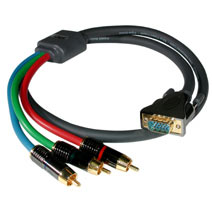 http://www.findacable.com/servlet/the-393/6ft-SONICWAVE%3F-RCA-TYPE/Detail |
|
New member Username: RonniejgPost Number: 1 Registered: Dec-08 | Hi ALL! Just the topic that I need... Anyway, I have a Dell LCD monitor and I want to use it for my Xbox 360. On the monitor, there is a 1 VGA input and 1 DVI input. Q: Should I get a splitter for DVI to take advantage of its capability(better than VGA?), or should I just use the VGA input? Right now, I'm using the DVI input for my PC... and VGA is available. Please let me know what you guys think ;) Thanks much, Ronnie |
|
New member Username: MrkinnamanWhite City, OR United States Post Number: 1 Registered: Jan-09 | I found this helpful(partially) from... -----=----- http://en.wikipedia.org/wiki/Image_resolution This is a list of modern-day, digital-type measurements (and traditional, analog horizontal resolutions) for various media. The list only includes popular formats, not rare formats, and all values are approximate (rounded to the nearest 10), since the actual quality can vary machine-to-machine or tape-to-tape. For ease-of-comparison, all values are for the NTSC system. (For PAL systems replace "480" with "576".) 350×240 (260 lines): Video CD 330×480 (250 lines): Umatic, Betamax, VHS, Video8 400×480 (300 lines): Super Betamax, Betacam (pro) 440×480 (330 lines): analog broadcast 560×480 (420 lines): LaserDisc, Super VHS, Hi8 670×480 (500 lines): Enhanced Definition Betamax Digital: 720×480 (520 lines): D-VHS, DVD, miniDV, Digital8, Digital Betacam (pro) --> 480i ? 720×480 (400 lines): Widescreen DVD (anamorphic) 1280×720 (720 lines): D-VHS, HD DVD, Blu-ray, HDV (miniDV) --> 720i 1440×1080 (810 lines): HDV (miniDV) 1920×1080 (1080 lines): D-VHS, HD DVD, Blu-ray, HDCAM SR (pro) --> 1080i 10,000×7000 (7000 lines): IMAX, IMAX HD, OMNIMAX -----=----- I love the last one. The only thing I found odd is that 1080 lines is about the same as a very good SVGA Monitor, however don't forget... A Bigger screen = Bigger Pixels ! also, I see the word VGA in alot of posts (I know your refering to the cable), lets not forget that a VGA Monitor was only 640x480 and SVGA covered resolutions of 800x600 and higher. I always thought old TV was only 320x240 where this chart says 440x480. |
|
New member Username: Ghst1941Post Number: 8 Registered: May-05 | hey guys it's been a long time and i've been on many sites and have talked to a lot of people. i have surmised that from best to worst: -hdmi/dvi when comparing video quality there is barely a difference. i've found that with hdtvs, hdmi is the simplest. however when connecting to pc monitors, you're better off with dvi. another important difference is that hdmi can carry audio. -vga/component if you are trying to connect to a pc monitor go for the vga connection. however, if you are connecting to a tv or a hdtv you can connect either one. if you decide on a vga connection you might have to experiment with the settings of the tv to make it look crisp. i prefer vga if available. -s-video -Composite -Coaxial use the best video option readily available to you. so if you buy a dvd player and it comes with a component connection and cable, unless your tv/monitor only accepts one connection, there really isn't a reason to buy an adapter to use a vga cable. i know that there are many factors that can change these rankings but for the simple user these rankings are good enough. hope this helps. |
|
New member Username: SophiaqqqPost Number: 2 Registered: Apr-09 | Hi,I checked our country web site. HDMI is the best. It can transfer audio and video with digital signals. DVI is the second. It just transfer video with digital signals. VGA is the last one. It just transfer video with analog signals. |
Main Forums
Today's Posts- Home Audio Forum
- Home Video Forum
- Home Theater Forum
- Car Audio Forum
- Accessories Forum
- All Forum Topics
Latest News
- Abroad and Brooding: The Wine's Cheap, the Coffee's Strong, the Food's a Poem—But the Grass Still Dies Eventually
- Vintage Turntables: Smart Buy or Just Nostalgia in a Wood Veneer Suit?
- Beyerdynamic AVENTHO 100 Wireless: Fewer Features, Cooler Looks, Still All Business
- Focal’s $70K Diva Mezza Utopia Ditches Cables and Dares Audiophiles to Let Go of Their Separates
- KEF Unveils XIO Soundbar with Dolby Atmos, VECO, and Wireless Streaming
- Feliks Audio Echo Vibe Review: A Polish Tube Amp That Means Business with High-Impedance Headphones
- Cambridge Audio's MXW70 is So Compact It Might Just Start a Class D Rebellion in Your Sock Drawer: The Cabin Audiophiler
- LG Launches Wireless OLED evo M5 Series: Cutting the Cord on Premium 4K TVs
- Orange Amplifiers Launches the “O” Turntable: Because What the World Really Needed Was Another Minimalist Record Player
- ZVOX Audio Prime Day 2025 Deals: Save Big on Clear Dialogue Soundbars