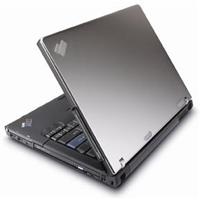
“Is that the new ThinkPad, nice…”
I received my first laptop complement when my Z60t debuted on its first flight. I think it must have been the titanium top or the new widescreen ThinkPad design. Nevertheless, it was nice to get noticed.
Replacement Reasons
The Z60t ($1,999) replaced my previous 14-inch widescreen HP DV1040 ($1,499) laptop which was about a year old. I mainly purchased the — newly released — ThinkPad because of its integrated fingerprint reader (for security) and the reliability track record of the IBM (now owned by Lenovo) ThinkPad line. Long battery life and ease of portability were also important factors.
A Lightweight Widescreen
The Z60t is the first “widescreen” notebook in the ThinkPad line along with 15-inch Z60m. During my travels on Southwest the Z60t fit comfortably on the tray table. I have used larger laptops on planes and always felt cramped. However, any 14-inch widescreen laptop is about the largest size you’ll want to use in coach. Besides being lightweight, and small, the widescreen display was helpful for viewing documents side by side, or watching widescreen movies without the black bars.
Good Speed
The Z60t is not the fastest laptop on the market, but it was more than adequate for my “everyday” tasks. It was noticeably faster than my previous laptop, which was to be expected due to the Z60t’s faster hard drive and processor.
Sweet Keyboard
The keyboard has a nice solid feel. The main keys are all full-size which made typing easy, compared to the ultra-portable (under 12-inch) laptops which generally half-size some of the keys. My only gripe was about the odd placement of the seldom used “Fn” key in the lower left corner. Most other vendors reserve this area for the more frequently used “Ctrl” key, which I use for cutting and pasting shortcuts. It took a few weeks to get used the interior placement of the “Ctrl” key, but I eventually got used to it. Otherwise, the keyboard is the best in its class.

No Frills Monitor
Initially, the Z60t monitor appears dull, when compared to the glossy (BrightView or XBrite) screens, which are becoming very popular in HP and Sony laptops. However, I was pleasantly surprised how easy it was on my eyes. The screen looks best when viewed directly in the front, because it will lose clarity off-axis. I have seen better laptop screens, but it was adequate for everyday business tasks.
TrackPoint Lives On
The touchpad (mouse controller) worked well. The speed and sensitivity of the cursor were perfectly set for my needs right out of the box. The TrackPoint knob device is also available, but having never used it before, I found little use for it.
Limited software
Pre-installed software is sparse, consisting mainly of offers for Symantec AntiVirus/Firewall and Diskeeper Lite. I did like the ThinkVantage Productivity Center which guides you through the security setup process, and fingerprint reader activation. Additionally, it helps you create a secondary, secured virtual hard drive to encrypt your private data for an added layer of security. In very little time I had secured access to my Z60t by fingerprint and multiple passwords, plus had an encrypted hard drive. I don’t think there is another laptop that can match this level of integrated security.
Bio-metric Security
I liked the fingerprint reader, but I was not good at getting it to read my fingerprint on the first swipe. I thought I would eventually get the hang of it, but it still seemed to be hit or miss half the time. I’ll be the first to admit if it was user error, but I have noticed other ThinkPad owners repeat the fingerprint swipe a time or two. Nevertheless, it’s a minor encumbrance to a very tight security solution.
Wireless Broadband Bonus
The Z60t comes equipped to connect to any wi-fi hotspot — covering a/b/g networks. But it’s currently the only laptop with an integrated BroadbandAccess Wireless option. BroadbandAccess is Verizon’s high-speed wireless (EVDO) option that gives you high-speed wireless internet access without having to be in a wi-fi hotspot. You’re fully covered in 171 cities where Verizon currently offers the service.
Verizon’s Connection
I tested BroadbandAccess in the Fort Lauderdale Airport. After completing the initial sign-up page, I was told to wait 15 minutes for my account to be activated. I wasn’t please with the waiting period, but after the delay I was surfing at broadband speeds wirelessly. The download speed is rated at 400-700 kbps and capable of reaching up to 2.0Mbps. It seemed slightly slower than my home Verizon DSL connection, but was really only noticeable when a streaming Reuters news video became jumpy. I stayed connected for just over an hour without interruption or a dropped signal while I waited to board.
The Price of Access
BroadbandAccess is available for a daily charge of $15. Although, Verizon cell phone customers can get an unlimited usage plan for $59/month with a 2-year agreement. Non-verizon customers are charged $79/month. Other laptops can get the same access with an external PMCIA card ($99) to utilize BroadbandAccess.
Accident Proof
Another feature worth mentioning is called Airbag Protection System (APS). It’s basically a shock protection system, that protects the hard drive in case you drop it. I couldn’t bring myself to fully test out this feature, but I’ll keep you posted should the Z60t take a swan dive to the pavement.
Final Take
I would definitely recommend the Z60t to the business traveler who values portability, security and reliability. The integrated BroadbandAccess wireless option proved to be a very handy feature, and could become your savior during that important business presentation, or off-site client meeting. Choose the titanium cover and you too may get noticed.
Pros
Integrated BroadbandAccess
Fingerprint Security
Airbag Hard Drive Protection
Compact and Easy to Travel With
Integrated CD-RW and DVD+/-RW
Good Battery Life
Solid Keyboard
Cons
Lackluster Screen
Limited Software
Resources:
- 3D Demo
- Other Z60t Reviews
- Compare prices (all models)
- Buy Direct and Configure from Lenovo.com
ThinkPad Z60t (2511-FEU) System Specs:
- 14″ diagonal widescreen WXGA (1280 x 768) LCD screen
- Intel Pentium M processor 740 operating at 1.73GHz
- 2MB L2 cache
- 533MHz frontside bus
- 512MB PC2-4200 DDR2 SDRAM, upgradeable to 2.0GB
- 80GB 5400-rpm Serial ATA (SATA) hard drive
- DVD+/-RW drive with Double Layer capabilities
- Integrated Wireless WAN (WWAN) — wide-area wireless access
- 802.11a/b/g wireless LAN
- Gigabit (10/100/1000Base-T) Ethernet port
- 56K V.92 modem
- 3 USB 2.0 ports
- 1 FireWire (IEEE 1394) port
- 1 S-video out port
- Infrared port
- Secure Digital (SD) memory card reader
- Port replicator/docking station supported (sold separately)
- Intel Graphics Media Accelerator 900 with up to 128MB of shared video memory
- SoundMAX audio, with integrated stereo speakers
- UltraNav™ (touchpad and pointing stick) mouse navigation
- Fingerprint sensor, with integrated software support
- Manufacturer’s 1-year warranty
- AC adapter
- Weight: 5.0 lb
- MSRP: $1,999
Microsoft Windows XP Professional comes installed. Other software included:
- InterVideo WinDVD Player
- Think Multimedia
- Adobe Acrobat Reader
- ThinkVantage Productivity Center
- ThinkVantage System Update
- ThinkVantage Access Connections
- ThinkVantage Fingerprint Software
- PC Doctor diagnostics
- Symantec Client Security 3.0 (with 90 days of free virus-definition updates)
- ThinkVantage Rescue and Recovery
Editorial Disclosure:
At the time of publication the manufacturer was not a current advertiser, had never purchased advertising, and has no known intent to start advertising on eCoustics.com. The author affirms he and all immediate family members are neither shareholders, partners, investors, subsidiary, consultant, contractor, agency, or affiliate of the manufacturer. Every effort was made to insure fair, accurate, honest, and reliable reporting. The equipment was purchased from a local Office Depot.