ATTENTION TO ANYONE WITH A JENSEN VM9311,VM9411, VM9511TS and/or 9021TS
YOU CAN BYPASS THE PARKING BRAKE SECURITY FEATURE FOR FREE!!!! WITHOUT PAYING FOR THOSE PULSE BOXES OR ANY ADDITIONAL HARDWARE!!!!!
YES THE LITTLE BLACK BOXES WORK....BUT THEY'RE A SCAM CAUSE YOU CAN DO THIS FREE USING THE JENSEN FACTORY OVERRIDE CODE
So if that isn't clear enough, let me further explain. The code is a permanent way of disabling the brake override on the jensen vm series multimedia head- units.
There are two ways of doing this:
Insert the DVD
After the disc loads and plays you will see a blue screen telling you "it is unlawful to drive with a movie blah blah blah"
1)Activate the brake sequence and disable the blue screen using the hand brake, the switch method or anything else to give the unit its three pulses to disable that freakin blue screen.
(What I did was I installed my radio entirely, then took the pink wire and touched for two seconds, removed for two seconds and then touched and held the negative pole of a mower battery laying on my passenger seat until the screen was no longer blue.)
2) Next, on the main remote press stop twice, then 1, 2, 6, 4.
You will now see a hidden menu that says:
Region Code Brake Override (I know you're drooling by now) Macrovision (Watch all the burned and pirated movies you want if this option is off) Loader Version Model Version
3) Using the right joystick on the unit, navigate to the options of your choice, click on them to toggle on, off or which region code you want.
This is what you want:
Region Code: 1 Brake Override ON Macrovision: OFF
When your done, click SYS SETUP on the main remote TWICE to save the settings and bingo, your done!!! Hooray!!! You can now kill your whole family in the car while watching that adult movie while your driving.....
The other way of doing this is by not engaging the parking brake sequence, thus you're inputting the code blindly.
1) Insert the DVD and you'll get the blue screen.
(If you have more than one tv, the unit itself will have the blue screen but the additional tv's you have plugged in will NOT, they will show the dvd menu. Thus you will be able to see the hidden menu on the additional screens after inputting the code, but not on the main unit because of its blue screen.)
2) On the main remote, push stop twice and then 1, 2, 6, 4
3) Push the joystick on the unit SOUTH twice and then click it once.
4) Press SYS SETUP on the main remote twice to save your settings.
It may take a few tries but you'll get it. This method can be done if you don't want to bother temporarily activating the brake sequence, but if you only have the unit and no additional tv's, its #$%^&* damn hardbecause you can't see the settings your changing.
I tried to make this as clear as possible. If you have questions, private message me or post here.
Best of Luck!
By the way, this is for informational purposes only and I will not be responsible for anything bad/stupid/ignorant you do with your Jensen unit.
hey i try the toggle button but i could not make it work and i going to try the other method but cann you explain me the toggle button. i work on stereos installation and my friend knows this trick but he want 20 bucks for the info. thats crazy....
Thanks to Psychedelic_feta my Jensen VM9511TS works perfect. It took about 2 minutes to do the whole setup.More importantly, he didn't charge for the information...BIG THANKS!!!
Can you tell me if you lose power to the unit... disconnect battery, or battery goes past point of recovery (under a volt) If you have to redo the steps again... And you mentioned hooking up the pink wire to a tractor battery... What did you do with the wire afterwards... did you cut it, ground it, or hook it up to the brake like it's supposed to be hooked up... And if it's already installed and you have to redo the code, can you just initiate the sequence in park and then re-enter the code? Thanks in advance!
1) I think that if the battery dies or gets disconnected, you MAY have to redo the code, i'm not sure
2) After I hooked up the pink wire temporarily to the mower battery, I just taped it with electrical tape and have it free hanging behind the dash with no purpose. You could hook it up to the parking brake even though the brake override is engaged which answers your third question:
3) If ever you have to redo the code, all you have to do is engage the parking brake sequence and do the code, that's it that's all
1) I think that if the battery dies or gets disconnected, you MAY have to redo the code, i'm not sure
2) After I hooked up the pink wire temporarily to the mower battery, I just taped it with electrical tape and have it free hanging behind the dash with no purpose. You could hook it up to the parking brake even though the brake override is engaged which answers your third question:
3) If ever you have to redo the code, all you have to do is engage the parking brake sequence and do the code, that's it that's all
1) I think that if the battery dies or gets disconnected, you MAY have to redo the code, i'm not sure
2) After I hooked up the pink wire temporarily to the mower battery, I just taped it with electrical tape and have it free hanging behind the dash with no purpose. You could hook it up to the parking brake even though the brake override is engaged which answers your third question:
3) If ever you have to redo the code, all you have to do is engage the parking brake sequence and do the code, that's it that's all
This will also work with the VM9311TS but the way I did it was a little different
I could not get the parking brake thing to work so i had to do it blind which like feta said is a bee-otch
I also did all the commands on the remote. I did not at any point touch the deck
so here is my step by step
Start playing DVD and look at the pretty blue screen
Pick up remote hit STOP twice punch in 1,2,6, and 4 hit DOWN 1 time not 2 hit PLAY/ENTER **at this point the display became visible and i could now see the menu which made it much easier. hit DOWN one more time to change macrovision hit PLAY/ENTER hit SYS SETUP twice to save and exit menu VOILA!! I can now watch whatever my wife wants to watch.
I love you Psychedelic_feta....I was about to buy the 9511 from sonic elctronix then I saw about this overide horseshIIt, and almost changed my mind til I saw your information...i just hope they don't get wise about your little trick and change the firmware on these models!
I doubt they will change the firmware because they implement it to comply with different regulations around the world. I bought my unit from california, where its illegal to watch video, thus the unit will come factory programmed to override the video while driving. But say you were here, where I am, and bought it here, it likely won't come with the brake override.
My goal is to try and find more codes...too bad i've come up dry. I won't say where I got this one, but suffice it to say I didn't pay someone for it : )
this comment doesnt have to do with the parking brake code, but since i already took care of that (thanks Psychedelic_feta), i had another question about the V9511TS...CAN ANYONE PLEASE TELL ME HOW TO STOP THE IPOD FROM PLAYING THE PLAYLIST SONGS IN ALPHABETIC ORDER???? songs won't play in the order original playlist order..thanks for any help!
Every time I insert a DVD it starts playing and it shows the blue screen. I press stop twice then try to enter the code and it goes back to the DVD menu not the hidden menu. What am I doing wrong?
i just got a jensen vm9511ts and installed it myself. the only problem I have is after I insert any DVD, it attempts to load the disc and then tells me "bad disc" I don't know if this is because I did not hook up the pink parking brake wire or if maybe there is something wrong with the dvd player. Has anyone else had this problem?
I think you're problem hs nothing to do with the dvd player, the disc youre attempting to load is proably not burned properly, i got the abd disc error before, but that was becasue the disc was scratched or not burned slow enough.
I have the VM9311TS and I can not get the menu to pop up... I get the DVD to play and them hit stop/band twice and then 1264... nothing. What am I missing?
Got another Ques? How do you get the TV Picture to come on I hear the sound but no picture, same with the ipod (video) sound but no picture. I got the DVD to play O.K. it took me a few tries. If you could help me out that would be great. Thanks
Travis, sorry I can't help with your problem but the reception on the tv tuner sucks! That was one of the features I bought the unit for and it's useless. And a friend of mine has the same unit (VM9021TS) and he bought a replacement antenna that screws on the alternate antenna port on the media module with the coax cable and it still sucks. By the way he has a amplified antenna which takes 12 volts to pull in a stronger signal so they say.
Maybe I need to reword my question better..I have a Jensen 9511 I didn't mean anything about the tv reception. I did the brake override code for dvd picture, and the DVD works perfect. But the brake override code does not work for the TV picture or the ipod video picture. I can hear the audio but I keep getting that blue screen, and cant see the picture. But I can hear the audio just fine, so i know its working. Is there any codes for the TV & ipod video picture. I assume its the same deal with the TV as it was with the DVD picture before I put the code in. Any help would great.
I think you're problem is you forgot to plug something in
On my 9511 the tags on the wires were mislabelled it seems, you have to stick together the media module video output into the yellow CVBS plug on the head unit. That's why you're only getting sound and no video, you didn't hook up the video wire.
thanks psychedelic_feta, I read on in the forum after i posted my ques. i saw your answer to mike or somebody and sure enough that was my problem. Man, your like a super hero... only from canada But really from me and alot of other people in here thank you and I (we) appreciate it...
I think you're problem is you forgot to plug something in
On my 9511 the tags on the wires were mislabelled it seems, you have to stick together the media module video output into the yellow CVBS plug on the head unit. That's why you're only getting sound and no video, you didn't hook up the video wire. "Psychedelic_feta"
There is one rca that you don't have hooked up.. one wire out of the cd/dvd player labeled video in or something like that (yellow female RCA) and another Yellow RCA Male (labeled CVBS) out of the brain. hook em up.. done..
Can't get the sound from center speaker also the rear sound when selected to different from front zone This is for the Jensen vm9021ts Help anyone? Thanks/Edmond
with the sequence at the very top of this post, could you just hook it up the correct way and then just go through and turn of the brake override in that menu instead of doing that battery thing or any other method of giving the head unit the pulses?
thanks a lot i appretiate it, i just purchased one today and i was reading over the post and the way it was being explained i was thinking "if anything got restarted for any reason would i have to do this over again?" but alright i will just go about doing it that way ,but once again thanks
Hey i got the code i appreciate it works great with one click down instead of 2. BUt does anyone else have problems with their units getting realy hot. Thanks for the info.
Chris, i was reading through the instruction manual and it said sumthign about being careful about the cooling fan... is it a possibility taht you have it blocked?
i bought jensen vm9021ts and had installed at circuit city.i used the code that allow me play dvd player whenever i want(thanx feta)here is my problem my tv want play and i notice the tv icon in menu is grey and not lit. what do i need to do????
niiiice, I got the jensen vm9311ts for x-mas. First off I put in a dvd in there, said bad disc. I then hit eject, and the disc starting spinning rapidly like it was jammed.... wtf? SO I took another cd, stuck it in there, and pressed up and down. Then the dvd finally came out and I havn't had any other problems since. I just put in a dvd until the blue screen showed up, then hit stop twice, entered the code, pressed down once, then hit play/enter and thats when the secret menu came visable. I hooked up a switch to it so I can turn off the video when I see a cop. One really serious question though, if you were to get in an accident thats not your fault, can they still blame you and prosecute you if they find out you have it bypassed?!
I just recently purchased the JSN VM9311TS and the code worked great. Is anyone else having problems when they start to play a DVD it works fine. You adjust the brightness and contrast to your liking. Then when you switch sources or leave the car and come back, the contrast is real low again until you move it one notch in the settings again. It gets kind of annyoning when I have to go back into the picture settings everytime I use the DVD player. Anyone else have this problem or if you haven't realized it yet, try it. Any solutions would be great.
Can anyone tell me how to hook up the Reverse Camera? The instructions BLOW on this. It reads to hook up the Green and White wire to the Shift Controller ( HOW?) It is so when you shift in reverse the backup screen shows automatically THANKS
whats with the sd secure digital reader it reads bad card when i insert my kingston 512mb card. what kind of card do you guys use and does it matter what kind of sd card is the best. thanks
I am using a 4GB SD card and it works perfect (i know it states it will only do 2gb) i am using one with a Samsung chip set and it is perfect.... I have another card that is a 2gb and it wont work but the samsung chip set is ok. You can get a 2gb on ebay with the samsung chip set for about $50 or less
Hello. Could someone who own/owned this player tell me whether or not the Jensen VM9021TS player resumes where it left off when playing mp3s on SD card? Thanks so much.
I have a jensen 9021TS and the radio reception is bad on some stations that are usually the stronger stations. Also audio on tv no video but it was working fine before. Any Ideas
I am thinking of getting a vm9511ts. I was just curious if thereareany known problems you guys would like to warn me about. Also, I was looking at sonic electronics and I was thinking of buying it from them. Has anyone in here had or heard of someone having a bad experience with them or the quality of their merchandise?
I've had the Jensen VM9511TS in my car for about six months now with no problems until this past weekend. The SD card reader stopped reading my 1 GB card after a few seconds of music play back and returned to the tuner. I've tried using different cards, a 512 & another 1 GB card with the same results. Has anyone else had this problem & how did you fix this problem.}}}
i just had the jensen uv7i prof. installed. i now have a lot of static in my subs and it gets louder when i hit the brake and gas. circuit city keeps tryin to tell me its the deck but that cant be right. can anyone help me
i just had the jensen uv7i dvd mon prof. installed and i have alot of static in my subs. it gets louder when i hit the brake or the gas. circuit city did it and they keep trying to say its the deck. i know its not the deck cause i can turn the volume to 0 and still hear the noise. does anyone else have this problem? anyone have any suggestions?
Hey Tom Del Mar, I forgot what page it's on but it tells you in the manual. I had the same problem and it drove me crazy with my remote start. I'm sorry I couldn't help you exactly but I know it's in the book.
Ok, 12:30 in the morning been messing with this for about two hours no. Do I need to have the break lead hooked up? I do not have the pink wire long enough anymore got pissed and ripped it out. Tried the toggle thing.....
Put the DVD in Blue screen... stop twice and then 1,2,6,4... down twice on the joice stick, play/enter.... SYS Setup once and then the screen comes on... SYS Setup twice blue screen comes back and change not saved.
Do it over and over same thing. What else I am doing wrong? Kind of aggrivated....
Well, obviously you are not getting it going blind. hook the pink wire to a toggle that is grounded. Insert a dvd and then switch it on for 3 second off three seconds on. If you cannot see the dvd then try off for five on for three of for three on for 2 and keep doing this until you see the dvd. Then do the steps aboove to unlock. Good Luck hope thi shelps
mattt.... i have a jensen 9311 ts..... how i installed it was toggle switch then i found the bypass code what i did was enter the code to the menu then u have to press sys set up on the menu 2 times ur done
insert the dvd..... after the disc loads plays you will see a blue screen telling you * its is unlawful to drive with a movie blah blah blah *
1) activate the brake sequence and diable the blue screen useing the hand bake, the switch method ir any thing eles to give the unit its three pulses to disable the freakin blue screen (what i did was intalled my radio entirly , then hooked up the pink wire and touched for two seconds , removed for tow seconds then touched and held the negative pole of a mower matter laying on my passenger seat untill the screen was no longer blue
2) next on the main remote press stop twice , then 1,2,6,4
now you will see a hidden menu that says
region code (i know your drooling by now ) brake override watch all the brned movies if u want this optins off macorovision loader ver
3) useing the right joy stick on the unit to navigate to the otpins of ur chocie click on them to toggle on ,off or wich regon code u want
this is what you want
region code 1 brake overdrive on macrovison: off
4) matt read this this is how to save the code when you are done , click sys ste up on the main remote twice to save the setting and bingo your done you can call family now and watch a movie in ya car lol
I also have the Jensen VM9412 and have tried my of the listed ways of bypassing the lock. So far that only thing that I have dont thus far is wire a togle switch in line of the brake wire that have just have grounded to the frame. Which I can hit if a cop wants to give me a hard time, the blue screem comes back up. That is untill I find the unlock code that works. I did have a 9312 but it had many problems read dics and trying to play a dvd with mp3's was a nightmare, yet bypassing that was a easy!!!
One other questing, any idea if the AC will affect the screen of the systems?
For the 9412, the best way that i have found to bypass the DVD untill a code is found; is to wire the brake line into a switch then ground - it to the frame or a know very well ground - sorce. Once you have a disc in and the blue screen is on toggle off for 2 sec the on them of and on, the DVD will no be displayed and you can drive.
This is for informational purposes only and I will not be responsible for anything bad/stupid/ignorant you do with your Jensen unit
ive got the jensen vm 9412 and would love to know when anyone finds that brake code. i had the switch installed and its ok but want a permanant fix.thanks
Please help! I purchased the vm9412 model. I had it installed at an audio shop. They used a toggle switch which works but i want to override the brake code. I have tried every code and no luck. I tried to input the regular code but i get nothing. No menu with the option to change the override. The blind code came the closest but after i input the code it plays for a second but goes back to the blue screen. what am i doing wrong?
hey i have the jensen vm9412 installed up to a toggle switch, when i first hooked it up it worked great the first time then slowly got owrse after the 4th, and now it hasnt been working. what is the secret to the toggle? will a pulse box work for it?
2 seconds for the toggle switch seems to work best for me anyway. while the disc is loading and before the blue screen comes up i just toggle off and on twice with a 2 second pause then leave alone and it works. hope that helps.
pac makes a part that overrides the video bypass used it today on the vm9412 and it works great forgot the modle number but will get it tomorrow when i go to work at my shop and will post it tomorrow night
i have an VM9511TS and i also have the brake wire hooked up. but after i enter the code sequence and save the settings, i still get the blue screen. i have reentered the code and the break override option is still set to off. id like for this to work permanently...can anyone tell me something im doing wrong??
the blue screen will come back after i hit sys setup twice. the first time i hit it, it goes to the sys setup screen and then it goes blue. oh, also since my break line is hooked up...im not doing this blind.
Hi, I just got the phase linear UV7I, but i didnt get the remote and i was wondering if you can input the bypass code without the remote, by the buttons on the indash i havent tried yet, but i'm just wondering if anyone has achieved success or should i just re-order a new remote for it and try it that way, it seems simple enough ... but any help for a newbie would be apprciated.
I have a Jensen vm9410 and was wondering if I could just ground my Parking Break Wire to the screw behind my radio attached to the car (same thing that the actual radio ground is connected to). I tried it to see if the screen would go away and it did. However I don't know if this is safe. So my question is... is it safe for me to ground the parking brake wire to a constant ground. Because I really don't feel like taking half my interior apart to hook the wire up.
Also I won't be watching many movies and none while I drive... so that shouldn't be a problem.
NO ONE has mentioned the VM9212. I understand that it is of the VM series of headunits - but why is this model NOT listed with all the others in these posts?
Is it safe to assume that this bypass technique is useless on this model?
All u dummies all u have to do is run the brake wire with the blk ground wire and u don't have any more worries no codes no toggle switches r nuttn damn yall dumb n here
damn dude chill your a $$ a bit. You come in here and make your first comment like that.
I was the same way when I got mine. You just automatically assume there is a code because WHY on earth would they make it that simple. So at first, you don't think about using that method because others say it doesn't work.
Next time don't come in here and be a total a $$. Be helpful not critical.
Hey jon watch how u talk to a boss it doesn't have to make simple common sense the toggle switch that the shops install in ur car aint nuttn but a ground switch so y not bypass that n watch ur dvds whenever u want to f*** the police
yes i agree i bought my jensen used no remote can u program the bypass without it on deck itself plz help and to the dumba?? that posted the pink and black ground will work it does not work on all models i have one in truck that u can do it with but not the jensen model vm 9511tsx so anyone got some pointers thanks in advance }
Depends on the Deck you Have, I happen to Run A VM9312hd, you cant input the code to unlock it with out a remote, if you have the remote this is how you unlock it, Pop in a cd, hit setup on your remote, press 5,4,3,2,1,0 you should see a seondary setup screen at this point. go to Parking Brake Bypass, turn it on. This will enable your deck to play videos at anytime. However, If you don't have a remote the easiest way to hook it up, to play videos without using your PB is to take the Pink PB wire and direct connect it to any grounded wire in your car, I ran mine right to the ground wire for the deck itself, some decks Require a switch.. Just a simple toggle will do... Still runs right to the ground wire. flick it a few times till the warning screen goes away. VM9312HD needs no switch just use a ground wire, or bypass using the remote... that simple... Hope this helps
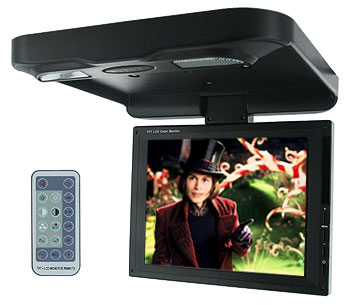
 But really from me and alot of other people in here thank you and I (we) appreciate it...
 }}}
}}}
