JVC HD52Z575 D-ILA TV
Closed: New threads not accepted on this page|
Bronze Member Username: Jwj356San Mateo, California USA Post Number: 13 Registered: Mar-06 | For DSchell, this method has been posted elsewhere. Go to the Service Menu (I assume you know how to do that). Push 4 on your remote (not the usual 3). Scroll to D70. Record the number (it might be 0, 1, 2, 3, etc.). Scroll to D71. Record the number (it will be in the range of 0-255). Multiply the D70 number by 256 and then add the D71 number. For example, 3 and 155. (3x256)+ 155 = 768 + 155 = 923. This is the number of hours since the last time the bulb timer was reset. |
|
|
New member Username: DschellPost Number: 2 Registered: Jun-06 | Thanks for the email, Bob! John, Following your instructions I find: D070 14 020 14 0001 0100 D071 05 005 05 0000 0101 So, if I am doing the math right, I have 5125 hours on my original lamp and it is still buring bright. I guess that makes me lucky. |
|
|
Bronze Member Username: Jwj356San Mateo, California USA Post Number: 17 Registered: Mar-06 | I forgot about the leading zeroes. My D070 reads 002 which means I've accumulated 512+. If yours reads 020 it must mean you've accumlated 5120+ hours. Based on your purchase date you've used it for about 22 months which comes out to about 5353 hours. That seems to check. If the repair company allows for it, you should consider keeping your present lamp as a spare. John |
|
|
New member Username: Rich123Elgin, IL Post Number: 1 Registered: Jul-06 | Hi - my first post. RED MIRROR IMAGE PROBLEM. I have a JVC 52Z575 HD-ILA TV. Build date is November 2004. Serial #: 16981xxx. In the last 2 weeks, intermittently, I get an exact mirror image that is red (the other image has converged GB together (as far as I can tell). The mirror images are reflected across a vertical center line (no line is showing). Essentially if the GB image is facing left and moving left, the Red image will be facing right and moving right. If I turn the TV off, the cable box off, turn off the power strip to the TV (& other electronics) off as well and then power up everything, the problem (most of the time) goes away. Pretty wierd to watch. Any help / suggestions regarding this problem would be most appreciated. HISTORY: When the HD-ILA set was about 10 months old, the set developed a divergence (i.e. RGB were ofset about 1" from each other). JVC sent a local repair person to my house where he took the TV, fixed it (said they needed to do convergence) and returned it (fixed). Also, could someone (Mr. Lynch?) send me a service manual for the JVC HD52Z575 D-ILA TV - richpoole@wideopenwest.com Thanks! Rich |
|
|
Bronze Member Username: TvshopperPost Number: 28 Registered: Mar-06 | Rich, You have a light engine failure. I had the exact same problem and it was fixed through light engine replacement. |
|
|
Bronze Member Username: AhsengBay Area, CA USA Post Number: 16 Registered: Jan-05 | Rich Poole: I just noticed this morning the same problem you described. I powered cycle the TV and it fixed the image problem. I am sure the problem will happen again. FYI, a few weeks ago I noticed a convergence problem with the red and blue color. I was able to fixed it by getting into the TV's service menu and adjusted the convergence knobs. Now with the red mirror image problem, I am sure there is a serious problem with my TV. I bought the TV about 14 months ago. Fortunately I purchased the Best Buy warranty. |
|
|
New member Username: Rich123Elgin, IL Post Number: 2 Registered: Jul-06 | ahseng, Sounds like the same problem. I would be able to fix it with a power cycle (for awhile). Now, it does not fix it. I have a JVC Authorized Service guy coming tomorrow to check it out. I'll let you know how it turns out. Regards, Rich |
|
|
New member Username: Rich123Elgin, IL Post Number: 3 Registered: Jul-06 | Update: Repair guy called and said that there is a SW Jig that they need to order from JVC in order to update the software to fix the problem and that I most likely do not require a new light engine. He expects to get it in later this week/early next week and reschedule trip to my house. More later. Regards, Rich |
|
|
Bronze Member Username: AhsengBay Area, CA USA Post Number: 18 Registered: Jan-05 | A JVC authorized service guy called me today. I described the problem to him and he thinks it is the light engine. We set up an appointment for him to come out to check the TV next week. He called later to tell me that he had order a LE and an optical block (what is that?). It is a refurbished LE and is on back order. It supposed to arrive end of this month. I mentioned about the software fix. He think it is possible but he would have to order the sw jig and it will take longer to arrive. If the sw update does fix the problem it seems to me it is a better option than to replace the original LE with a refurbished one. Any thought? Thanks. |
|
|
New member Username: Rich123Elgin, IL Post Number: 4 Registered: Jul-06 | The JVC authorized guy I am talking with ordered the SW Jig on Monday and received it by Thursday, but we do live about 15-20 miles from a JVC authorized factory facility. The guy is supposed to come out this afternoon. I'll let you know what he does. Regards, Rich |
|
|
Bronze Member Username: TvshopperPost Number: 30 Registered: Mar-06 | Just to satisfy my curiosity....what is a "software jig?" Anyone know? | |
|
Bronze Member Username: Shawn_murphyPost Number: 17 Registered: Mar-06 | It's when software does a little dance... | |
|
New member Username: Rich123Elgin, IL Post Number: 5 Registered: Jul-06 | Update: The JVC Authorized Service center sent 2 guys to come fix the my HD-52Z575PA with the reverse Red Image problem today. They brought a SW Jig which they used to make the software dance. ;) Actually, the jig was a 4"x4" PC board with several connectors on it, plus an external AC/DC power adapter. They connected the SW Jig to a PC they brought with them and to the back of my TV (after removing the back panel). Then they updated the SW on the control board in my TV. After testing the TV to verify the problem was fixed, they reinstalled the back panel and reconnected my TV to my cable box, DVD player, etc. The update only took about 10 minutes, the visit about 20 minutes total. Fixed the problem, without replacing the Light Engine. The JVC Authorized Service Center got the SW Jig in less than a week from JVC. They did note that the first time they updated another HD-ILA TV earlier that day, it took 3 SW loads from JVC to get it right. My TV worked with only the latest SW they received. So, problem fixed. The SW Jig and SW update fixed the Reverse Red Image problem. Thanks to all of those who helped - much appreciated. Regards, Rich |
|
|
New member Username: JustfishRiverside, CA USA Post Number: 1 Registered: Jul-06 | I have a JVC HD52G786 with Directv HD. I have two problems, the main problem is if I use HDMI when I switch channels the screen goes snowy first and then the picture blips before coming in but if I use S-video this does not happen. I thought it was the Directv but I was sent a new box and still have same problem. Also the volume is lower on HD channels vs. non HD is this normal? | |
|
Bronze Member Username: TvshopperPost Number: 31 Registered: Mar-06 | Daniel Fish, I believe that the channel switching problem is due to the tuner box for DirectTV. Do you have the output of that box set to 720p? If not it is probably the scaler in the box. If you do, I believe it to be something else there. You don't want to use S-video because you will not get the quality you want. Have you tried it through the component cables? Maybe it will work better that way. Regarding the difference in sound level. I notice various sound level differences on the HD channels I get through Charter cable. I don't know if it is from the channel itself or from the cable. But there are definite and dramatic differences for sure. |
|
|
New member Username: JustfishRiverside, CA USA Post Number: 2 Registered: Jul-06 | I have put the output to 720p and 1080i to no avail. The problem is only there when I use the HDMI cable, it switches normal with both S-video and component | |
|
Bronze Member Username: TvshopperPost Number: 34 Registered: Mar-06 | Then it could be an HDMI "handshake" issue. In other words, an incompatibility between HDMI interfaces. Why not just hook it up via component if it works that way? | |
|
New member Username: DschellPost Number: 3 Registered: Jun-06 | Daniel, When was your JVC built? I have a Model HD-52Z575 built in June 2004. My HR10-250 was a very early model as well. When I was first using them, things were fine until I shut off the JVC. The next time I turned it on I would get a blank screen on the JVC. Cycling the power on the HR10-250 would bring the picture back. It turns out that there was something amis in the HDMI board in the JVC. JVC sent someone out to fix it, and the problem went away. Granted, this was in probably August of 2004, but it does show that sometimes the answer is pretty straight forward. I wish you luck with finding the solutions. |
|
|
Bronze Member Username: FkubickPost Number: 18 Registered: Jan-05 | Mirror image on screen If you look back to May 24 you'll see the pictures I posted of the problem I was having at the time. At first I thought it was the light engine but then I was told there was a software fix--a Jig--that would solve the problem. Well, it took this long to get the Jig but they came and installed the software this morning and it seems to be working fine. Talked to the guy who came and he said the original solution to the problem was to replace the light engine but that JVC had found a software solution and that was how they were fixing it now. He also said that once the problem was fixed this way (SW) it stayed fixed. Finally, he said the G series had the same problem but there was no SW fix at this time (FYI). |
|
|
Bronze Member Username: SoitgosPost Number: 19 Registered: Dec-04 | Can anyone tell me how to change the bars on the sides of 4:3 aspect from gray to black on a 52z585. I thought I read sometime back that this could be done. When I was using Direct TV I could change it in the receiver but not with Insight. Thanks Jim |
|
|
Bronze Member Username: Jwj356San Mateo, California USA Post Number: 25 Registered: Mar-06 | I tried for months to find out a way (52G886). Then I found a solution with my Dish Network set-up. So, my solution was similar to yours. John |
|
|
Bronze Member Username: SoitgosPost Number: 20 Registered: Dec-04 | Could someone please send me the service manual. I tried the link that was posted back in April but it keeps timing out. Thanks Jim soitgos@yahoo.com |
|
|
Bronze Member Username: AhsengBay Area, CA USA Post Number: 19 Registered: Jan-05 | Update on my red mirror image problem on my JVC TV. The technician came in this moring with a refurbished LE. Before he replaced the LE, he called the JVC to consult with them about the software fix (I mentioned the sw fix to him). The JVC confirmed that the software is a solution. But given the situation that since the replacement LE is here already and it has the latest software upgrade, it makes sense to replace the LE. The alternative is to order the sw jig and ship the TV back to the shop to have it upgrade it there - the technician does not carry laptop around, unlike the JVC tech. The technician also mentioned that with the refurbished LE, it will have all the latest upgrade and fixes. Anyway the TV is fixed now with the refurbished LE. Thanks. |
|
|
Bronze Member Username: CrashnashPost Number: 13 Registered: Jul-06 | To Current and Futher Posters at this sight. Recommend you go to the JVC D-ILA VERY Short Bulb life "ecoustics" sight and read all the postings of TVshopper. This will provide you adequate information to make a determination as to the credibility and validity of his postings in here. Also, it may provide you an opinion on the validity of JVC goal toward customer satisfaction. CrashNash |
|
|
Gold Member Username: Mr_lynchSeattle, WA Post Number: 1025 Registered: Sep-04 | just keeping the thread alive. I've had my JVC HD52z585 for 2 years now and I still love it! I"m on my 3rd bulb (all covered under warranty) but I really love my set. Thousands of hours of TV, DVDs and Videogames and the picture still looks as good as day 1. I'm very glad I chose to go with this JVC! Now bring on some NFL!!! 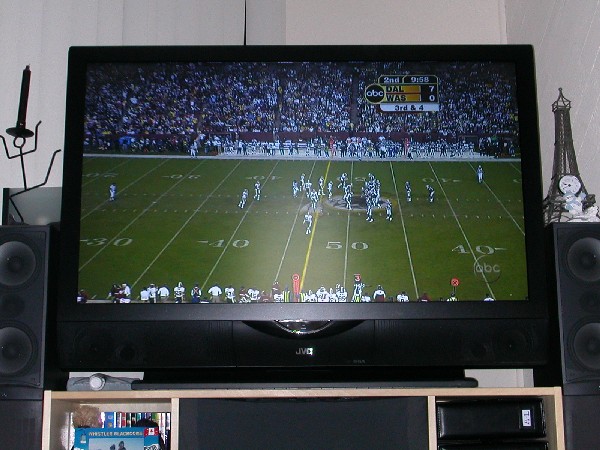 |
|
|
Silver Member Username: Wearenotalone69Post Number: 475 Registered: Aug-05 | RE: To Current and Futher Posters at this SITE. Recommend you go to the JVC D-ILA VERY Short Bulb life "ecoustics" site and read all the postings of TVshopper. https://www.ecoustics.com/electronics/forum/home-video/176314.html This will provide you adequate information to make a determination as to the credibility and validity of his postings in here. Also, it may provide you an opinion on the validity of JVC goal toward customer satisfaction. CrashNash * * * * * Roger... Don't pay any attention to Tvshopper. |
|
|
Bronze Member Username: MotliekIN USA Post Number: 14 Registered: Jan-05 | Now on my 2nd JVC 52in(light engine died in previous) - HD-52G787. I now have an eggshaped shadow in the lower left corner. JVC CS informed me to call it in and have a service person look at it. Anyone run into this? Thanks, |
|
|
New member Username: Bob_okPost Number: 4 Registered: Jun-06 | Hello all, Where to start, well first I have to say we love our brand new JVC 52 inch tv. However I will say I'm very sad by the very poor amout of time we where able to use it before the bulb blew. We have had it 2 months now and today when I came home and turned it on it just didn't seem to have the same bright picture that we have gotten used to. After about 30 seconds of this somewhat dark picture I heard a popping sound and then the blinking lights from hell. The good news is the retailer i got it from messed up a few times already and since they really want to make it up to me they are giving me a loner tv of the same size and tell me the new bulb will be expressed in as little as 2 or 3 days. So to sum it up tv nice so far store service is great but will add when I tried to go through a JVC repair place for the parts I was put on hold so long I hung up and went right to the store we got it from. Moral of this store is I really didn't think I could ever need it this soon but i wish I had grabed that bulb from ebay for $150. Have a nice day, Bob OK |
|
|
New member Username: FentzPost Number: 1 Registered: Aug-06 | I've got a Jvc Hd-56g786 which has a audio problem. When inputing a signal from my dish dvr (Dvi to HDMI cable and analog audio in), I get a short audio dropout every 2 seconds. I have tried other audio sources and they all do it (it is the tv doing it) however all other inputs check fine. Anyone heard of this problem? Also Mr. Lynch, if I could also get service manual. Thank you. fentz30@yahoo.com |
|
|
New member Username: PinchhitterCalifornia Post Number: 4 Registered: Mar-06 | I have a similar problem but it only occurs with the HDMI digital audio. All my other audio inputs are functional. I have the same model TV as you, with a Dish VIP 211. I had the receiver replaced once but the replacement has the same problem. I lose audio completely after I change the channel once on the receiver. I have to use the optical digital out from the Dish 211 into my setero receiver. I was also able to use the HDMI for video only along with audio jacks out. I know the Dish receivers have audio/video issues. | |
|
New member Username: SuessCleveland, Ohio USA Post Number: 1 Registered: Aug-06 | I bought mine used from BB in January - have loved LOVED my tv and theatre system I got from them... I have recently had BB out for service as I seem to have dirt stuck behind the surface of the screen. I noticed it first when I went to shoe away a little fly only to realize HE WAS IN MY SCREEN!! Anyways- he is dead and now in the corner along with a few specs of dirt on the upper and lower corners of the screen.. BB asked me the golden question "Does it impare your viewing area of the television" OH YES IT DOES!! so they sent someone out - who said he ain't messin with trying to clean it - and ordered a new screen for me.. but again I LOVE MY TV!! And Mr. Lynch - service manual eh? May I have a copy please? jmartinkul@hotmail.com THANK YOU! |
|
|
New member Username: SuessCleveland, Ohio USA Post Number: 2 Registered: Aug-06 | oh.. sry.. i have the hd52z575 | |
|
Gold Member Username: Mr_lynchSeattle, WA Post Number: 1027 Registered: Sep-04 | Joseph- Hotmail accounts corrupt the service manual. DO you have another email address? |
|
|
New member Username: SuessCleveland, Ohio USA Post Number: 3 Registered: Aug-06 | hows about jkulcsar@sbcglobal.net thats now through at&t.. should work, yes? |
|
|
Gold Member Username: Mr_lynchSeattle, WA Post Number: 1028 Registered: Sep-04 | On the way. Sorry for the delay. | |
|
New member Username: Lm1970italyPost Number: 2 Registered: Mar-06 | Hi there, i have a JVC HD61Z575, the light engine was replaced about 2-3 months ago, now i shut the tv off this morning and try to turn it back on this afternoon and the only thing i get is the red and blue light on my panel flashing, any suggestion? or does anyone know whats going on with it? thanks in advanced |
|
|
Bronze Member Username: TvshopperPost Number: 53 Registered: Mar-06 | The bulb is burned out. | |
|
New member Username: Lm1970italyPost Number: 3 Registered: Mar-06 | Can i buy the light bulb anywhere like best buys or circuit city or does it have to come from jvc? | |
|
Bronze Member Username: MthomPost Number: 60 Registered: May-05 | Well, it's been a long time since I've posted here. I've had my 61z786 for over a year now with no problems (and from the sound of it, I'm lucky my bulb is still going strong). My question is about a UPS backup. I was living in CA where I didn't have to worry about power interruptions, but I've moved to Texas where power outages are common with the thunderstorms. So, I'm in the market for a UPS backup. I only need it for the TV itself (and only to survive the cooldown of the lamp). In my future setup, all of my other equipment will be centrally located and on another backup source. Any recommendations? |
|
|
New member Username: Bob_okPost Number: 5 Registered: Jun-06 | Bulbs can be found on ebay for about $150. Hope this helps, Bob OK |
|
|
New member Username: Mschmidt33Post Number: 1 Registered: Sep-06 | All, I want to take my TV on a road trip to pick up over the air HD at my buddies house for a bachelor party. Question: What risk is involved in travel. It is a 45 minute drive each way. I do know these tv's should not be tipped on thier side. I plan to set it on a comforter and cover it as well before strapping it down in the bed of my truck. Should I risk it? Any other advise? Regards, Mike |
|
|
New member Username: Mschmidt33Post Number: 2 Registered: Sep-06 | Anything feedback on my dilema? The bachelor party is this weekend! | |
|
Bronze Member Username: TvshopperPost Number: 54 Registered: Mar-06 | Mike, Obviously they are shipped all over the country by truck. So, thinking about it that way, I would say that if you pad it sufficiently (i.e. absorb as much shock as possible), cover it well and secure it, it should be able to make the trip. Would I do it with mine? NFW! Good luck! |
|
|
Bronze Member Username: ScherrmanPost Number: 23 Registered: Mar-06 | Leandro you can get bulbs from any authorized JVC dealer. My business carries them | |
|
New member Username: PradamsonPost Number: 9 Registered: Jun-05 | My 52Z575's second bulb just popped, this one after 11 months, the first one after 5 months. In spite of what has been posted on here, JVC just refused to provide me with a replacement.  |
|
|
Bronze Member Username: DougaPost Number: 50 Registered: Dec-04 | Paul, try calling a few more times. I would politely explain that your bulb life is no where near JVC's own claims of life expectancy. I was originally turned down, but after explaining my thinking to another CS rep, I was issued a replacement bulb. Might be worth a few minutes more of your time. | |
|
Bronze Member Username: CrashnashPost Number: 43 Registered: Jul-06 | How about a classs action--go back to August-I posted some info. CrashNash |
|
|
Bronze Member Username: SailbytePost Number: 56 Registered: Dec-04 | Question about using the 52Z575 with the Comcast Motorola DVR. Currently I have YPbPr Output set to 720p to match the resolution of the JVC. Recently, Comcast has introduced HDTV Movies on-Demand with Stars. However, there was some strange banding (like a vertical bar of screening forming a 10" column). If I switch the YPbPr Output to 1080i, the screening goes away. This lead me to wonder, I am guessing that a lot of cable HDTV programming is 1080i. I am better off to let the DVR upconvert to 720p or would it be better to let the 52Z725 do the upconverting itself? Or do I risk losing image quality for the cable broadcasts that might already be in 720p (I.e., DVR downconverts to 1080i, JVC converts back to 720p)? Just some thoughts as I am waiting for my bulb to blow :-) P.S. Its been a while since I posted this, but does everyone know the grey bars go away if you have a DVR and set 4:3 Override to OFF. |
|
|
Gold Member Username: Mr_lynchSeattle, WA Post Number: 1029 Registered: Sep-04 | Sailbyte: ESPN, ABC, and Fox use 720p. NBC, CBS, INHD and Discovery HD use 1080i. For my 720p JVC, I have my cable box set to output at 720p. If I'm watching a 720p channel like Fox, the cable box recieves a 720p signal, passes it to the TV and the TV displays it without any conversion. If the cable box was set to 1080i, the 720p signal would be coverted to 1080i by the cable box, then the TV would convert to 1080i signal back down to 720p. The more conversions made, the more potential for issues like macroblocking, artifacts and other video noise issues. When it coems to 1080i signals, the cable box converts it to 720p and then the TV displays it. Only 1 conversion is made. If the cable box was set to 1080i, the TV would still need to convert it to 720p. Either way 1 conversion is needed. The blackbar thing was covered years ago, so it is probably good you brought it up again. The gray bars are annoying. |
|
|
Gold Member Username: Mr_lynchSeattle, WA Post Number: 1030 Registered: Sep-04 | Sailbyte- I forgot to mention this. It sounds like we have very similar setups 52z575/85 and Comcast (motorola) DVRs. I haven't had any problems with the ondemand HD material. It all displays just fine on my set. |
|
|
New member Username: Np56FLorida Post Number: 3 Registered: Mar-06 | Just a question for all with short bulb life: Did your house lose power at anytime while you were watching TV? I have my TV on a UPS so that if the power drops for even a split second the TV stays on, and if the power outage appears like it might last I can then power off the TV. When you power off the TV a COOLING FAN runs for a while to cool the bulb, failure of this procedure could shorten bulb life. | |
|
New member Username: CkaboosePost Number: 3 Registered: Dec-04 | I have not been in here in almost 2 years. You almost never hear from folks that don't have a lot of issues/problems with anything that they purchase and I'm a prime example of that. I just wanted to say that we have had our JVC HD-52Z575 since December 2004. The only thing that was ever done to it was the recall back early in 2005 to replace a board that could cause fires. The TV is used around 4-5 hours Mon-Thr and around 5-8 hours Fri-Sun (These numbers are prolly on the high side). It's also is plugged in a UPS along with the rest of our AV equipment. The only issues I had with the TV was the green tint issue on the right side of the TV when the screen was black. But it only happened when I was using the HDMI connection (DVD Player that had an Upscaler). The rest of the input was fine so I knew that it was not the TV. I had the output set to 1080i and after playing around with the DVD settings I discovered that if I set the output on the DVD from 1080i to 720p I did not have the green tint on the right side of the screen. I'll post the current issue I have on the next post. |
|
|
New member Username: CkaboosePost Number: 4 Registered: Dec-04 | Now, the reason why I'm back in this forum. Like what I said you usually don't hear from folks that don't have issues with their set. Just recently the Sony DVD Player I mentioned above just died. Player will not play a DVD and will lock up. You can't even eject the DVD. You had to unplug it and plug it back again to eject the DVD from the player. Anyhow we just bought a Samsung DVD-R145 DVD Recorder and when I play newer DVDs, at some point in the movie the TV flickers from a green/static screen to the normal screen every second or so. It can be corrected by stopping the movie and resetting the HDMI output to a different setting and setting it back to 720p. It seems like the TV and DVD player loosing the HDCP handshake or loosing sync. I have done some research and it seems that most issues come from HDMI 1.1 and 1.2 incompatibilities (latest one is 1.3, w/c was just released in June of this year). HDMI 1.2 is supposed to be backward compatible but from I have gathered it's not really. Most fixes for this issue was to upgrade the firmware to 1.2 so that both units are at the same version. Based on the release dates of 1.1 and 1.2 I think that the JVC HD-52Z575 is HDMI 1.1 and my DVD player is 1.2 Has anyone else had this type of issue? It would be helpful to know for sure if upgrading the firmware on the JVC to 1.2 will definitely fix the issue before I call JVC to have them upgrade it. |
|
|
Bronze Member Username: Shawn_murphyPost Number: 18 Registered: Mar-06 | What is anyone's thoughts using a DVD player that has the upscaling technology through HDMI to the 720P series (HD52Z585 fourth gen)? I was wondering how many people in this forum have done this and how it compares to a normal 480p progressive model through component (what I'm currently running)? Is it worth it? Does it look better? Can you tell a difference? I've been told that the upscaling from 480p to 720P/1080i isn't that great with dvd players that have this feature. | |
|
Bronze Member Username: Fc7Post Number: 11 Registered: Jan-05 | I have a Scientific Atlanta HD9250 box. JVC is hooked up to the box via hdmi. Occasionally but rare, JVC flashes a quick green screen and then back to normal. I would be interested when Leo finds out how to upgrade the firmware. |
|
|
New member Username: TroggesPost Number: 1 Registered: Oct-06 | Just discovered this forum, looks like a lot of knowledge here. I have the 52Z575, built in August of '04 and put into service in November '04. My first bulb lasted 16 months. Soon after bulb replacement, I started to notice a greenish glow in the lower left part of the screen. Over the last few months, this glow has seemingly grown and now covers the entire left half of the screen. It is only visible in dark scenes or no picture. The picture is still outstanding when a bright, colorful scene is on the screen. The JVC tech has been over a few times trying to trouble shoot the problem (he has very little JVC experience). After his contact with factory tech reps, he has come to the conclusion that the problem lies with the Light Engine. I have been in contact with JVC Customer Service regarding the problem; they're response: "There is nothing we can do, good luck." I wanted to get some input from the experienced people in this forum on the subject. Any ideas on the problem? Any recommendations on trying to get JVC to pony up and help out with a part, etc.? Looking at past posts, it appears this is a common problem. I'm not too enthused with having to pay upwards of $2000 for maintenance costs on a TV that I've had less than 2 years. Any help is appreciated! Thanks |
|
|
New member Username: Ehdia1Frederick, MD USA Post Number: 4 Registered: Oct-06 | Bibson New member Username: Ehdia1 Frederick , MD USA Post Number: 3 Registered: Oct-06 Posted on Sunday, October 15, 2006 - 12:43 am: -------------------------------------------------------------------------------- Hi, I have the jvc 56g647 I got this tv last month and I am having some problem with it. When I turn the power on, the lamp light blink continuously, the tv stay on for 10 sec and shut off itself. The light keeps blinking until I unplug the cord from the outlet. Wonder if anyone else had that problem and how was it fix. Mr Lynch can you please send me the service manual? my email is: ehdia1@gmail.com Thanks |
|
|
Gold Member Username: Mr_lynchSeattle, WA Post Number: 1032 Registered: Sep-04 | Shawn- I use a upscaling DVD player with HDMI output. The picture is better, but it is not due to the upscaling. The digital connection you get using HDMI really helps clean up the noise you normally get with an analog (component) connection. |
|
|
New member Username: Ehdia1Frederick, MD USA Post Number: 5 Registered: Oct-06 | Thank you Mr Lynch for the service manual | |
|
Bronze Member Username: DougaPost Number: 51 Registered: Dec-04 | Kevin, the issue you are describing seems to be a common problem with sets built in '04. It happened to my set with the exact same problem you are describing (except mine started in the upper left). My set was under warranty at the time so I had the light engine replaced which fixed the problem. They first said it was the digital board, but that was a cheap 'hope it fixed the issue' fix. If you are still under warranty, JVC knows very well what the 'green glow' issue is. It is the most expensive part of the TV so they may be resisting replacing it for that reason. Next time you call, tell them you have the green glow issue and you feel that the light engine needs to be replaced to fix it. If you are not under warranty anymore, this will be a tougher battle for you. Either way, good luck. |
|
|
New member Username: HushhPost Number: 1 Registered: Oct-06 | Hi all, Just a quick question. My lamp blew just the other day after 15 months of ownership. I would estimate I have 2000 hours on the lamp at the most. In fact there was probably a total of 3 months where the TV was not used at all while undergoing multiple light engine replacements. Is there any chance of getting JVC to send a replacement since it didn't come near the 6000 hours they claim? If not, has anyone had any problems with getting cheaper bulbs off EBay? Thanks in advance. |
|
|
Bronze Member Username: Fc7Post Number: 12 Registered: Jan-05 | Anyone knows how to find out the current software version of the 52G575?? | |
|
Bronze Member Username: DougaPost Number: 52 Registered: Dec-04 | JVC User, I would call (maybe more than once if needed) to try and present your case on why you should receive a replacement. I mananged to get a replacement bulb shortly after the warranty expired. I wouldn't push the not reaching 6000 hours issue too much although it is worth mentioning. IMO, it is more important that they know you have only owned it for 15 months and that 3 of those were spent in the shop for repairs. |
|
|
Bronze Member Username: MalakaiiPost Number: 11 Registered: Oct-06 | Wow this is amazing so I decided to bring it back I didnt realize fights here too wow I thought its a place of Ideas and thoughts | |
|
New member Username: Michaelp321Post Number: 1 Registered: Nov-06 | Just a couple of quick questions: Is there any way to display what signal the tv is receiving on screen? Also, has anyone hooked up an HD-DVD player to this set yet? Just wanted to know how it looked, I was thinking about getting the HD-DVD add on for the xbox 360. Thanks. |
|
|
New member Username: KpfiredptPost Number: 8 Registered: Jan-05 | I have a HD-61Z575 Built DEC. 2004 I believe and purchased on Jan 29 05. I think my lamp has blown out. My tv just went black and the blue and red light is flashing. Of course I can't find my manual to find out what that means. Mr.Lynch could you please send me a copy of the manual to bbrown@xcelco.on.ca This is a beautiful tv and I have had no problems with it till now. Oh! could someone tell me for sure if it sounds like a blown bulb. P.S. Actually I do have a problem with the hook ups on the back. It does not have any toslink ports (optical cable inputs). |
|
|
New member Username: KpfiredptPost Number: 9 Registered: Jan-05 | Where is everyone? | |
|
New member Username: Turbojr74Post Number: 9 Registered: Mar-06 | I've got a question concerning the convergence thru the service menu. Am I the only one that can't adjust the green? When I press "display" to scroll through the colors it goes like such -> Starts on R (red), then B (blue) then lastly it goes to RGB (which allows to to correct over scan issues - i.e. move the screen as a whole L,R,U,D) It didn't allow for me to go to G (green). Looks like the display set from the factory (by hitting the "sleep timer" button while the convergence is up resets the convergence and over scan to default) was one pixel off on all colors. When reset to factory default it goes back to that one pixel off. Unfortunately I can only correct the R and B. What am I missing to adjust the green convergence? BTW - display was the only button I found to allow me to scroll through the colors - "OK" button didn't work. Thanks for any help. |
|
|
Bronze Member Username: TvshopperPost Number: 67 Registered: Mar-06 | Barry, Yes, it sounds like a blown lamp. |
|
|
Gold Member Username: Mr_lynchSeattle, WA Post Number: 1033 Registered: Sep-04 | turbojr74- You can not adjust the green. The green is locked and you adjust the other 2 colors based on the position of the green. The convergence adjustment is designed to get the center of the screen dead on. The edges might stay 1-2 pixels off. Nothing you can do about it either. |
|
|
New member Username: H_hatchPost Number: 1 Registered: Nov-06 | Mr. Lynch, Could you send a copy of the service manual to h_hatch@earthlink.net. I just had my first bulb replacement on my HD-61Z786 and decided I should check everything out while I was at it. Thanks! |
|
|
Bronze Member Username: MatmanPost Number: 37 Registered: Jan-05 | BLUE GLOW SPOT? BLACK RECTANGLE FLASH? Hey Mr. Lynch, Glad you're still active on this site! My set has a couple of emerging problems, and your insight and advice will be greatly appreciated! First of all, I experimented with 5 different TV's a couple of years ago before settling on the JVC HD-52Z575 (at your suggestion). I've been VERY happy with it! I'm a filmmaker, and it's wonderful to have a technology at home that gives a film look to digital media. Unlike some on this site, I've had no need of bulb replacement - even though the set has been on for two hours a day since Jan of '05. However, I do have two problems now. BLACK RECTANGLE FLASH Once in awhile, a black rectangle flashes by in the upper right corner of the screen. It's always in the same place. It's not a large part of the screen - maybe 4 by 2 inches - and it's not there for long, just a frame or two in duration (2/30 of a second) - but the editor in me sees it every time. It happens with different DVD players, but I've only noticed it on the HDMI input. (I've never seen it on other sources using the other inputs.) Does the set need a firmware update? (It was purchased in January of '05.) BLUE GLOW SPOT Also, starting at about the same time I've noticed a blue glow in the very middle of the screen. Again, it's not large - perhaps 3 by 3 inches - and it's very subtle. I can only see it when the set is producing dark browns. Is this a light engine problem, or something else? I have an extended warranty from Best Buy and may have luck getting it serviced, but I thought it would help to have a better handle on what's going on before I call. Both these problems are intermittent, and with the black recangle I can't reproduce the problem for the service tech when they arrive. Please let me know if you have any notion what's going on, or can advise me about how to proceed. And a big THANK YOU for all the education you've provided to everyone who haunts this site! I really feel that we should all help you buy a Blu-ray player or something! Yours, Matt |
|
|
Bronze Member Username: Shawn_murphyPost Number: 25 Registered: Mar-06 | JVC HD52Z585. Has anyone experienced the splotches on the screen when it gets colder in the room where your tv resides? For the past two years when it gets below 67 degrees in my media room, my HD52Z585 shows what appears to be splotches between the layers of the screen elements. I think I recall someone posting at one time that it's condensation that builds up and will go away after the tv warms up, but mine doesn't. It's very evident on pure white backgrounds. After the holidays, I'm going to call in a warranty claim on this to see if it's covered. Warranty through JVC Direct from the website. It's not JVC, but a second party company and everything, I mean everything is covered. Also, has anyone considered or purchased an extended warranty through G.E. for their set after the original extended warranty expired? They cover all types of electronics in your home, no matter what the age. I was just curious. | |
|
Gold Member Username: Mr_lynchSeattle, WA Post Number: 1034 Registered: Sep-04 | I have a 5 year extended warranty thru G.E. They replaced my lamp no questions asked. I have the lamps covered thru the life of the E.W. and it has come in handy so far. Warranty cost $180, new lamp cost $200. I've more than broke even buying it. The blue or green glow is light leakage in the light engine. If it is visible with no signal, JVC doesn't consider it an issue. The TV was not designed to be pure black with no input. If you see color problems when watch say, a space scene is star wars, try to get a picture of it and call a tech. You might be up for a light engine replacement. As far as the screen "splotches", it is definitely an environmental caused issue. I used to get them whenever it was cold out. I have since replaced the nearby door with one that is more weather proof and I've haven't noticed any "splotches since. It also could be that after 2 1/2 years I don't notice the little flaws like I did when I first got the set. A few friends of mine have recently bought 1080p sets of various manuafacturers and to tell the truth, I really don't think they look much better the the picture I get on my 720p JVC. I'm still really loving my set and I would make the same purchase again if I was to do it over. I've recently added an Xbox 360 with the HD-DVD add-on and movies (and gaming) are absolutely incredible. It blows away anything available on HD cable. It is nice that gaming and movies have finally caught up to the TV technology. Everything just seems like a perfect match. One down side to the older Z series is the single HDMI input, but that can be fixed with the JVC RX-702. It is a 7.1 slim reciever with dual HDMI inputs. It is a very sexy unit that is a great match to the JVC TV sets. The case is a perfect match, adn the lighting on the unit is the same blue as the TV power button. If your looking for a reciever I'd recommend it! Sorry for the long post, but I just wanted to get across that I'm still a very hampy camper! |
|
|
Bronze Member Username: DougaPost Number: 53 Registered: Dec-04 | Mr. Lynch, Can the GE warranty you have be purchased after the original warranty has expired? If so, do you have a link to where it can be purchased? |
|
|
Bronze Member Username: TvshopperPost Number: 78 Registered: Mar-06 | Doug, http://www.geappliances.com/service_and_support/warranty/quote_electronics.htm That should help. |
|
|
Bronze Member Username: Mr_sparksCa Usa Post Number: 79 Registered: Jan-05 | It's been a long time since I've been to this site, maybe a couple of years now. My JVC has worked great with no issues at all. I'm considering the new 56" 1080p model that Costco has for $1800, with stand. Is the 1080p picture quality worth the upgrade from the 1080i model I have? My input is Cox Cable HD, does it upscale well to 1080p? |
|
|
Bronze Member Username: Shawn_murphyPost Number: 26 Registered: Mar-06 | Mr. Sparks, If you have an older HD-ILA tv, then it's 720p - JVC didn't make a 1080i model. I was at Best Buy the other night and they had a 56" 720p set sitting right next to the 61" 1080p set, both using the same signal input (I assume hd material being fed from a master hard drive unit, similar to what home theater stores use), and there was absolutely no difference. I can't speak for for the new HD DVD though. I'd also check and make sure that the tv you're looking at at Costco has the same specs as the one on the JVC site that you see in theater stores or Best Buy or Circuit City, etc. Sometimes electronics manufacturers will produce a product for a company like Wal-Mart or Costco that doesn't have quite the same features (very close) at a reduced price. |
|
|
New member Username: SuessCleveland, Ohio USA Post Number: 4 Registered: Aug-06 | So I thought I would share my lamp going out last week. Was watching tv last wednesday.. walked away to get something to eat.. Came back and my 2 leds lights the red and blue were both flashing really quick.. I did the old - turn the surge protector power off trick (maybe I shouldnt have but hey - I got the bestbuy warranty) .. turned it back on and my screen was very very very dim.. almost didn't notice the picture was there... Looked up the flashing light code - saw the bad bulb reality - called bb for appt.. They JUST came out today ive been bummin and its only been a week. anyways - they guy has been here before - once for a new mirror and 2x for a new screen - and he brought the bulb with him now!! I was so happy to find this out.. My wife called and said she let him in and left him with the tv - let the dog outside - came back and the tv was on.. She asked if nothing was wrong with it - he said nope.. it was a bad bulb.. Joe told me this morning so I brought one.. I just swapped it out... So.. moral of the story - EXTENDED WARRANTY - mine has paid for itself about 4x over now.. I have a 52z575. Bought it open box from bb in January. had some problems - but they all get fixed.. Yes tv had alot of stuff in less than a year of me owning it - but I know my tv was made in 04 - so this would be year 2 which sounds about right for the bulb.. the screens and mirror were other issues - one with a bad screen being replace by another bad screen.. and a mirror which a service guy used windex on BIG NO NO.. There is some kind of film or something on the mirror that makes it virtually impossible to clean streak/smear free WITHOUT noticing it on the screen when on - I could always spot the little mark when watching discovery.. so they just replaced it  .. anyways.. thought I would share.. and I still LOVE my tv.. .. anyways.. thought I would share.. and I still LOVE my tv.. |
|
|
Bronze Member Username: Mr_sparksCa Usa Post Number: 80 Registered: Jan-05 | Thanks Shawn. So perhaps until we have 1080p source, like HD DVD, I should just wait. I'm still enjoying my 720p model. I don't think about the TV much, just enjoy it, until I saw this new one, for $1k less than I spent. What can be next now that 1080p sets are main stream? | |
|
Bronze Member Username: Shawn_murphyPost Number: 27 Registered: Mar-06 | Check it out! New HD-ILAs coming with slimmer cabinets and upgraded technology. http://www.jvc.com/press/index.jsp?urlid=MPPress%26item%3D530&pageID=1 |
|
|
Bronze Member Username: Shawn_murphyPost Number: 28 Registered: Mar-06 | Correction: http://www.jvc.com/press/index.jsp?item=530&pageID=1 |
|
|
New member Username: SandydabPost Number: 1 Registered: Dec-06 | I have HD-52z585 52". Several months ago i had a double image, tech came out and "reset" it. Just a few days ago, got a complete red reversed image. My nephew found this website. Thank goodness i bought a 5 yr warranty and they are replacing the light engine since my warranty expired last year. The tech told me the light engine is almost as much as the tv itself. My question is, you pay almost 3,000.00 for a tv and have to deal with things going bad after a year? If this is a problematic thing, cant all of us get together and demand that jvc replace them? They obviously are a faulty product. thanks for the input, good knowing im not alone. Sandy |
|
|
Bronze Member Username: Mr_sparksCa Usa Post Number: 81 Registered: Jan-05 | I'm curious if it's worth it to switch from component cabling to HDMI cable. I've got a Cox HD cable/DVR box which has a HDMI output. I have the 56" 1080P JVC. 1080p is available only on the HDMI input. Anyone do an A/B test between HDMI & Component Video inputs on a 1080p JVC? Will the TV display 1080p resolution using the HDMI versus 1080i using component? Thanks ... |
|
|
Bronze Member Username: RexPost Number: 43 Registered: Oct-04 | It's been awhile since I posted, and I thought I would relate some of my experiences with HD-52z585 52. I am on my third year and all is well. Before my year warranty was running out I called for service for what was a dark screen, I mean when there was a scene that was in the dark, the picture seemed to be to dark. They came out with a lamp and replaced it. I also had a sound problem that did not show up until I got a DirecTV HD satellite receiver. I wanted to use the HDMI input, but when I did there was no sound. I called for service again, and they said it may be the engine, and they would order one. About a month and a half went by, and they still said it was on order. All this was done during the original warranty, but the warranty ran out during the wait. Finally I told the service center that I had also purchased a 5 year warranty (with GE), and magically they where able to fix the HDMI problem, which was not the engine. I guess it was a sound card. I think they charged GE, because I over heard one service man tell another that they knew GE would pay them. I probably should have found out what the real holdup was. Other than the lamp and the HDMI sound problem, the set has served me well. I never made any service manual adjustments, however, I did go into the service area to run a test at the time of my problem. I am very happy with the set. I recently saw the new JVC 52 inch at Costco, and the price with a stand was about $1700.00 a far cry from 2 1/2 years ago. |
|
|
New member Username: LelandjonesPost Number: 1 Registered: Feb-07 | HELP! ANYONE! PLEASE! DESPERATELY NEED SERVICE MANUAL FOR HD-52Z575. MANY THANKS e-mail lelandjones@bellsouth.net |
|
|
Silver Member Username: TvshopperPost Number: 101 Registered: Mar-06 | Leland, Sent. |
|
|
New member Username: JasongPost Number: 5 Registered: Aug-06 | OMG! I just put in a brand new bulb less than a week ago because the other one seemed to have a subtle dim. All of a sudden today my tv shuts down. Now it can't be the picture because there is no streaks and is still brilliant. Just last July I had the guy come out and replace the fans, power supply and ballst (sp). What gives? I really love the tv but I don't love these headaches. Kinda wish I didn't get a JVC. I bought this set 8/6/05. Already gone thru 3 bulbs and now this shutting down for the second time. It'll shut down randomly, could be while I'm watching TV for 3 hours or just 3 minutes. Blue light blinks rapidly and then a minute later I can power it back up again. If anyone knows what the problem please email me or respond plz. jgloss@adelphia.net |
|
|
New member Username: SegaboyTX Post Number: 2 Registered: Jan-06 | Jason you might want to call a JVC Authorized Service Center to make sure that all is well with your HDILA. http://maps.jvc.com/cAscList/ That's always your best bet -- I mean their JVC Customer Care Center can only do so much. } |
|
|
Silver Member Username: TvshopperPost Number: 102 Registered: Mar-06 | Jason, Going through that many bulbs is not normal. There is something wrong. Either you have an environmental problem that is affecting bulb life or something is mechanically wrong with the TV (ballast, fans, etc.). Do as Joseph suggested and get a service tech to look at it. |
|
|
New member Username: JasongPost Number: 6 Registered: Aug-06 | I already scheduled a tech to come out, but keep in mind I just had a JVC authorized rep come (5 months ago) and replace the ballast and fans. It's not the bulb now, it def has to do with some power supply. My TV has plenty of air surrounding space and it has its one power supply. I'll keep you posted. Thanks for the replies. |
|
|
Silver Member Username: TvshopperPost Number: 105 Registered: Mar-06 | Jason, Let us know if they find anything. Did you check out the article on lamp life? Vibration, on/off cycles, etc. are all listed as contributing factors to short bulb life as well. I've been on the original bulb since 10/05. There is a woman on another thread in here that reports more than 5,000 hours on her bulb. So, your 3 in a year and a half is way too many. |
|
|
New member Username: JasongPost Number: 7 Registered: Aug-06 | Yeah it's definitely not the bulb. 3 times today its just powered down. The blue light blinks for about 2 minutes until it shuts off, meanwhile the blue light still blinks and then I can turn it back on again. Amazing considering I just replaced the fan and the ballast a few months back. |
|
|
Silver Member Username: TvshopperPost Number: 108 Registered: Mar-06 | Jason, It has to be something else (i.e. some controller board or the crimp repair mentioned on another thread) that is the source of your problems, probably going all the way back to the beginning. |
|
|
Bronze Member Username: Shawn_murphyPost Number: 32 Registered: Mar-06 | Jason - have you checked your power supply? Are you plugged into a power center/surge protector/apc backup type device that could be going bad? | |
|
New member Username: JasongPost Number: 8 Registered: Aug-06 | Thanks guys- I'm going to let the repair guy know about the control board. SM - The power supply is just a year old and feeds my DVD, surround and Xbox. It's not fully loaded and supposidly a very good supply that can handle the power. I even tried to plug the TV into a different power supply and a diff outlet but it still shut down on me. This is so frustrating you have no idea. |
|
|
Silver Member Username: TvshopperPost Number: 110 Registered: Mar-06 | Leland Jones, I sent the manual but your email box is too full. If you're going to ask to have something sent, please see to it that you have enough room to receive it. Sent again. |
|
|
New member Username: CalvatronxPost Number: 1 Registered: Mar-07 | First off, I just wanted to thank everyone on this board for the helpful information! Now on with my problem  . I had my 52z575 since may 05 and just recently had my lamp replaced for the first time on mar 1st 07. Im really happy with this set, although as with most of you, I wish that the lamp life would be much longer. In any case, I had a BB tech come over and replace it, which they did, however now i have the "green glow" (which ive read alot about in these forums) and when i turn off my tv the blue light stays on (dimly). I wanted to know first if you guys think Best Buy will replace my Light Engine (since it seems like thats the issue)or direct me JVC. 2nd, how the heck do i turn off that blue light that remains on when i turn the tv off? (I know how to turn it off/on when its on)and 3rd, I know its been asked so many times and i hate to make a request but the link is down, can someone please send me the service manual =X? Thanks again in advance! . I had my 52z575 since may 05 and just recently had my lamp replaced for the first time on mar 1st 07. Im really happy with this set, although as with most of you, I wish that the lamp life would be much longer. In any case, I had a BB tech come over and replace it, which they did, however now i have the "green glow" (which ive read alot about in these forums) and when i turn off my tv the blue light stays on (dimly). I wanted to know first if you guys think Best Buy will replace my Light Engine (since it seems like thats the issue)or direct me JVC. 2nd, how the heck do i turn off that blue light that remains on when i turn the tv off? (I know how to turn it off/on when its on)and 3rd, I know its been asked so many times and i hate to make a request but the link is down, can someone please send me the service manual =X? Thanks again in advance! |
|
|
New member Username: CalvatronxPost Number: 2 Registered: Mar-07 | arrgh!! haha I proof read that last post over and over again to clear any ambiguity and to make sure i got everything on there, but i forgot one thing, my email hehe calvatron_x@yahoo.com | |
|
Silver Member Username: TvshopperPost Number: 121 Registered: Mar-06 | cal, Sent. |
|
|
New member Username: All123Post Number: 1 Registered: Mar-07 | I have a ~1.2 year-old JVC HD-55G456 bought used ~0.5 year ago. Just used it for regular movies and TV programs (some local standard or HD). I am not very familar with the details of the TV and electrnics. So, I need some help and advise. The HDMI is connected to my PC's DVI with 720p output setting. This is the first time I use the TV's HDMI input. I start to notice there may be some issue related to this TV, whcih I never paid attention to before. When the small text font is displayed on the TV (say the font width is same as one pixel), I found that the text is either unclear or randomly grayed partially. I did not notice this in my regular TV or movie viewing since most text fonts are big (e.g. for the caption or menu text). However, when I go back to regular TV program viewing and take a very close look at the TV to individual pixel on the caption or the TV's own menu text fonts this time, I do see that there is alway a one to two grayed pixels of transition between the font and its background. It looks a little like a non-native resolution is set to a direct view LCD display. The picture image still looks fine since one or two pixels of grayed transistion may be non-detecable. I am not sure whehter this because of the wrong resolution setting, light engin, foucs...any possibility or just what it is. I suppose that it can also be used as a PC monitor with precise pixel display like my LCD monitor. Hope that it is just some resetting needed throuhg the service menu. However, I can not find service manual of such TV for guidance. If anyone knows how the fixed this problem or has its service manual, would you be so kind to email me? all_test_123@yahoo.com I also found that the moive played from PC to the TV (via DVI-HDMI) has poor picture qulaity compared the image directly on my PC monitor with similar resolution (via VGA). It is even poorer than the regular DVD player directly to TV with component inputs. The quality is more s-video like. However, the DVI output is set to 720p (by nvedia 5200 series). This may be some assitional PC or TV setup needed different from the above mentioned observation although I do not know what to adjust either (no good at this). Thanks, -Al |
|
|
Silver Member Username: TvshopperPost Number: 146 Registered: Mar-06 | I would guess that you need a better graphics card to drive the TV. The 5200 series looks okay for a computer but I don't think that it's a heavy enough hitter for HDTV. | |
|
Silver Member Username: TvshopperPost Number: 147 Registered: Mar-06 | Al, Service manual sent. |
|
|
New member Username: All123Post Number: 2 Registered: Mar-07 | tvshopper, Thanks for the file. It is very informative for the TV's own setting. Prior testing the TV, I tried to have the DVI output to another LCD display (dual display mode), which showed nice image on both monitors. As a result, I thouhgt the the 5200 DVI output is good and the DVI cable is fine as well for the TV since it is all digital. What you meant here is that DVI signal from the 5200 series may not be adequate enough for the TV, which I never though of. If this is the case, I would probably have to wait until I upgrade to a better video card in the futuer. I have no other system with DVI or HDMI output currently. So, I cannot test the TV's own HDMI performance separately for comparison. -Al |
|
|
Silver Member Username: TvshopperPost Number: 148 Registered: Mar-06 | Al, I'm not sure that my statement is correct either. I would try to solicit a more expert opinion than mine. You might try to post specific questions about the 5200. |
|
|
New member Username: RweedPost Number: 1 Registered: Mar-07 | Could someone please send me the service manual? Thanks in advance. rweed@wi.rr.com |
|
|
New member Username: RweedPost Number: 2 Registered: Mar-07 | Question here. When watching the NCAA tourney on CBS this weekend I noticed that when there is alot of action the picture seems to get pixelated at times. Is this my TV, or cable service or? I have a Scientific Atlanta 8300HD connected via HDMI to the TV. Thanks in advance. | |
|
Bronze Member Username: Turbo15479Post Number: 75 Registered: Mar-06 | The only way to know for sure is to ecord it and play it back on another set. If you have a DVR or PVR the recording would be easy.I had that problem and it was the cable box. It was not a JVC tv though. Bob | |
|
New member Username: All123Post Number: 3 Registered: Mar-07 | Ryan, File sent to you. Credit to tvshopper. If you have a different TV model from what listed in the manual, you may see different stuff as I do. But the manual is still very informative. Tvshopper, The previous problem I described may have multiple issue combined. The nVidia 5200 may not be good enough. There may be also compatibility with the TV since I found that the dual view mode does not peroforming correctly. Upper and lower sides are cropped. I followed nVidia's instructuion on fixing this but no luck. As for the JVC TV itself, it seems like my TV may have slight convergence issue. While checking in the blue color convergence, I found that the blue is well aligned at top but graduately to one pixel off at very bottom of the screen. Tried to correct the bottom alignment but it make the top side worse. Well, again, when view movies or pictures, I cannot detect any issue. when viewing menu text font, the fuzziness is on both left and right side edges of the font (vertical side seems to be ok although I may have blue color algnment/convergence issue). I guess I need to live with what I have for now. -Al |
|
|
Bronze Member Username: Sjones1Post Number: 16 Registered: May-07 | Hey guys, I just came across this forum and see there are tons of people having problems with JVC Lamps. Just wanted to share my experience. JVC ORIGINAL NEW REVISION LAMP $160 from Discount-Merchant.com http://www.discount-merchant.com/JVC-LCD-Projection-TV-Lamp-TS-CL110UAA-TS-CL110 U-p/jvc-ts-cl110uaa-new.htm&Click=1466 can't beat that price...best thing is, these guys are great with customer service and very knowledgeable on Rear Projection TVs! S.Jones, Samsung DLP Owner and self-proclaimed promoter of Discount-Merchant.com! |
|
|
New member Username: OvadoggvoPost Number: 5 Registered: May-07 | Steve, Discount-Merchant s are truely a great source for lamps from my personal experience. I've mentioned in other posts that the service center i work for gets all their lamps from these guys. I've talked to Ali several times and boy does he seem to know his lamps and compatibilities. We order it and they are there the next day! They stock just about every darn lamp in the world. The prices are the cheapest i've seen on the net as well... I don't know how they do it. They must be directly affiliated with the manufacturers or something. |
|
|
Bronze Member Username: FkubickPost Number: 19 Registered: Jan-05 | Does anyone know the JVC remote (RM-C15G) code for the Motorola DCT 6400 series cablebox? TIA | |
|
New member Username: MgrazianiPost Number: 1 Registered: May-07 | Mr. Lynch, Could I please get a copy of the JVC HD-52Z575 service manual? graz6@comcast.net Thanks, Mike |
|
|
Bronze Member Username: FkubickPost Number: 20 Registered: Jan-05 | I already have a copy of the JVC HD52Z575 service manual. I have just ordered a JVC-HD56FB97. Does anyone know if the Z575 manual also applies to the FB97 model? If not, does anyone know where I can get a copy of the JVC-HD56FB97 service manual? TIA Also, while I'm here, does anyone out there have the model I just ordered? If so, how do you like it? |
|
|
Bronze Member Username: BigguylowAlameda, CA USA Post Number: 16 Registered: Apr-05 | Does anyone know of a good way to clean the inside of a HD52Z585. Seems to be dust and webs or something being projected onto the screen. Would appreciate any suggestions. As to bulb life, it seems that the new bulbs are more reliable, as I've logged over 4500 hrs and still running. |
|
|
Bronze Member Username: Jwj356San Mateo, California USA Post Number: 46 Registered: Mar-06 | It's been very quiet here with regard to the bulb life problem. In fact, in scrolling the Rear Projection TVs section of this board, I rarely see any JVC listings of any problems. | |
|
New member Username: Mike_900640Loxahatchee, Florida USA Post Number: 2 Registered: Jun-07 | I have a problem with the HDMI interface on my JVC_61Z585. After entering the Service Menu and running the SELF-CHECK FEATURE, I have the following Abnormal or "NG". I ran the Clear (Reset) Failure History just to be sure and still get the "NG" TUN - NG4 IP - NG2 HDMI - NG3 RGB - NG9 AVSW - NG1 I am most concerned with "HDMI" because I have trouble connecting my PC which uses the ATI x1600 HDMI interface. From what I see it appears to be a HDMI "handshake" issue. or incompatibility between HDMI interfaces, but my PC works fine on my plasma TV. When I connect my DVD player and Cable box to the HDMI interface, It seems to work but the aspect does not fit the screen. I reset the HDMI port |
|
|
Bronze Member Username: PilgrimPost Number: 11 Registered: Dec-04 | Jason, I have the same issue (I think). My set looses sound then shuts down at random intervals. Tech came out and ordered a "crystal" to be replaced. Part came in today and will be installed next week. Will let you know the results. | |
|
New member Username: RichinsamPost Number: 1 Registered: Aug-07 | I'd be grateful if someone could send me the service manual for the HD52Z575. email is: rich@theabels.org Thanks very much |
|
|
New member Username: JackbPost Number: 3 Registered: Apr-05 | Does anyone know how to determine the bulb life on a HD-52Z585? The Self check method does not have any hex numbers to the bottom left and my D070 register is all zeros. My D071 register does change, but the formula for determining hours does not seem to be correct. | |
|
Silver Member Username: TvshopperPost Number: 173 Registered: Mar-06 | Jack B, I'm not going to look for you but it is posted within this thread somewhere. You'll just have to search each page. Start on this one and work your way backward. I know I've seen it in the past year or so. |
|
|
New member Username: ParodielinPost Number: 6 Registered: Apr-05 | Anyone tried to connect Playstation 3 to the TV via HDMI? I was wondering if there would be any issue. | |
|
New member Username: JackbPost Number: 4 Registered: Apr-05 | tvshopper It is not posted in this thread. I have searched for it in various threads and can only find the reference to the D070 register, which mine is all zeros. The D071 register does change, but the formula given here does not add up day to day correctly so I can only assume it does not apply to the 52Z585. By the way I always find it interesting when people who don't know the answer tell you to use search. Why bother posting if you don't know the answer? So if anyone knows the correct way to determine the bulb life on a 52Z585 please let the rest of us know. Thanks! |
|
|
Silver Member Username: TvshopperPost Number: 174 Registered: Mar-06 | Gee, sorry for trying to help. | |
|
Silver Member Username: TvshopperPost Number: 175 Registered: Mar-06 | JackB, The D70 register and the D71 register are the way to do it. From THIS thread.... DCSChell... I have the following: Model #: HD-52Z575 Serial #: 11981xxx Built: June 2004 Bought: August 2004 I've used the hell out of this set. Easily averaging better than 8 hours a day. The TV is now telling me that it is time to replace my lamp. It looks plenty bright to me. I have a Performance Plan from Best Buy which includes lamp replacement. I have been given the number of a local service company that will be replacing the lamp for me. Is there a way through the service menu to determine exactly how many hours I actually have on the lamp? And I would like to join the chorus of those requesting the service manual. Pretty please. ecoustics@inetassoc.com Thanks. In response from John Jensen (at the top of this page I might add).... For DSchell, this method has been posted elsewhere. Go to the Service Menu (I assume you know how to do that). Push 4 on your remote (not the usual 3). Scroll to D70. Record the number (it might be 0, 1, 2, 3, etc.). Scroll to D71. Record the number (it will be in the range of 0-255). Multiply the D70 number by 256 and then add the D71 number. For example, 3 and 155. (3x256)+ 155 = 768 + 155 = 923. This is the number of hours since the last time the bulb timer was reset. |
|
|
New member Username: ThomaslPost Number: 1 Registered: Oct-07 | Can anyone tell me if the bulb replacement is somethin I can do without an EE degree in a 55Z5755? Also will need instructions/manual. Thank you all for your quality input on this board, Tom mickeydoradacat@yahoo.com |
|
|
Silver Member Username: TvshopperPost Number: 176 Registered: Mar-06 | The replacement bulb comes with complete instructions. It is a VERY simple process. | |
|
Silver Member Username: TvshopperPost Number: 177 Registered: Mar-06 | Tom, I was in a hurry earlier this morning and did not have time to add that you should be sure that you buy a lamp in a housing NOT just the bulb. Here is a link to one company selling the lamp in the housing for $162 (pretty good price!). http://electrified.com/Catalog/Items/?CampaignID=Dealtime&ItemID=26422 To replace it, you unplug the TV, let it cool down, remove the lamp cover (lower left), slide out the old lamp housing, slide in the new lamp housing, replace plate, plug in, power up, reset lamp timer through the menu. Remember to NOT touch the glass on the bulb. Good luck! |
|
|
Bronze Member Username: BigguylowAlameda, CA USA Post Number: 17 Registered: Apr-05 | Jack B, I have the same model as you and have used the procedure outlined by tvshopper. I have attached a little excel spreadsheet to calculate hours of use. just replace my data with yours.
|
|
|
Silver Member Username: TvshopperPost Number: 178 Registered: Mar-06 | Bob, So you have over 5,700 hours on your bulb? Very good! |
|
|
Bronze Member Username: BigguylowAlameda, CA USA Post Number: 18 Registered: Apr-05 | tvshopper, I hope lamp lasts past 6000 hrs. As to problem of dust and cobwebs, is it easy to take off back of set to clean out inside of cabinet. thanks. |
|
|
New member Username: BkranchWichita, KS US Post Number: 2 Registered: Jan-06 | I have a JVC HD52786 with the Green screen of Death issue. It has been working fine for about 2 years, except for a lamp problem after 12 months (and a week), JVC was good enough to fix it under warranty. Now I have a different problem. Whenever I use HDMI input from Cable box, the picture and sound come in fine, for about 3 seconds. Picture comes in full size, then switches to 4:3, then back to full, then the screen goes all green. Audio output remains fine. I have tried the remote reset procedure many times, at least 10. I select SLEEP, DISPLAY+Video Status, select 2, (all options OK except (SYNC M:NG and S:NG )turn set off, turn on and after blue light comes on I pull power cord, wait 30 sec. then re-start. Same problem returns everytime. I have also tryed a PS3 w/HDMI input just gives me a black screen. Has anybody else had this issue? Any clues would be appriciated. |
|
|
Silver Member Username: TvshopperPost Number: 179 Registered: Mar-06 | You may need a firmware update for the HDMI port OR it could be the HDMI card (electronic board). There was an issue with the early sets and HDMI. | |
|
New member Username: BkranchWichita, KS US Post Number: 3 Registered: Jan-06 | Thanks for the response tvshopper. I called JVC again and they suggested leaving the set off for about 20 minutes as opposed to unplugging it after the reset. They said if you unplug it it doesn't save any changes the reset made. They also said the firmware update is only good if you are a Cable card user, which I am not, I use a cable box. However, that suggestion by JVC tech still didn't fix it, so I guess it might be a bad board. My other inputs are fine so its just the HDMI piece. Audio still works thru the HDMI port. Another clue, for anybody out there, is If I unplug the HDMI cable after the screen goes green and plug it back in again, the cycle repeats, works fine for about 3 seconds then green screen again, so it seems like its not hardware problem, just a "handshake" problem with the source. I have tried 2 cable boxes and a PS3 however. Any idea what an HDMI board costs (without labor costs)? |
|
|
New member Username: DypstickPost Number: 1 Registered: Nov-07 | Could someone please send me the service manual for a HD61z786? Thanks, Dan dypstick@gmail.com |
|
|
Bronze Member Username: Jwj356San Mateo, California USA Post Number: 51 Registered: Mar-06 | Bill Kearney, by any chance is your set up against a window or other source of light? | |
|
Bronze Member Username: BigguylowAlameda, CA USA Post Number: 19 Registered: Apr-05 | Just to let folks know that maybe the dimming of the picture is not just the lamp. I took the screen panel off using the manual TVshopper supplied and vacuumed out the dust from the inside and wiped off the glass lens. What a difference, like a it's back to new again. Removing that thin layer of dust on the lens really does make the picture brighter. But you do need another person to help lift off the front screen unless you have a 7 foot wing span like Shaq. |
|
|
Bronze Member Username: Jwj356San Mateo, California USA Post Number: 52 Registered: Mar-06 | Bob, was it just a matter of removing all the screws around the periphery of the panel (accessed from behind)? Can you offer any more tips about this? (I would like to remove what looks like a spider web track that waves in the breeze of the fan inside). Thanks, John |
|
|
Bronze Member Username: BigguylowAlameda, CA USA Post Number: 20 Registered: Apr-05 | John, Just follow the instructions in section 3 of the manual. Let me know how you fare on the cleaning. I'll send manual to you, if you need it. |
|
|
Bronze Member Username: Jwj356San Mateo, California USA Post Number: 53 Registered: Mar-06 | Bob, thanks. I'll look at Section 3 (I have the manual). Don't know when I will get around to it. John |
|
|
Bronze Member Username: BigguylowAlameda, CA USA Post Number: 21 Registered: Apr-05 | John, it should take about an hour to take off screen, clean inside and then reattach screen. You need to take off the speaker grills and front panel to get to the 4 screws at the bottom of the screen. you'll see the setup in the diagram in section 3. | |
|
Bronze Member Username: Jwj356San Mateo, California USA Post Number: 54 Registered: Mar-06 | Bob, thanks for the additional tips. John |
|
|
Bronze Member Username: Jwj356San Mateo, California USA Post Number: 55 Registered: Mar-06 | Bob, today's the day that I decided to do the cleaning. I removed the two screws in the back for the speaker grill but it won't come off. Mine is the 52G886 with the one grill across the front. The G886 manual simply says to remove the two screws at the edges. Do I have to put a spatula in along the bottom edge in the middle to 'pop' it off? Is yours a G886 or a G575/585? Thanks, John |
|
|
Bronze Member Username: BigguylowAlameda, CA USA Post Number: 22 Registered: Apr-05 | John, I have the Z585 model. I just undid the screws in the back and popped the grills off. I can't say what if any difference between the models. I know that on my model the grill has a plastic piece that pops into a receptecle in the stand. So I just pull on the grill to pop it out. Maybe TVshopper is more familar with your model. |
|
|
Bronze Member Username: Jwj356San Mateo, California USA Post Number: 56 Registered: Mar-06 | Is that plug about 1/2" square? Looking at the back of the stand there is a 1/2" square hole. I was expecting to see a screw head in there but there is nothing obvious. But it looks like it might be something that could be popped out if hit hard enough. John |
|
|
Bronze Member Username: BigguylowAlameda, CA USA Post Number: 24 Registered: Apr-05 | I don't know. The screws that hold the grill on my model is round with ridges and a slot for screwdiver head. On the HD52Z585, the grill has to be removed before the lamp can be removed. I will send you the service manual so you can see it. | |
|
Bronze Member Username: Jwj356San Mateo, California USA Post Number: 57 Registered: Mar-06 | Bob, I was not referring to the screws. I removed them OK. But something else is holding the assembly in place, You also referred to: "...grill has a plastic piece that pops into a receptecle in the stand". What I am asking is if that plastic piece is about 1/2" square. John |
|
|
Bronze Member Username: BigguylowAlameda, CA USA Post Number: 25 Registered: Apr-05 | I don't know anything that is that size. The piece on my set is like a ball and socket arrangement. did you finally get the grill off. | |
|
Bronze Member Username: Jwj356San Mateo, California USA Post Number: 59 Registered: Mar-06 | To reply to Bob; no, I never did get the grill off. At this time, I am just looking for some free time for me to tackle it it again. ************** Change of subject. My usage on the current bulb as of this morning is 2916 hours. Working fine. Adding the 1000+ hours to the original bulb (replaced by JVC under warranty), the set is almost 4000 hours 'old'. I still marvel at the picture when I get a top-notch signal. Another change of subject. I saw that Costco has a 56" JVC for $999 including a stand. All black (which I happen to prefer). 1080p model. |
|
|
New member Username: BeenscrewedPost Number: 2 Registered: Feb-08 | I'm in need of a service manual for the hd52z575. Just had lamp replaced for the fourth time in 2 1/2 yrs. JVC said that seems excessive. I use TV about 5 to 6 hrs. a day weekdays and probably 12 hrs. a day on weekends at most. TV well out of factory warranty and Best Buy doesn't want to fix. Their service tech said that there is nothing wrong, they are just prone to burning out lamps. Would like additional info, hoping service manual will help. my e-mail is bobcarter4496@msn.com | |
|
Bronze Member Username: BigguylowAlameda, CA USA Post Number: 26 Registered: Apr-05 | Bob, Here's the service manual. when the lamp is replaced be sure that you're not leaving skin oils on the bulb as that will greatly shorten lifespan of lamp. I guess that I've been lucky that my lamp has logged over 6,300 hrs of use and still going strong, knock on wood. |
|
|
Bronze Member Username: Shawn_murphyPost Number: 34 Registered: Mar-06 | TV: HD52Z575/HD52Z585/HD61Z575/HD61Z585 Has anyone made the swtich from component to HDMI and was expecting a big difference, but didn't get what you anticipated? I had my component going from HD cable box to receiver, then receiver to television, and then switched to HDMI directly from HD cable box to televsion, and I was expecting a much better picture (picture was already excellent), but I just didn't get much of a difference with HDMI. Just curious to see what others here thought. |
|
|
New member Username: Dickie3Post Number: 1 Registered: Feb-08 | i have the hd52z575. im having a little bit of trouble with the picture being very dim. i just changed the bulb about 6 months ago but im kinda figureing i need a new one. i also thought from what i have been reading that maybe i need to clean the mirrors. could someone send me the service manual to help with this. and if anyone has some other info about this it would be great. email dickie3@comcast.net | |
|
Silver Member Username: TvshopperPost Number: 200 Registered: Mar-06 | Shawn, There really isn't a difference between the two other than HDMI carrying the audio in the same cable. As one poster said to me in another forum "digital is digital no matter what form the cables are". |
|
|
Bronze Member Username: Shawn_murphyPost Number: 35 Registered: Mar-06 | Thanks. At least I can hear what my tv speakers sound like now with the HDMI (wasn't using the audio when going with original setup)! They actually produce a pretty nice sound, but nothing compared to my center channel speaker. Bad thing is now I have a couple of sets of nice component cables laying around after the change. | |
|
Bronze Member Username: Shawn_murphyPost Number: 36 Registered: Mar-06 | tvshopper, Isn't component just another, but much better form of analog, while HDMI is truly digital? |
|
|
Silver Member Username: TvshopperPost Number: 201 Registered: Mar-06 | Shawn, You're correct and my statement is misleading. There are a number of articles out there regarding this subject. Just google "component video versus hdmi" and you can read what a number of people say. The best test is to try it on your specific set up to see if there is any difference. On mine there isn't any perceivable difference. |
|
|
New member Username: Dickie3Post Number: 2 Registered: Feb-08 | has anyone had any luck buying a lamp for hd52z575 at any place other than the jvc store. does anyone know if best buy has them or a tv repair store or something. my tv has ben down for a few weeks and now that i have the money i want a lamp now i dont want to wait for shipping. | |
|
New member Username: EsmithWisconsin Post Number: 1 Registered: Feb-08 | Found this forum when I got the lamp message and was searching for a new bulb.....been reading all the post, heres what I have and know. I've got a 2 yr old 52" and 6 month old 61" ILA. The 52" inch just started flashing the lamp warning so I guess I've been lucky. We'll have to see how long the 61" lasts becasue we don't watch that one nearly as much: Anyway for what its worth to those having HDMI issues. I did have a problem with my HDMI input right out of the box. (DTV HD Tivo Receiver) I wasn't able to get a signal. Ok with component though. It took the service guy a while to figure out but it ended up having to do with some copy write thing. This is going to sound strange but I remember him telling me that the light from the window was causing (I can't remeber what he said it was exactly) the TV to think there was a something going on. Anyway he ended up putting a piece of tape over what looked like a photo eye of sorts and that took care if it. Hope that helps. I did see some earlier posts about some spots or shadows. I have one kind of large one and a few smaller ones on the 52" only that are mainly noticable when the background is white. When the TV was new they weren't there and just started maybe a year ago. I'm hoping it will go away when I replace the bulb. I was asking becasue I didn't see any responses to that post. One last note - to the the post that was having issues when changing the channel (he had DTV I believe) I also have an issue when changing channels. It won't lock in right away but goes green then blacks out for a sec. then the channel comes up. I will try the advice to use component cables to see if that helps. |
|
|
Bronze Member Username: BigguylowAlameda, CA USA Post Number: 27 Registered: Apr-05 | Jerry, It may be that cobwebs or lint filaments are building up inside the set cavity. I had a problem with supposed shadows on the screen, tried to vaccum the area where the lamp goes in, but no luck. Finally took the front off and vaccumed out all the accumulated dust and web inside. That cured the problem. You'll need the service manual instructions to take the front screen off. Good luck. |
|
|
Bronze Member Username: Shawn_murphyPost Number: 37 Registered: Mar-06 | Jerry, I have a 52Z585 and have the shadows on certain parts of my screen that only show on solid white backgrounds, but ONLY in cold weather. I have been told by others in this posting that it is condensation that builds up between the the screen elements and that once the tv warms up, they go away. Well, that is true, but it seems as if it were true condensation, that once it went away, it would be gone (similar to condensation that builds up on a window - it doesn't come back when it evaporates), but it continues to show up only in cold weather (tv is downstairs, in the winter i turn the heat off at night). I don't know about you, but I'm not willing to take my screen off and vacuum it, especially with my warranty no longer in effect. I've just learned to live with it. Hope this helps. |
|
|
Bronze Member Username: Fc7Post Number: 15 Registered: Jan-05 | My lamp finally blown after 3.5 years. JVC USA sells replacement for 199$. Does anyone know a RAW lamp seller?? |
|
|
New member Username: FreezebabieRaleigh, NC Post Number: 2 Registered: Jun-08 | I have a HD-52Z575 and I replaced the lamp on my tv about a year ago. 2 months later the tv wouldn't turn on. The power light kept flashing and you could hear the fan come on but NO picture. After a year of collecting dust and not being plugged in, I just tried turning it on again and now both the lamp and power light are flashing and no fan. What is going on and what do I need to do to fix it? Any help would be great! Thanks! | |
|
Bronze Member Username: Fc7Post Number: 17 Registered: Jan-05 | Should replace your light bulb again. | |
|
Bronze Member Username: BigguylowAlameda, CA USA Post Number: 28 Registered: Apr-05 | Julie, If you need to replace the bulb, be sure to wipe the lens free of any fingerprints. if there are any oils on it the bulb will burn out very quickly. |
 Upload
Main Forums
Today's Posts- Home Audio Forum
- Home Video Forum
- Home Theater Forum
- Car Audio Forum
- Accessories Forum
- All Forum Topics