CableCARD problems!
| Thread | Last Poster | Posts | Last Post | |
|---|---|---|---|---|
| Archive through November 07, 2007 | Beady | 100 | ||
| Archive through January 29, 2007 | John Wehlitz | 100 | ||
| Archive through May 16, 2006 | Wanabtech | 100 |
|
Bronze Member Username: BuggedPost Number: 12 Registered: Jan-07 | Beady, Last year I talked to several CSRs at Sony and described the symptoms and they said that they were not familiar with that problem. Each time their recommendation was to try another cablecard. Unfortunately my TV is well out of warranty but I may still pursue this anyway. I'm also having problems with the HDMI port so I'm not a big fan of Sony at the moment. |
|
Bronze Member Username: BuggedPost Number: 13 Registered: Jan-07 | Here is Sony's response: "We're sorry for the difficulties you're experiencing with your Sony KDF-E50A10 TV. Sony does not post any recalls for the model KDF-E50A10 on this regard. After some research, we're happy to provide the following article. Please click the URL link below to review the information to troubleshoot the issue: We hope this information is helpful to you. However, if you need further assistance, do not hesitate to reply to this message." |
|
Gold Member Username: CableguySomewhere on... U.S. Post Number: 1006 Registered: Mar-05 | Bugged, were you getting any error messages? |
|
New member Username: BeadySmithtown, Ny Post Number: 10 Registered: Jun-06 | Bugged, If you are not getting any errors then their advice is useless. I don't remember if you've tried replacing the cable card? Did you tell them a person with the same symptoms had to have the b-block replaced with part# T99860312 and that fixed the problem? |
|
Bronze Member Username: BuggedPost Number: 14 Registered: Jan-07 | Cableguy, No, I have never received any error messages on the TV. The only problem with my current service is the random pixelation on local HD channels. We have tried no attenuation and various levels of attenuation to the signal without any luck. The optical network terminal has been replaced. The cable from the ONT to the TV has been replaced. The cablecard has been replaced. We still see pixelation on the same channels. In fact, since these local HD channels are not encrypted, I can tune them in using the Sony QAM without using the cablecard. Even in this configuration these same channels randomly pixelate. These channels DO NOT pixelate with the STB. Beady, Yes, I explained in my email that your problem had been resolved by replacing the b-block. I don't think I can be more explicit. |
|
Gold Member Username: CableguySomewhere on... U.S. Post Number: 1007 Registered: Mar-05 | Can you put it on a channel that is breaking up and go into the TV diagnostics? What is the SNR and are you seeing any BER? |
|
Bronze Member Username: BuggedPost Number: 15 Registered: Jan-07 | Cableguy, On the diagnostics page, my SNR(IN BAND) hovers around 36-38. When the pixelation occurs, the SNR drops to about 32, and the number of errors received ranges from a few to up to 255. I have had no less than 6 cable techs analyze the signal coming to the tv and their test equipment never indicates any problems. |
|
Bronze Member Username: BuggedPost Number: 16 Registered: Jan-07 | Cableguy, Here is a post I found on another forum: I have a Sony Wega KDF-E55A20 55" Projection - Since day one with basic cable and free HD on FOX, CBS, NBC, ABC, I get tiling after a few minutes of watching. I decided to buy the HD package from COX with the cable card and now get the HD package (Discovery, ESPN, Music, etc) the HD channels for FOX, CBS, ABC, NBC, have moved but, BUT, I still get tiling after a few minutes of watching. I have tried a new coax cable all the way to the outside at "cable box" on house thinking maybe I had a bad cable - no change. All else is fine the diag channle show errors and db dropping from 38-39 down to 32-33. This is exactly the same problem I am having and appears to be similar to the problem that Beady reported and was resolved by replacing the B-Block (whatever that is). I am going to continue to push Sony on this issue. |
|
Gold Member Username: CableguySomewhere on... U.S. Post Number: 1009 Registered: Mar-05 | Keep us posted  |
|
Bronze Member Username: BuggedPost Number: 17 Registered: Jan-07 | Apparently there is a widespread problem or some kind of incompatibility between Verizon FIOS TV service and Tivos with cablecards. The affected channels pixelate, but do not pixelate when using a STB. Since I have Verizon TV my problem may be related to this. Apparently Verizon is aware of the problem and is working on a solution. If this doesn't fix things for me I will contact Sony again. |
|
New member Username: Trw52Atlanta, Georgia Post Number: 5 Registered: Oct-07 | Status Update (working problem since mid-Oct) Mitsubishi LT-46244 (Crutchfield purchase) Charter Cable -- Gwinnett County, Atlanta, GA Motorola MediaCipher cablecard (Red M-Card, P/N 514517-002-00) Now have my third Mitsubishi LT-46244 TV, and my 6th Motorola cableCARD, after my 4th Charter cable service visit. I am now receiving local HDTV channels (via cable) as well as digital music channels and video and the normal analog lineup. I am not yet receiving Charter's HD View or Digital View tiers, despite multiple attempts to "hit the card" with a refresh signal, rebooting the TV, changing RF cables, etc. The TV seems to recognize the channels that I am not able to see (e.g., it will say cablecard 720 ESPN HD HD 16:9 Standard), but then it will just show a blue screen (as though I am not authorized). Some Mitsubishi diagnostic screens below -- can anyone make heads or tails out of this? Charter is continuing to troubleshoot and is to return tomorrow. The info below has been consistent through multiple TV's and cableCARD's. CableCARD Pairing: Info not available CableCARD Status: Manufacturer: Motorola FW Version: 02.01,--.--,03.25 HW Version: 0469927002 Unit Address: 0x0013F48260 000-03347-91264-180 Segments left to download: 0 State: Wait to Start News: EMM Provider ID: 1 Out of Band Channel Mode: OOB Last Known Carrier: 75.250 Network Setup OOB Mode: OOB GTC: OOB 2-Way Established: Unknown OOB LKC: 75.250 EMM PID: 1 0x1503 Messages: 35612 VCTID: 1 VCT Rcvd: 1108 Success! Network Provider Found. Frequency: 75.250, EMM: 1 Conditional Access: Encryption: DES Con:Yes EBCP:No Val:?0x00 PMTCMD: D:D Prg:00002 ECM:0x0430 SvcID:0x000636 Svc:0 Enc:ENC CP:Disabled CA Reply 0x00N Auth:CAD CCI:0x00 T Epoch:0xA0 Component PIDS in Hex: 07C0 07C1 07C2 Interactive (Aloha)Info IP Address: 0.0.0.0 UPM Address: 0x000000 DSP ID: 0x0000 USP ID: 0x0000 DSP: Unconfigured USP: No message to send Signon Status: Unknown Ack timeout: 0msec Cell Abort count: 0(max=0) MAC Abort count: 0(max=0) DSG/DOCSIS Screen: In OOB Mode |
|
Gold Member Username: CableguySomewhere on... U.S. Post Number: 1011 Registered: Mar-05 | T Weiber~ Ask to speak with a technical supervisor and see if he can contact their headend controller to verify the card is paired in the system and to initialize the card from their controller. The wait to start message indicates it has not received authorization for encrypted channels. |
|
New member Username: SpartycusPost Number: 1 Registered: Nov-07 | The "Wait to Start" message refers to the Download process. It is "Waiting to start" because no download is available from th e headend, or when the Card already has taken the download being offered by the headend. If the Pairing menu isn't available, this indicates something wrong with the Card or Host. Something that would also be wrong if there was no RF coax cable plugged into the Host. |
|
Bronze Member Username: BuggedPost Number: 18 Registered: Jan-07 | Cableguy, I have heard nothing from Verizon regarding my pixelation problem, so now I'm back to thinking the problem lies with my Sony TV. Here is an excerpt from a previous post on this forum: "The KDF-E50A10 and the -42A10 models have a factory known problem with CC's. It wouldn't hurt to call Sony and report the problem. What they have been doing for these models is replacing the CC interface, installing a heat shield between the interface and the lamp, and also replacing the lamp." When I contact Sony, they deny this problem. Repeatedly. Do you have any source that could verify this issue? A Sony bulletin, perhaps? |
|
Gold Member Username: CableguySomewhere on... U.S. Post Number: 1012 Registered: Mar-05 | Pixelation is not a problem of the cable card, it is a problem either in the cable wires or in the tuner of the TV. If you're willing to do some mobile testing, see if you can convince a tech supervisor to allow you to bring your TV into a office location for testing to see if the problem is in your house or in your TV. If the problem is not happening at their office, the problem is somewhere in or near your house. If the problem is happening at their location, I'd be getting back with Sony to see what else they can offer for further assistance. |
|
Bronze Member Username: BuggedPost Number: 19 Registered: Jan-07 | Cableguy, I believe the problem is most certainly with the TV. I get no pixelation with a STB. I have explained these symptoms to Sony on multiple occasions and each time their response is the same: "Try another cablecard." |
|
Bronze Member Username: BeadySmithtown, Ny Post Number: 11 Registered: Jun-06 | Bugged, Are you seeing tiling, where blocks of the screen seem shifted? If so that is the exact same problem I was having and it was indeed a problem with the TV. If that is the case I would insist that Sony replace the B-block with part#T99860312. |
|
Gold Member Username: CableguySomewhere on... U.S. Post Number: 1013 Registered: Mar-05 | That brings up a good point Beady. The definition of "pixelating" is always subject to the eye of the beholder. Pixelation to me is when the picture is breaking up, commonly caused by imperfections in the QAM signal. |
|
Bronze Member Username: BuggedPost Number: 20 Registered: Jan-07 | Beady & Cableguy, Yes,the picture breaks up, anywhere from minimally to the point that it is unwatchable. It can go a day or two without a problem, and then come back for several hours. It almost always occurs on the same set of channels (local HD). The problem is going to be convincing Sony that the defect was present from my purchase date. It was always assumed that the problem was with the signal or the cablecard. |
|
New member Username: AviewerlikeyouPost Number: 1 Registered: Nov-07 | sometimes the most perplexing problems have the simplest solutions...I had a tiling/pixelation problem that developed approximately 6 months after purchasing a SONY earlier this year. i called the cable company and SONY and got no help. so I fiddled around...i found that the cable wire to the HD receiver wasn't as tight as it could be. i tightened the connection, and the problem was gone. i find that for some reason, the connection loosens over time and occasionally needs to be tightened. this may not solve your problem, but i'm sure if it happened to me, it has and will happen to others. give it a try... |
|
Bronze Member Username: BuggedPost Number: 21 Registered: Jan-07 | Viewer L. You, Good suggestion. It would be great if that was the problem, but believe me---I have checked and rechecked all the connections. Thanks for your input. |
|
Bronze Member Username: BuggedPost Number: 22 Registered: Jan-07 | After weeks of wrangling with my pixelation problem, I have thrown in the towel. I now have a STB. I can't help wonder why cablecard technology should be so flaky. Maybe it truly is rocket science? What is a mystery is why it works for some and not others (even with the same TV and cable service). |
|
Gold Member Username: John_sColumbus, Ohio US Post Number: 1950 Registered: Feb-04 | "I can't help wonder why cablecard technology should be so flaky." CableCARD is a flawed government mandated technology that the TV manufacturers make little or no money with, and cable companies actually lose money with it. This resulted in flaky industry support for it. |
|
New member Username: Trw52Atlanta, Georgia Post Number: 7 Registered: Oct-07 | Status Update (working problem since mid-Oct) Mitsubishi LT-46244 (Crutchfield purchase) Charter Cable -- Gwinnett County, Atlanta, GA Motorola MediaCipher CableCARD (Red M-Card, P/N 514517-002-00) Now have my third Mitsubishi LT-46244 TV, and my 6th Motorola cableCARD, after my 5th Charter cable service visit. I am still only receiving local HDTV channels (via cable) as well as digital music channels and video and the normal analog lineup. I am not yet receiving Charter's HD View or Digital View tiers. The Mitsubishi diagnostic screens info (as posted previously) has been consistent through multiple TV's and cableCARD's. QUESTION: The only card that Charter has supplied is the Motorola M-Card, apparently a newer "multi-stream" card as opposed to an older "single-stream" S-Card. Has this "card type" issue been a source of incompatibility elsewhere?? I have requested that Charter try a different mod or rev of card, but they claim that this is the only card that they use in the local system. I am now awaiting Charter management recommendations... MOTOROLA RELEASE: MediaCipher Multi-Stream CableCARD (M-Card) Based on OpenCable standards, the M-Card enables a wide variety of digital-ready consumer electronics products to include Motorola's industry-leading MediaCipher and DigiCipher conditional access technologies. The M-Card's higher throughput rates support simultaneous viewing and recording of multiple digital video channels-and dual-tuner picture-in-picture viewing of two premium channels simultaneously-with Motorola's unsurpassed cable programming security. The M-Card supports plug-and-play integration with Motorola's portfolio of feature-rich Digital Cable Host (DCH) set-tops. These set-tops integrate MediaCipher M-Card conditional access features and security onto a standard hardware platform and terminal devices, as well as cable-ready consumer electronics products. The M-Card expands upon single-stream conditional access features and provides compatibility with S-Card devices, while maximizing cable operators' investment in single-stream technologies. Specifications Complies with the cable industry's "plug and play" agreement, CableCARD Interface 2.0, and all applicable North American emissions standards, including CE, UL, CSE, and FCC Part 15 Class A Dimensions: 2.1 in W x 3.4 in L x 0.2 in H (54 cm x 86 cm x 5 cm) |
|
New member Username: DiggyPost Number: 1 Registered: Dec-07 | Mitsubishi LT-46244 - Similar Problem T Wieber, I have exactly the same problem. Comcast has gone through three cablecards with the same results. One of the cablecards when inserted resulted in "alien-type" symbols and led me to initially believe there was a virus on the card. The TV also rebooted by itself and the blue LED light keeps flashing when I turn off the TV. I actually have to pull the plug to stop it from flashing. Yesterday I called Mits and they asked me for the software version of my TV. Initially, I couldn't see the version. However, when I hit menu the second time I saw that I have "009.00" but there was no "V" or anything close to that before the numbers. The customer service rep was surprised by that. She placed me on hold for about 10 minutes coming on later to tell me that she was going to send me a software update via US Mail. She says I can update it myself and that if the TV reboots by itself to call back. On the cablecard problem, I finally gave up and went with their HD cablebox. This was after about 8~10 hours of trying. The cable guys assured me they weren't there pushing the box or cablecard, although a lot of them are concerned about not having installed one before and hearing abou the horror stories of how many hours their techs are spending at customer's homes. I hope you get your problem resolved. Please keep us updated. I'll try to do the same. |
|
New member Username: Trw52Atlanta, Georgia Post Number: 8 Registered: Oct-07 | Status Update (working problem since mid-Oct) Mitsubishi LT-46244 (Crutchfield purchase) Charter Cable -- Gwinnett County, Atlanta, GA Motorola MediaCipher CableCARD (Red M-Card, P/N 514517-002-00) My fingers are crossed because it appears that a lone talented Charter technician put me in business today after 2 months of pain! -- I am now getting all authorized channels. I believe that this was the seventh service call. Three things seemed to combine for success: 1. Charter finally showed with a different model CableCARD -- instead of the M-card that they have been bringing, this was an older Motorola card out of some stash somewhere. It behaved and interacted differently with the Mitsubishi TV. 2. This baby boomer cableguy (turns 55 tomorrow -- happy birthday Lewis) had a wealth of knowledge on how everything worked. It was a pleasure watching him troubleshoot. He flat out knew what he was doing and worked incredibly fast! Even so, he was here for two and one half hours. 3. The cableguy was a fanatic on connections, cables and purity of signal. He probably changed out half of the connectors in my 15 year old home, changed some splitters, ran a couple new short lengths of cable, constantly tweaked with his instruments on signal strength, signal quality and interference. He stated that his experience was that HD required a higher standard of connections and cable than that with which most homes were routinely equipped. Anyway, I am thankful that the right guy finally showed up. Based on the range of other technicians that have visited my home over the past two months, I tend to think that many "cableCARD problems" relate to a lack of training and expertise among many personnel. |
|
New member Username: JffPost Number: 1 Registered: Dec-07 | Cox cable (in Northern Virginia) has added 11 new HD channels -- but you can't receive them unless you have their STB. I'm guessing it's because they're using switched digital for the new channels. They're offering STB box at the same monthly price as CableCard for the next 12 months. I wonder if they'll ever bother to implement 2-way card (the rep I spoke to said "no plans"). |
|
New member Username: DarinedwardsPhenix city, Al Usa Post Number: 1 Registered: Dec-07 | I have a question for a cable professional here. ANY help would be SO appreciated. I built an HTPC with Hauppage 1600 NTSC,ATSC,QAM tuner back in August. Since August, I have been getting/recording all 4 networks broadcast/HD over the qam from my cable company, East Alabama Cable TV. All of the TV(s) in my house have been getting the same locals, PLUS ESPN and ESPN2 HD. On Monday, Dec 10, my cable company began encrypting the ESPN and ESPN2 HD channels. I full expected that to happen eventually. All of my TV(s) still get the locals in HD. However here is the wierd thing. MY HTPC tuner card no longer gets any channels. NONE. In order to troubleshoot this, I hooked a 19" lcd with QAM tuner to the same input line (as the PC) and received all 4 channels. Next I went and purchased a new Huappage 1600 ATSC/QAM card, and put it in the HTPC. It doesn't work either. SO the bottom line is on Sunday, December 9, I could get and record the locals on my HTPC. On Sunday I could not. The signal is there. The hardware is functional. I spoke with the engineer at East Alabama Cable TV and he said they did encrypt ESPN and ESPN2 HD but did not change the locals. My question is this. What flags are there, broadcast flags, etc., that would prevent one device, an ATSC/QAM PC tuner, from getting channels, but would not affect 4 existing TVs that still get them? On Sunday the PC would receive the locals, on Monday after the cable co. change it will not. I'm looking for some info to assist my cable engineers where I can record my CSI(s) again. HELP! |
|
New member Username: DarinedwardsPhenix city, Al Usa Post Number: 2 Registered: Dec-07 | One other note. Equipment specs: AMD dual core 3ghz processor Hauppage 1600 NTSC/ATSC/QAM tuner ATI 2600 HD PROD video card HDMI out LG Combo HD/Blu-Ray internal drive 500 GB SATA hard drive 52" Phillips LCD TV all have latest firmware & drivers. No HTPC changes made between 12/9 - Sunday and 12/10 Monday. |
|
Gold Member Username: CableguySomewhere on... U.S. Post Number: 1014 Registered: Mar-05 | Copy Protection |
|
New member Username: DarinedwardsPhenix city, Al Usa Post Number: 3 Registered: Dec-07 | Is this copy protection a flag they set at the cable office? If you have a moment please elaborate. Those guys have been helpful I really don't think they know what to change. You can get the channels OTA and record them how is that different from QAM relative to copyright? |
|
New member Username: RonrasPost Number: 1 Registered: Dec-07 | Hello all; I found this thread while searching for answers to my own cablecard issues. I have a Pioneer 43 inch Plasma TV with a glorious picture most of the time, but I cannot keep a cablecard working with it. Comcast was out this morning and tried three different cards before they found one that would work, but now it's not working again. I have tried many of the fixes suggested here but none of them seem to work. When I go into diagnostics on the TV it recognizes that the card is there, but has a message about "contact your cable company to activate this card. I've read good things about Pioneer sets on this board, and really like this TV; I'd just like it to work the way it's supposed to. Any help? Thanks. |
|
New member Username: Jimbuzz1FWB, FL Post Number: 2 Registered: Dec-07 | i have a 40 " LG HD TV INSTALLED IN A NEW HOME AND WE ARE CONNECTED TO COX. WE HAVE HAD ALL TYPES OF TROUBLE WITH THE TV OPERATING WITH A SA CABLE CARD. WE ARE TOLD THEY ARE UNRELIABLE AND SHOULD NOT BE IN USE YET. COX TECH ARE UNABLE TO CORRECT THE PROBLEMS AND DON'T SEEM TO UNDERSTAND THE OPERATION. THEY SAY THE SIGNAL STRENGTH IS GREAT, THE CARD IS READING FINE . THEY HAVE INSTALLED AT LEAST 10 NEW CARDS AND WE KEEP HAVING REOCCURING FAILURES. ALL CHANELS GO AWAY, DIGITAL DROPS, HD DROPS, ONE PROGRAM ON ALL CHANNELS,AND ETC. ALL THE CAN SAY IS WE WILL INSTALL A BOX AND YOU CAN PAY MORE BUT THAT WILL WORK. IS THIS THE ONLY ANSWER THANKS JIM |
|
New member Username: GeveilletteSanibel, FL Usa Post Number: 2 Registered: Feb-07 | I've had my Toshiba 42" TV for just about a year, started ooff by having many cable card problems, changed CC's many times due to the TV lockeing on Channel 3. I learned that by ejecting the card for 15 seconds and then plugging it back in the card functioned within 2 minutes. As time went on the problem became less frequent and now has disappeared. I believe Comcast has resolved the problem in my area, Southwest Florida, with the Scientific Atlanta cards. |
|
New member Username: RonrasMN Post Number: 2 Registered: Dec-07 | I agree with T Wieber's 12/10/07 comments about "Based on the range of other technicians that have visited my home over the past two months, I tend to think that many "cableCARD problems" relate to a lack of training and expertise among many personnel." I think he is totally correct! I had a similar technician from Comcast out this morning who actually understood cable cards, understood my television, made the card work after running into the same problems the other (many!) techs had run into, and best of all, told me what he did! His trick is as follows; He set up the card the way everyone else had and ran into the same problem with it not pulling the high definition signals. To get around it he shut off the television and unplugged the receiver box from the outlet for about 10 seconds. Plugged it back in again and it worked; high definition was restored! As a long time Windows user I don't know why I never thought of it! Anyway, for now it's working, and I'll have a new tool in my toolbox for the next time it goes out. |
|
New member Username: ExcableguyUSA Post Number: 2 Registered: Dec-07 | darin edwards, Copy Protection can be set at the cable office, but on OTA or "off air" primary digital channels are passed thru as is. Program and System Information Protocol, Google PSIP broadcast. Copy protection is for just that, copy protection. Three setting: Copy all the time, Copy Once and Copy never. I do not know why your ATSC/QAM card will not pick up the signal, it should work as a HDTV of SDTV does. Copy protection more likly not the issue. Hope this helps. |
|
New member Username: Aandjs91Milledgeville, Ga Usa Post Number: 1 Registered: Dec-07 | DEAR CABLEGUY, I NEED YOUR HELP!!!! I HAVE A MITSUBISHI LT37132 LCD TV MANUF DEC 2006. HAS CABLECARD SLOT. PROBLEM: CHARTER CABLE (GEORGIA) HAS TRIED 5 DIFFERENT CARDS ON 3 DIFFERENT OCCASSIONS BUT CANNOT GET PAIRING INFO(HOST ID/DATA)TO DISPLAY. AFTER INSERTING CARD DISPLAY READS "CABLECARD INITIALIZING PLEASE WAIT" FOR ABOUT 3 MINUTES THEN DISSAPPEARS BUT NO HOST ID OR DATA ARE DISPLAYED AUTOMATICALLY AS PER TV INSTRUCTIONS. CAN PULL UP CABLECARD MENU AND DISPLAYS "CABLECARD PAIRING INFORMATION NOT AVAILABLE" EVENTHOUGH THIS HAPPENS, I STILL GET MY EXPANDED BASIC AND LOCAL HD CHANNELS THRU CABLECARD. I EVEN GET CHANNELS 126,135 AND THE DIGITAL MUSIC CHANNELS. WAS GETTING CHANNEL 125 BUT NO LONGER. ALSO "TVGUIDE ONSCREEN" SEEMS TO BE WORKING FINE. SOMETIMES LOCAL HD CHANNELS WILL GO OUT FOR A FEW MINUTES AND THEN RETURN. CAN YOU TELL ME IS THIS A CABLECARD OR CABLE OR TV PROBLEM. CHARTER SAYS ITS THE TV BUT WHEN I SPOKE WITH LOCAL MITSU WARRANTY MAN HES SAYS ITS A CARD OR CABLE PROBLEM. CAN YOU TELL ME A WAY TO KNOW IF IT IS THE TV OR CABLE OR CARD. THANKS FOR ANY HELP |
|
New member Username: Trw52Atlanta, Georgia Post Number: 9 Registered: Oct-07 | Robert Waddell -- There is plenty of relevant information above in this thread regarding Mitsubishi LCD TV's. Specifically read through all the T Wieber posts as well as those of James Sims, Diggy, and a few others. Your symptoms are identical to T Wieber. If you are in Gwinnett County GA ask Charter to send out Lewis and insure that they bring something other than the Motorola Videocipher M-Card. Don't look for a lot of help from Mitsubishi tech support or their local repair reps -- I was sorely disappointed despite hours on the phone. T. Wieber GA |
|
Gold Member Username: John_sColumbus, Ohio US Post Number: 2000 Registered: Feb-04 | Note to ROBERT WADDELL: Caps Lock key is here. 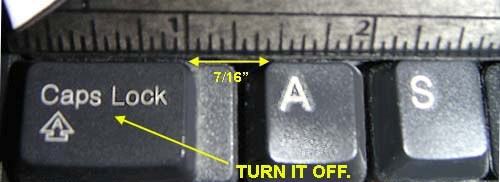 |
|
New member Username: Aandjs91Milledgeville, Ga Usa Post Number: 2 Registered: Dec-07 | T WEIBER, THANKS FOR YOUR REPLY. I HAD ALREADY READ YOUR POSTS AND THEY WERE OF GREAT HELP. I WISH I LIVED IN GWINNETTE CO. CAN YOU TELL ME WHAT KIND AND MODEL OF CARD YOU FINALLY WERE ABLE TO HAVE SUCCESS WITH? MAYBE IF I CAN GIVE MY LOCAL CHARTER PEOPLE THE INFO I CAN GET SOME POSITIVE RESULTS. I WISH COULD ONCE AND FOR ALL RULE OUT THE TV AS BEING AT FAULT. THAT WAY I COULD JUST DEAL WITH CHARTER . THANKS AGAIN FOR YOUR REPLY. TO JOHN S. YES I KNOW WHERE THE CAPS LOCK KEY IS LOCATED. SORRY MY TYPING SKILLS DON'T SEEM TO SUIT YOU, BUT FOR ME IT IS EASIER AND FASTER TO TYPE IN ALL CAPS. THANKS FOR NO HELP WITH MY CC PROBLEM. |
|
New member Username: Trw52Atlanta, Georgia Post Number: 10 Registered: Oct-07 | Robert Waddell -- I do not have the model number of the Motorola cableCARD which finally worked. And since the TV is working so well, I frankly do not want to remove the card to find out. It was a Motorola card, was supposedly an older card than the MediaCipher M-card, and was one of several the cableguy had stashed in his truck. The cableCARD technology is clearly "fussy" to say the least. Furthermore, I don't think a three-way interface issue like this (TV, cable system signal/lines, cableCARD) can be easily isolated without the commitment of all parties. It's just too easy for an overworked tech rep or customer support person to throw up his/her hands and say, "the tv is bad" or something similar. And once the service clock is ticking, the fallback is always, "skip the cableCARD and just put the box in." Your best hope, besides your own tenaciousness, is an independent, well-trained cableguy who wants to make the cableCARD solution work at your home. However, I am afraid that these folks are not only in very short supply, but probably work in scheduling environments that do not necessarily reward such troubleshooting behavior. Good Luck, T. Wieber, GA |
|
New member Username: Aandjs91Milledgeville, Ga Usa Post Number: 3 Registered: Dec-07 | T WEIBER, CHAETER CAME OUT AND TRIED A FEW MORE CARDS TO NO AVAILE. SAID THEY WOULD REQUEST A H.I.T. THIS MORNING BUT NOTHING HAS CHANGED. I WOULD NOT PULL THE CARD FROM MY TV EITHER BUT IF YOU HAPPEN TO FIND OUT WHAT KIND IT IS PLEASE LET ME KNOW. CHARTER SAID THEY ARE ORDERING A NEW TYPE OF CARD. WE'LL SEE WHAT HAPPENS. THANKS |
|
Bronze Member Username: Trw52Atlanta, Georgia Post Number: 11 Registered: Oct-07 | Robert -- Continued luck in your pursuit of cableCARD excellence. The change in type of card sounds promising, since that appeared to be the charm in my case. Charter spent a few weeks changing out cards -- but it was always the same model Motorola M-card with the same rev firmware/hardware. That model card simply did not seem to be able to synch up with the Mitsubishi TV. When they finally brought in another model of card (at my repeated insistence), we immediately had pairing information including host ID, data ID and some other stuff they were looking for. As mentioned previously, it also helped to have an ace technician come in determined to "make it happen," as opposed to certain others who walked in the door lamenting their assignment to a cableCARD install and expecting to fail. Once on the scene, "Lewis" took charge of the situation, including badgering folks back at the central office or headend, talking to Charter management and tracking down RF signal quality like a bloodhound. I have been up and running now for a month. My only gripe at this point is that the channel change time delay seems to be a bit longer than with a settop box. This kind of discourages excessive "surfing," but I can live with it. If I have the occasion to remove the card, I will certainly take note of the model number and post it. Hopefully, you understand my current desire to simply "leave things be," given the long history of problems with the installation. Regards, Ted Mitsubishi 46" LCD TV (LT-46244) Motorola CableCARD Charter Communications, Gwinnett County, GA |
|
Bronze Member Username: Trw52Atlanta, Georgia Post Number: 12 Registered: Oct-07 | Robert or Others -- A bit of further closure on my above post. I did recently have occasion to remove the "successful" cableCARD which did synch up with the Mitsubishi TV (and continues to operate well months later). Card data as follows: Motorola MediaCipher CableCARD P/N: 469140-003-00 SN: NG3516TA0396 UA: 0000298856417017 The card has a picture of a purple and green world globe with an orange lat/long grid. Made in Mexico for Motorola Broadband in Horsham, PA. Good luck! Ted W. |
|
New member Username: Aandjs91Milledgeville, Ga Usa Post Number: 4 Registered: Dec-07 | THANKS T. WEIBER. CABLE GUY IS HERE NOW I WILL GIVE HIM THE INFO. HE IS CHANGEING WIRES AND CHECKING BOXES SO I HOPE THIS AND THE INFO YOU HAVE GIVEN ME WILL DO THE TRICK. ROBERT |
|
New member Username: TomdpSan JoseUSA Post Number: 1 Registered: Mar-08 | Hi Cableguy and others, I have a Philips 50" Plasma TV 50PF9731D/37. Comcast was over to installed a cablecard and was looking for a menu option on the TV to activity the cablecard. They said they need to read some kind of "HostID". I looked through manual for my TV and my TV do not have the submenu option called "CableCARD Application" but is shown in the User Manual. I then called Philips they send a tech over to check out the TV and said there was nothing wrong with the TV. He chat with Philips level 2 support and the support told him Comcast needs to "Initialized" the cablecard for the TV to work. I am wondering is this "CableCard Application" menu supposed to be there all the time or only appear when a functional cablecard is inserted. Can someone please help me check this out? If it should be there all the time, then something is wrong with the TV. I have confirmed the TV has the latest available firmware. I also am able to recieve d all the basic clear QAM channels. Thanks, Tom. |
|
Gold Member Username: CableguySomewhere on... U.S. Post Number: 1020 Registered: Mar-05 | Tom~ There is no menu option that will activate the cable card. When you insert a cable card into the TV, the cable card and host id should appear by itself in order to document that information in order to have the cable card properly activated by your cable company. The menu is only available when a cable card is inserted, and the people from Philips should have shown you were to access that information while they were there. I would suggest you contact Philips and have them walk you through the process to access cable card menus, then call Comcast to make sure the information was properly entered and that the proper provisioning has taken place. |
|
New member Username: TomdpSan JoseUSA Post Number: 2 Registered: Mar-08 | Hi Cableguy, When the cablecard is inserted, there were no menu appeared. The TV didn't acknowledge that a cablecard has just been inserted. The Tech from Philips did looked all over the place to locate the menu to read the cable card info but can't find it. That's why I suspect there may be something wrong with my TV. Thanks, Tom. |
|
Gold Member Username: CableguySomewhere on... U.S. Post Number: 1021 Registered: Mar-05 | Sounds like you're on the right path. Keep us posted |
|
Bronze Member Username: Trw52Atlanta, Georgia Post Number: 13 Registered: Oct-07 | Tom D, Robert, Others --- See my 12 previous posts on this thread for background on my Mitsubishi LCD CableCARD problem history. Last week, Charter delivered some kind of voltage or signal spike to our system which took out both my wireless router (for computer connectivity) as well as my infamous Motorola CableCARD. Given the history of our account, a service manager came out to our house to fix the problem personally -- a very high caliber, technical guy with obvious experience with CableCARDs. He had a new CableCARD up and running within a couple minutes -- used the same Motorola card (MediaCipher P/N: 469140-003-00 -- not the M-Card) which I referenced above. He made a couple other comments which may be useful to others: 1. He claimed that in his considerable experience with CableCARDs, the problem is rarely a malfunctioning TV or even a bad card. He has found that it is normally in the provisioning / activation actions of the cable company. In particular, he stated that the newer Motorola M-Card is an advanced multi-stream card designed to operate with multiple devices simultaneously and, as a result, is extremely sensitive to how the provisioning data (what channel packages you have paid for) has been entered into the cable company database. Often the fix is simply to delete this information in a given account and to rebuild the data in a certain sequence and manner, and then to reauthorize / reactivate the card. 2. He also said that since technicians have no way to check the operation of a particular cableCARD in the field, the swap-out mentality for troubleshooting cableCARD issues is very common. He claimed that there were many cards in operation in my area -- most with no problems. Bottom line, his quick resolution of my problem was further confirmation to me that some cable technicians understand this technology and many do not. As someone who changed out our new TV twice in the troubleshooting process, I would not again jump at the idea that the TV is malfunctioning without a lot more work by the best tech my cable company had to offer. On the topic of accessing your CableCARD pairing status, host ID, data ID and other relevant info can be called up at any time on the Mitsubishi set by pressing "MENU" followed by "999." There is a page of instructions in the manual titled using a CableCARD. CableCARD status normally also appears upon removal and reinsertion of the card. Good luck! Regards, Ted Mitsubishi 46" LCD TV (LT-46244) Motorola CableCARD Charter Communications, Gwinnett County, GA |
|
New member Username: TomdpSan JoseUSA Post Number: 3 Registered: Mar-08 | Hi Ted, Thanks for sharing your experience. Comcast is scheduled to come back at the end of this week to look more into this problem. I may be able to talk to him about your experience. I have tried removing the reinserting the CablecCard and can't cause the TV to pop up any menu or locate a menu to read the hostid. The CableCard Comcast issue is a Motorolla M-Card. I am not familiar with single or double stream so I can't tell if my TV support them or not. Hopefully, I get a better Comcast tech this time that can trouble shoot this in more detail. Thanks, Tom. |
|
New member Username: Aandjs91Milledgeville, Ga Usa Post Number: 5 Registered: Dec-07 | Thanks again Ted for the info. I still have had no success with my card even after the last guy came out and changed some things. I'll be passing this new info on to them as he said he was going to contact his supervisor. About the the pairing, I have tried the menu 999 before and even now the only message I get is "Cablecard™ Pairing information not available. Maybe with this new information I will have some luck. Thanks Robert |
|
New member Username: RonrasMN Post Number: 3 Registered: Dec-07 | My experience with the last Comcast guy has solved my problem. He told me every time I lost the signal from the cable card to unplug the television while it was running, and leave it unplugged for ten seconds. Has worked every time for me. |
|
Gold Member Username: CableguySomewhere on... U.S. Post Number: 1022 Registered: Mar-05 | There is a significant difference when you insert a cable card and the tv doesn't recognize the card is installed. Not discounting the other experiences as they have been proven true, merely stating that a card not being recognized as being inserted is a whole different ballgame |
|
New member Username: TomdpSan JoseUSA Post Number: 4 Registered: Mar-08 | I finally got a Cablecard to work with my Philips Plasma TV. After trying 4 different Motorolla M-Cards and one older Comcast cable card, only the Comcast Cablecard (it has a Comcast label on it instead of a Motorolla label) is compatible with the TV. When the M-Cards is inserted in the TV, no menu pop up to indicate a Cablecard has been inserted. Comcast Tech said they are phasing out the older cards and that I am lucky to have one still available. This install didn't go smoothly even after they located a working card. It seems tech at the service center don't know how to activate this older card because the serial numbers on the card can't be entered in their system. They tried couple of times and eventually "reset" my account to start over. Apparently, this "reset" removed and deactivate everything on my account including an existing SD cable box and my Cable Modem. I wasn't aware my internet service was down until after the on site service tech have left. If I were to have phone service with Comcast as well, my guess is my home phone will also be down. I am glad I don't rely on all my services with one company. The on site tech then called backed the service center and found another person actually know how to activate this older cablecard and was able to complete the install. I am just glad this is over. Thanks, Tom. |
|
New member Username: GenestoyAvondale, AZ United States Post Number: 5 Registered: Jan-07 | i solved my cablecard problems - i switched to DirecTv 6 mos ago and not a single problem since, so much for the cable company saying it was my Sony TV! |
|
New member Username: TxbluePost Number: 1 Registered: May-08 | HELP with TWC Cablecard issues! Have a JVC 70" w/CC bought in November. On the 5th or 6th card and probably a dozen service calls - can't count how many telephone calls - but today the supervisor that finally came is saying that my TV needs to have it's tuner adjusted for the cable card. JVC has told us several times there are no patches for the cablecard. The issue is that when you watch any station that required the CC (local HD - via QAM and original cable work ok), the picture will freeze, and the TV will give a cable card pairing message. If you press the menu button to clear the message usually it will go back to the show - total outage about 15 seconds - but once this happens, it will happen every 1-5 min on EVERY channel until you reset the cable card. Today they left a cable box which supposedly has a cable card in it - and it seems to work - but I don't want a box - and since the box is 'under warrenty' they can't remove that 'working' card and put it in my TV. Called Star Power where I bought the TV and they've never heard of 'adjusting the tuner'. Any advise from anyone here? I just want to be able to use my CC with my TV tuner. I'm about ready to give up on the extra 5 stations I get and just use the QAM for the local HD and watch normal cable for the rest! Thanks! |
|
Gold Member Username: CableguySomewhere on... U.S. Post Number: 1025 Registered: Mar-05 | Lucia~ Can you clarify which type of cable card you have? |
|
New member Username: TxbluePost Number: 2 Registered: May-08 | Cableguy - It'a a Motorola Media Cipher M- series card. Firmware is b06 version. JVC says that there are no updates that affect the cablecard, but they are on f163 - so I'm trying to get them to send me that update anyway to see if it would help. |
|
New member Username: TxbluePost Number: 3 Registered: May-08 | the f163 firmware wasn't for my TV - I have the most current firmware at b006. Worked thru diagonstics with JVC this weekend. Everthing seems ok - signal in appropriate range - and while we were looking at it the screen froze. JVC says it's the cablecard. TWC says it's the TV - This is not a fun game! If there were anyone else out there that offered standard cable channels w/o a box I'd be standing in line! We have 6 TV's so I can't afford renting a box for each one of them. We don't have any pay channels - and soon won't have a cable card if they can't make it work! |
|
Bronze Member Username: BeadySmithtown, Ny Post Number: 12 Registered: Jun-06 | It could be either one. I had a problem with a Cable Card and my Sony where it was causing picture breakup. I had to get a specific replacement part from Sony to fix the problem. It took two tries before they got the right part. My Tivo had a problem with a cable card where I would get a card error and have to reboot the box in order to get the tuner back. In that case it took a while for the companies to fix the problem but there was new firmware created for the cable card. Have you tried getting the card replaced? That would be the 1st place to start. If it still fails I would get the TV manufacturer to replace some parts. If it fails after that you have to get the cable company, TV manufacturer and cable card manufacturer working together to debug the problem. Good luck on that one! |
|
New member Username: TxbluePost Number: 4 Registered: May-08 | We're on card 4 or 5 at this point. They are supposed to bring a few and try some things - still waiting for that return call from TWC - as well as the one from JVC engineering. |
|
New member Username: SocaltechPost Number: 1 Registered: May-08 | Cableguy, I'm a tech with cox and the situation I have is 3 LG tvs not recieving ch.14-22 through the Scard, signal wise everything is fine. The channel map shows the channels as being there however when tuning to those chs. all i get is either no signal or scrambled. I'm thinking its probably a firmware issue with the TVs however I was wondering if you had run into this or a similar problem before? unfortunately I don't have the model numbers for the TVs |
|
Gold Member Username: CableguySomewhere on... U.S. Post Number: 1026 Registered: Mar-05 | Jordan~ Never heard of it. What you could do is fill me in on the type of cable card, and any diagnostic screen information you can get in to see would help. |
|
New member Username: SsijoePost Number: 1 Registered: May-08 | Wow... After reading through all of this, sure don't feel alone anymore. Been struggling with a Mitsubishi 46244 like T Wieber, we're down here in the Brunswick/Comcast area. Seem all the reported issues, gets some of the HD Channels, not the digital channels, etc. We deal with the Scientific Atlanta Power Key Card. Tried to learn more about how the card itself works, Here's a great primer http://arstechnica.com/guides/other/cablecard.ars/1 Right now the diagnosis seems to be that I'm having cable signal problems because of CPD (common path Distortion) Seems that the signals to decrypt tthe High Tier HD channels (the ECM's and EMM's) are transmitted down the cable on some obscure frequency outside of the normal video band. Guess with noise on the line, Card's not able to get the signals and codes since on my CP Provider Info screen, the card status is "ready" "Card authorised" "Still waiting for EMM's" The latest suggested remedy from Comcast is that they will preform "Maintenance on the Pedestal" out by the Street, and some other box up the Street, and hopefully that will cure the CPD problem. Still waiting! Waddayathink? |
|
Gold Member Username: CableguySomewhere on... U.S. Post Number: 1027 Registered: Mar-05 | it's doesn't necessarily mean there is a signal problem if you haven't received EMM's. It could be that the proper hits have not been sent, or the card is not properly paired. If you received CP authorization, the signal was good enough to pass that along, the same path is used to send the EMM's. |
|
New member Username: TxbluePost Number: 5 Registered: May-08 | tried 4 more cable cards last weekend - 2 didn't work at all - 2 same issue - but at one point got the followin: Authorization Failure 1200 There was a technical problem during authorization process. This product name have some component failure or may not be designed to be fully compatible with digital cable television services. Please contact the manufacturer or retailer. Left messages for Star Power -still waiting on return call. Worked with JVC, as they also said that some signal settings were not right and sent an attunater to adjust - that made no diff also. Now JVC to replace the entire tuner. We'll see how that goes. |
|
New member Username: SsijoePost Number: 2 Registered: May-08 | Cable Guy... I hear you re the line quality being good enough for CP Authorization should be good enough for the EMM's. The only folks I'm in contact with are either the Comcast Tech who shows up on the service call, the local supervisor, or whoever answers the 1800 tech support number. Willingto give this one more shot before I settle for the box. Who should I be talking with and what specifically should I ask them to do? My card is CP Authorized, but it says PowerKey staus is "Not Ready" "Waiting for EMM's" Thx JJM |
|
Gold Member Username: CableguySomewhere on... U.S. Post Number: 1028 Registered: Mar-05 | I don't work for Comcast so I wouldn't have the first clue about who you would need to talk with. I would recommend that you speak with a technical supervisor to make sure they are sending the proper hits. EMMs can be sent directly from the master control, or through the billing system. If the billing people are saying they are sending the correct hits and you are not getting them, master control can send them as well. If you are still not getting EMMs they need to make sure your pairing information is correct and that your signal strength on the FDC/OOB frequency are between + 10 and -10. |
|
New member Username: SsijoePost Number: 4 Registered: May-08 | Cable Guy. Following up. Another service call visit. After swapping several cards, got one to work. Been working for a few days. However, every morming, it seems to have a bit of altzheimers (sic). This morning it was "waiting for the time" The EMM count was at zero. Then it reset itself to ch2, then proceeded to get itself going and after a few minutes, the HD channels started appearing and at least for today, all is well. Did have them install a small, simple not too obtrusive HD box, as a back up. When the card goes South, I'll be able to switch to the box and at least have something! Interesting fall out. Local Supervisor, called as a followup, and fessed that their batch of cards were purchased in 2004. The plan was to buy and inventory a new set. Guess they've just been recycling the old cards from service call to service call. The tech shows up with a half dozen cards in his pocket, and I guess my card goes back into the pocket to be available for the next service call. Seems like a lottery to find a card that'll work, and it's anybody's guess how long they'll work for. Hope the new 2008 card batch will help us all, but you never know. Obviously, something's happening overnite on the cable that seems to confuse the card in the morning. I really didn't want to be the Beta tester for the cable company,but we're still on cordial speaking terms, and I'm aware of other local folks who have given up on the card and settled for the box, but I must just be the curiousity I guess. Will stay in touch if anything more develops. Thx JJM |
|
New member Username: Shawn_villaronPost Number: 1 Registered: Jul-08 | My multi-month CC saga continues. I purchased a Dell 420 box with the special CC-enabled version of Windows Vista installed. I then purchased an ATI CC tuner. And finally, I got a CC from my local cable provider, Comcast. I've been trying for months now to get this to work. I've called Comcast multiple times, but no one seems to know anything about Vista Media Center. The problem I'm getting is that almost all of the channels give me a black screen and eventually the "no TV signal" notice, telling me to call my cable provider to pair my CC with the tuner. How do I debug this? Any help would be greatly appreciated. Thanks, shawn |
|
Gold Member Username: CableguySomewhere on... U.S. Post Number: 1029 Registered: Mar-05 | What type of cable card do you have? Can you see the cable card in the menu settings of the ati while in media center? |
|
New member Username: SsijoePost Number: 5 Registered: May-08 | Cable Guy. Re my previous posts of issues with Cable card. Finally have a card installed that has been sucessfully runnimng for several weeks now. Quite often however, it does get confused as to which channel it's tuned too, draws a blank screen, and goes sucessfully, this time, through it's own reset procedure. Previous cards would try to reset themselves then would quit receiving the codes to decrypt the digital and high tier HD channels. Nice now, that it's able to sucessfully recover itself, time after time, and get back to viewing all the channels. Now I wonder if it's the TV tuner/remote that's not correctly going to the right frequency to bring in the channel, or is it the cable signal itself that drifts just enough to confuse the card and the TV??? Any thoughts? |
|
Gold Member Username: CableguySomewhere on... U.S. Post Number: 1030 Registered: Mar-05 | Could be a signal issue, but it could also be a tuner issue as well. If the channel was working and stops working any number of things could be contributing. Next time it's not working right, go into the diagnostics and report back what you see. |
|
New member Username: TooaltoPost Number: 1 Registered: Jul-08 | Cableguy, HELP! We had an M card put in our new HD Tivo and it worked like a charm from the first. Then, 2 months later (3 weeks ago), Comcast did an "upgrade" in our area. Now, we have no HD, no channels in our digital preferred package and most of the channels below 71 are in different spots or missing. For example, our channel 54 is supposed to be the Food Network and the Tivo banner at the top confirms that but the video actually playing is A&E. And so it goes. We have 2 MSNBC, 2 VH1, no YES, no Speed Channel etc. Techs have been here four times for the total of over 12 hours, popped in at least ten "brand new" cards to no avail. I've been in contact with the tech supervisor in our area. We are to get another visit Sat. morning and, so they say, wil do a 3-way call to try and fix the problem but only in house. So far , even though I have the Tivo cablcard hotline number and the toll-free number for Scientific Atlanta tech support, they have not been willing to call either one. If this Saturday's visit proves to be a bust as well, I'll be writing to the VP of Customer Relations for Comcast. His name and email are currently on the Comcast website. |
|
Gold Member Username: CableguySomewhere on... U.S. Post Number: 1031 Registered: Mar-05 | Sue ~ Have you rebooted the Tivo and repeated guided set-up? If that doesn't work, what I would recommend is that you call Tivo and have their tech support walk you through everything they need to, that way they can better advise you of what you can have the Comcast do to help resolve the problem. On the surface it sounds like it's getting an invalid channel map (channels are missing or are in different spots). It would also help if you could pull up the diagnostics for the cable card are report what data is present. Check the Davic page and see if the FDC is locked. If it's unlocked tell them to fix the levels for that frequency. |
|
New member Username: CctechPost Number: 1 Registered: Sep-08 | Hello all. I work for Comcast in the New England area. I would be happy to help resolve any issues you have with your cablecard/cable service. I handle all of VT,NH,MA,CT and parts of ME(mostly the southern part around Kittery/Berwick). Shoot me a PM here and I will try my best to resolve your issue. |
|
New member Username: TxbluePost Number: 6 Registered: May-08 | Finally gave up on the CC - and digital tuning that can't be recieved via the QAM tuner. Yea - only HD for the local stations and a few of the cable stations - but now I can turn the TV on at it works and receives a signal! Only lost about 4 channels that aren't on the lower tier also. The picture isn't as perfect as HD channels were (like ESPN) but that would only be for the 10 min that it didn't freeze - so I'd rather live with a less perfect picture that comes in 100% of the time. Just wish TW would publish a list of the channels per the QAM tuning, so I don't have to go search for them and make my own list. Also, QAM enabled DVD recorder does a great job of recording the digital/HD channels right out of the box! The DVD's also appear to play in other DVD players in the house w/o having to 'finish' them - so they can be reused. It's as easy as the old VCR's and that was very portable! |
|
Gold Member Username: CableguySomewhere on... U.S. Post Number: 1033 Registered: Mar-05 | Welcome to the fray CCTech |
|
New member Username: WrykerPost Number: 1 Registered: Sep-08 | My Tivo HD has a new MCard and when watching 2 HD streams one (or both) will 'freeze' after @15 minutes. if i go up one channel for a moment and then back down to it, it plays fine- but only for another 15 minutes or so. I never had this problem in the prior year w/a comcast MCard. Tech is coming out wednesday (tomorrow)so ANY feedback is appreciated. Other change aside from a new MCard (it's a moto Mcard) is we are using their router for phone and internet where before it was just internet. The same feed for the router is split from the feed coming in: split 3 way: one to router, one to HD TIvo, other to QAM tuner on TV. Split is as it was before too. As i said, no problem before and this is the 2nd MCard having this freaky problem. Any specific questions/things to check for while they are here I'd be thankful. |
|
New member Username: Gridl0ckdBuffalo, Minnesota US Post Number: 2 Registered: Oct-07 | I'm beginning to think that all of these problems are a function of the CableCARD interfaces employed by all of these different TV manufacturers. I mean, think about it - there isn't any set standard that TV manufacturers have to abide by when it comes to the CableCARD interface. Until a standard is passed by CableLabs or another licensing arm of the cable industry, I fear we will never see this problem resolved. And I know it's frustrating to you, the customer - you just bought this expensive TV w/ the CableCARD interface with the expectation that the damned thing would work and negate the need for a DCT, standard or HD. I sympathize with you, truly I do. But there's no rhyme or reason to how or why all of you experience the aforementioned problems above. RF is RF - it's up to the tuner to do its job of deciphering the data stream to give you a picture. So, like I said, unless *all* of the TV manufacturers get on the same page and involve CableLabs to ensure that there is 1 set, legitimized standard.. This problem will never go away. I urge you to take this up with your TV manufacturers, not your respective cable providers. Trust me, the cable providers are doing what they can to work with Motorola, Scientific Atlanta, Pace Digital, etc. And it's as if we're beating a dead horse in the process. |
|
New member Username: MisterxPost Number: 6 Registered: Mar-07 | wh0, Not to put too fine a point on it, but I think that's complete bunk. The cable industry has a financial interest in killing CableCard (it costs them money to support customers who attempt to use the technology, it cedes power over their internal infrastructure because they have to work with 3rd-party devices, and they lose monthly rental fees). TV manufacturers *ARE* trying to get CableCard to work -- what, you think *they're* happy that their customers call in to their support lines? Also, you've drastically misrepresented the situation with CableLabs and TV manufacturers. CableLabs (the cable industry's body, not the TV manufacturing body) *REQUIRES* certification of devices and has a test suite for certification. If it passes certification, it should work. If it passes and doesn't work, yet the TV is at fault, then CableLabs (read: the cable industry) has not done its job with the certification process. It's not the TV manufacturer's job nor the customer's job to figure out, after millions of dollars of R&D and testing have been done, how to actually get the thing to work after it's already been certified. That's the entire point of the certification process. What you seem to be saying is, the process is meaningless. I have been told, similar to what you have just said, that either my TV or my TiVo was at fault in a cablecard-related issue no fewer than 15 times. Twice Comcast threatened to fire me as a customer because they refused to spend more effort resolving the issue. Time Warner and Comcast BOTH attempted to tell me that they would not troubleshoot the issue further until I tested on more HDTV equipment, which they would not provide. (Yes, quite reasonable of them to suggest that I spend a few thousand dollars to troubleshoot their problem). In all of these times, how many times was my equipment at fault? None. Every single time it was a comedy of errors from the cable company that led to trouble. Every single time the Cable company started with "well, it's probably your television/Tivo's fault". I'm not saying that TV manufacturers don't make mistakes, but your assertion that the TVs just aren't working and that the Cable industry effectively doesn't have anything to do with this problem is flatly false. Their reports to the FCC about trouble issues (one of which read that "95% of the time the problem was the television") border on absurdity. Given their massive financial interest in undermining the cablecard mandate, their stubbornness in actually supporting cablecards with WORKING and certified platforms (read: TivoHD, which is deployed all over the place), and their misrepresentations about the certification process and standards, you'll excuse me if I don't take their/your assertions about the faults of the TV manufacturers seriously. |
|
New member Username: SsijoePost Number: 6 Registered: May-08 | Me too! My Mitsubishi and me. Comcast pointed the finger everywhere else. I Had the tech rep come check out the my TV too. I Had trouble tickets in with Scientific Atlanta pleading with them to send Comcast some help. Good old Comcast in the meantime would just recycle their cards from one tv to the next. They'd show up with a half dozen cards (used) and try a few to see if they got one to work in your set. Only to see it fail a few days later, Finally told me they were throwing out their stock of cards and buying a new batch! Convinced me, it's not the card, it's not the TV!.... Hummmm |
|
New member Username: TxmitsuPost Number: 5 Registered: Feb-07 | I spent 13 months fighting with Mitsubishi over my problems and their final answer, once I was out of warranty, was to tell me to go screw myself. My cable company (TWC) spent a lot of time at my house (I even have the area supervisor's personal mobile number). Mitsubishi alternated between agreeing to send out field support one day, and claiming to know nothing about it the next. I assign 99.9% of the blame to Mitsubishi here - they sold me the product and advertised that it would work, but they offer nothing beyond completely useless level 1 support (basically a note taker with poor English skills). Here's my advice: don't buy a set specifically because it offers a CableCard. If it comes with one, try it out - maybe it will work. But don't waste much time on it. And more importantly, DO NOT EVER BUY ANYTHING FROM MITSUBISHI! |
|
New member Username: Gridl0ckdBuffalo, Minnesota US Post Number: 3 Registered: Oct-07 | Mister X, You may think what you like about what I disclosed - that is your opinion. But let's consider a few things.. 1) New cable boxes utilize the DCH, or Dynamic Client Host, interface, that utilize a damn CableCARD. In fact, the cards we use in these DCH units are Motorola M-Card MediaCipher cards. Guess what? They work just fine. Granted there are a few instances where a card's pairing information doesn't mesh well with our DAC, but those cases are few and far between. Nothing on the scale of what I read here in these posts. 2) The Cable Industry is aggressively supporting the OCAP, or Open Cable Access Platform, technology in hopes that one day customers will be able to buy their own CableCARD-enabled DCTs or DVRs from retail stores. To suggest that we are attempting to put-down the CableCARD initiative is poor taste, and worse yet makes you come off as a conspiracy theorist. Digeo, an innovator in the broadband content delivery field, is working extremely hard on its OCAP software that can be ported to existing CableCARD-enabled TVs. 3) You pointed out that CableLabs is the cable industry's body, not that of the TV industry. What did you read in my post that gave you the idea I was referring to the TV industry, not the cable industry, when I made reference to CableLabs? And I know full well that CableLabs has a series of tests it runs on equipment before it receives their coveted certification. My point is that the TV industry is not cooperating with CableLabs to ensure a set, standard, fully-functioning CableCARD interface that can be employed on all TVs. If you compare the interface screens of a Mitsubishi, Toshiba, Sony, and Samsung not a one of them resembles the other. 4) If it were up to most MSOs, I believe they'd be in favor of letting customers use their own equipment as opposed to leasing out millions upon millions of dollars worth of equipment. Do you know how much capital is tied up in a system the size of, say, 45,000 subscribers? It's ridiculous. And then the repair costs on those boxes is ludicrous as well. The Motorola BMC9012 DVR costs $200 to repair every time it's sent in. Doesn't matter what problems are found with the unit - it's a flat $200 to repair it. Given my shop sends out 40-80 of those units to repair every week.. Well, you do the math. As a customer, would you A) rather have the cable company deal with the warranty on the equipment or B) take it up with whatever big box retail outfit you bought your equipment at? You think about that. In closing, I would hope that the next time you blatantly attack someone you do a little more research on the matter beforehand. I understand you're a jilted customer, but that is no excuse to discount my knowledge of the cable industry and, in the process, attempt to label me a liar. I post on here to inform and educate - not to incite hateful diatribes. |
|
New member Username: MisterxPost Number: 7 Registered: Mar-07 | A couple of comments: A) It seems highly likely that you are a representative of the cable industry or one of the contractors for them who is astroturfing here. Look, CableGuy actually helps. Your comments here instruct us end-users to direct our frustration at the TV industry. Your comments are self-serving and misleading. I've seen astroturfers elsewhere. You're easy to pick out, what with your false sympathy for customer frustrations and your "helpful" tips to aim those frustrations at someone -- anyone -- else. How about you go back to your boss and just tell them to fix the friggin' customer support system that has your reps entering pairing info incorrectly, rather than wasting my time telling me that my TV is broken and that I ought to just rent a box? kthnx. B) Hateful? Not quite. It's TV, man, not my family. But, it is a big deal to us customers. You try being on the other end of ridiculous "support" calls with the cable industry. Look, I've been told any number of ridiculous excuses from the cable industry about why CableCards "can't" work with my "broken" equipment. It's a lot of BS excuses, and that remains my summary of your previous post. It's not the TV industry's fault that Comcast doesn't enter numbers correctly or that CableLabs doesn't have their act together with certification (a process that they refused to define and delayed for years). Nothing that the TV industry can do can fix the Cable Industry's certification process or their support issues. Your "helpful" suggestion is anything but. As to your actual comments: 1) The mandatory use of cablecards by the cable industry has single-handedly improved so many issues, you're right. They're not all gone, as you concede. The fact that the cable industry controls cablelabs and the cablecard spec, yet throws up their hands in "I dunno!" exasperation is utterly ridiculous. 2) The cable industry is not, in fact, supporting OCAP. If it was, the Tivo guys would've been thrilled 2 years ago while the cable industry couldn't seem to make up its mind. 3) I never claimed that you didn't know who cablelabs is. I claimed that you don't seem to think that they should do their job, which is certify devices. You're still implying that somehow it's the TV's fault that it's possible to ship a cablelabs-certified device that doesn't work with a cable network. If the certification is broken, then it's not the TV manufacturer's fault, as you originally claimed. That was my point in bringing up cablelabs. 4) Cry me a freaking river about the "capital" invested by cable companies regarding equipment. 12x20 = $240 a year for HD-DVR rental more than covers the exorbitant repair fees that the cable industry is putting up with. (My Tivo does not fail at those rates, and if it did, they'd be out of business). Further, the fact that companies can FLY SATELLITES INTO SPACE and maintain a price-competitive business with a terrestrial business such as Comcast tells me all I need to know about who is doing the math, and who just doesn't give a crap so long as they can pass along the bill to their customers. I'm quite happy to own my TivoHD and be responsible for its repair costs, thank you. I haven't had any. Maybe it's because customers hold their feet to the fire and require a non-crappy product, whereas the cable industry is quite happy to pass the ridiculous costs of repair ($200? Are you freaking kidding me?) on to the customer rather insisting that their vendor fix the problem. If cable operators are so "in favor" of "letting" customers own and maintain their own equipment, then maybe there wouldn't be so many reports of cable reps giving customers grief about Tivos. However, Tivo forums are littered with complaints from belligerent, misinformed, and frankly useless cable reps. If the cable industry wants us to own our equipment, nobody seems to have told their employees. I'm not "attempting" to label you a liar - look, your pitch was this: "So, like I said, unless *all* of the TV manufacturers get on the same page and involve CableLabs to ensure that there is 1 set, legitimized standard.. This problem will never go away. I urge you to take this up with your TV manufacturers, not your respective cable providers." That is highly misleading and completely misrepresents what cablelabs is supposed to do and ignores that it is they, not the tv industry, that control the specification and the certification. |
|
New member Username: Gridl0ckdBuffalo, Minnesota US Post Number: 4 Registered: Oct-07 | Mister X, I am indeed a representative of the cable industry. I am a senior-level field technician that specializes in hard-to-solve cases, the ones where multiple techs have been out to the residence and had no luck in finding a resolution to the problem. I do not know what you mean by 'astroturfing', although I can make a fairly educated guess. Again, you misjudge me - my sympathies are not false, they are 100% genuine. To say I don't care about my customers implies I don't care about my job, and you are sorely mistaken on both levels. I do care about the problems my customers face and I work my butt off to get them fixed. And yes, you're right - the call centers and customer service reps are a pain. I admit that. Techs complain about that problem just as much as customers do because we realize it's a serious issue. But you have to realize something - customer service reps are not techs. They read off a script, and if your answer isn't in that script then they book a trouble call. And, as always, the short answer to any problem with customer equipment is to try and upsell them. I know it's ridiculous, but those people are paid commission for their sales. The pairing info for each CableCARD is determined when that card is entered into the system at the warehouse. Everytime I've been on a trouble call for a CableCARD the pairing info has been correct, but for whatever reason the TV's interface reported an error or the tuner wouldn't switch over properly. Rarely do I see issues with the QAM coming into play as we have gone to great lengths to ensure our plant is tight and clean now that we're on a 256-QAM system. Sure, DS SNR can hose you - it happens. It could be a fitting, a splitter, too sharp a bend radius in the RG-6 cable going to your outlet, etc. This is not to say that pairing issues don't arise - they most certainly do. But to have the same pairing problem occur over and over and over is highly suspicious. Not to mention that the warehouse tech responsible for that SNAFU would be on the end of a brutal butt-chewing by an ops manager. It's obvious you have a good deal of pent-up aggression in regard to this (supposedly?) ongoing problem. But don't shoot the messenger - it won't get you anywhere. And I apologize if you didn't find my suggestion 'helpful', I merely thought that if you weren't getting anywhere with the cable industry then maybe you should put the screws to the manufacturer of your equipment, and then maybe they could put their own screws to the cable MSOs. I hate to say it, but the squeaky wheel gets the grease, and if you have the whole TV industry coming down on the cable industry over this CableCARD fiasco.. Well, you might actually get somewhere. And if you feel the need to keep pressure on your cable MSO - fine. But don't go through the local office. Local offices have to report to their KMA, which then have to report to their division, which then report to corporate, where the claim gets filed . . . and who knows. Long story short, too long of a trail, the greater the chance of mishandling your concern. Take it up with the VP of Customer Care (for Charter subscribers you need to address Michael Lovett) and I assure you that you will be heard. Yes, CableLabs is controlled by the cable industry, and yes, CableLabs controls the CableCARD spec, or OpenCable (tru2way), as it's often referred to. That doesn't mean that we have control over the interface of the TV designed by the TV manufacturer. That is my argument. No two interfaces are the same, thus each TV brand is prone to different errors, whether they be related to the headend or with the TV hardware itself. I have troubleshot numerous customer equipment at the headend to see if the same errors showed up as they did in the field. And with the exception of some (an address controller issue *was* responsible for issues with customer equipment in 1 town) the same errors were indeed witnessed at the headend. Motorola had a team on-site during one of these instances as they happened to be in the area for a conference, and even they were baffled. They tried brand-new, never-out-of-the-package M-Cards that we had registered directly at the headend and still the same errors persisted. So you tell me, sir, what we could have done differently. An answer to the CableCARD conundrum may be just around the bend in the form of tru2way, the successor to OpenCable. Though I haven't personally seen a tru2way-enabled device, reports from St. Louis indicate that new TVs that employ this technology will revolutionize the way in which cable subscribers enjoy their services, with access to a functional, revamped VOD system. And that's just for starters. I'm looking forward to testing one out in our office as soon as corporate gets a test 'subject' from Samsung. What reason does the cable industry have to *not* support OCAP (tru2way)? I have yet to see any evidence of when in fact the industry, or CableLabs, has stated they aren't in support of consumer equipment. You keep mentioning Comcast, so I'm going to assume you're a Comcast customer. Well Comcast certified TiVo's proprietary OCAP-compliant software, and that was back in 2007 (source). Proof positive that at least one MSO is taking steps to support consumer equipment. Yes, it costs $200 to fix a Motorola BMC9012. Why? Because it's a friggin Pentium-based computer running a cut-down version of a Linux operating system. Furthermore, all of the BMC9012s (and BMC9022s) that are in service in my KMA are anywhere between 3-5 years old; new equipment has not been made available to us since 2005. Why? Because the purchase price for one of those units was upwards of $750. Digeo is rolling out a new 3012 series unit 3Q of 2008, but probably won't be seen widespread until mid-1Q of 2009. So what do we do until then? My office will continue to send in 40-80 units / week trying to keep up with the demand as best they can. And to clarify, the repair costs of the equipment are exacted in the rental fee - nothing more. Or at least that's how it was spelled out to me on a conference call with the division GM. The issue with the Motorola BMC series is that they were poorly designed. The unit has one exhaust fan and one intake fan, with no other sources of venting whatsoever. When kept in an open-air environment, they run quite well. The problem is, you get all of these customers that have spent good money on an entertainment center to 'conceal' their electronic toys and they stuff this poor little computer into a cubby barely large enough for it to fit. What happens? The computer suffocates from lack of air circulation and eventual, not to mention inevitable, dust build-up. Digeo reps have repeatedly told techs to educate customers on the placement of the unit in their home, instructing them to keep it in an area with plenty of air circulation, to no avail. Because in the end John Q Public doesn't want to be told what he can and can't do when it comes to the all-too-precious aestheics of his cleverly-concealed media center. Hopefully this post will be considered more 'helpful' and less 'misleading'. |
|
New member Username: TooaltoPost Number: 2 Registered: Jul-08 | This is for wh0. Perhaps, as a cable rep., you can help with this problem. I've pasted my initial post from July here:Cableguy, HELP! We had an M card put in our new HD Tivo and it worked like a charm from the first. Then, 2 months later (3 weeks ago), Comcast did an "upgrade" in our area. Now, we have no HD, no channels in our digital preferred package and most of the channels below 71 are in different spots or missing. For example, our channel 54 is supposed to be the Food Network and the Tivo banner at the top confirms that but the video actually playing is A&E. And so it goes. We have 2 MSNBC, 2 VH1, no YES, no Speed Channel etc. Techs have been here four times for the total of over 12 hours, popped in at least ten "brand new" cards to no avail. I've been in contact with the tech supervisor in our area. We are to get another visit Sat. morning and, so they say, wil do a 3-way call to try and fix the problem but only in house. So far , even though I have the Tivo cablcard hotline number and the toll-free number for Scientific Atlanta tech support, they have not been willing to call either one. If this Saturday's visit proves to be a bust as well, I'll be writing to the VP of Customer Relations for Comcast. His name and email are currently on the Comcast website. Now it is September with still no resolution. Our tech supervisor has been wonderful. We've gone through M cards and S cards and nothing works. Basically we've given up. We have a cable HDDVR and service free for one year and , when our company gets cablecards that work, we'll get them. This is NOT a television problem. Our Tivo worked fine for 2 months until the switch, now nothing. Any suggestions? |
|
New member Username: Gridl0ckdBuffalo, Minnesota US Post Number: 5 Registered: Oct-07 | Sue, The problem you seem to be having stems from a glitch in the channel map, either on the TiVo itself or at the headend. Have you reset your TiVo and tried to add the channel map from scratch? Generally, if a cable operator changes their line-up their STBs receive an update and all is well. I'm not sure if TiVo currently has that capability or not, though I'm going to lean towards not. The same rule would apply to a TV that has a digital tuner w/ built in i-Guide. Try resetting the device and going through setup from the beginning. I have a feeling that just may work. Let me know how that turns out. |
|
New member Username: TooaltoPost Number: 3 Registered: Jul-08 | We've done it all. The lineup from Tivo is correct and jives with the lineup from the cable company. Tivo even sent us a new unit. After a total of over 30 hours here we got one S card to work but as soon as the second went in, the same thing happened. We are not alone. Our cable company has close to 20 sets doing the same thing. We've been on conference calls with Tivo, headends, SA all to no avail. I think part of the problem lies with the cards themselves. They are just like the equipment we get from cable companies, not new, just "refubs". |
|
New member Username: WrykerPost Number: 2 Registered: Sep-08 | Well an update to my post earlier about the problem w/the HDTivo that didn't occur until we upgraded to include phone service from Comcast. If you recall my HDTivo w/an MCard worked flawlessly for about a year - we upgrade and now when watching 2 HD stations either one or both stations 'freeze' after @15 minutes. They determined it was a bad splitter - but when I got home from work; Mr. Freeze was there; they didn't wait around to see if it would freeze and it indeed did. SO they are coming back this afternoon. Frustrating...(ps - my other HDTivo works fine w/it's new MCard) |
|
New member Username: WrykerPost Number: 3 Registered: Sep-08 | HEY! Comcast didn't come by nor call! Egg-sellent. |
|
Gold Member Username: CableguySomewhere on... U.S. Post Number: 1037 Registered: Mar-05 | wh0...channel mapping isn't a resposibility of the tivo unit, it falls squarely on the cable company sending out the channel map to the cable card. no card, no map...channels appear on a standard cable ready lineup. Put the card in the channels get mapped by instructions from the "DAC" or "headend". The fact that Sue indicates 20 sets doing the same thing, although subject to debate, would indicate somebody at the cable company she resides in is doing something wrong.. Also to clarify OCAP or tru2way technology was fully implemented by the FCC as of July 1st 2007. All new cable boxes purchased must rely on seperable security (in the form of a 2-way cable card) are now being used by most, if not all cable companies. Second generation cable card products are slated for early next year. Cable companies have to support the technology because the FCC mandates them to do so. We'll talk later I'm going home |
|
New member Username: WrykerPost Number: 4 Registered: Sep-08 | WELL - Comcast came out today: ran a new line from the 'house box' to the place where the problem occurred and it didn't solve it. They sent a signal to the card and then we lost stations on BOTH HDTivo's and the comcast/moto DVR! The weird thing is we lost HBOHD, MAXHD, TLCHD, but not SHOWHD or some others (we did lose others but too many to mention). SO he checked the line coming in from the pole to our house and he replaced the fitting - everything worked! BUT- i leave for dinner, come back and behold: my screen is frozen on an HD movie that ended over 35 minutes before i got home! Meaning: they'll be out again tomorrow; this time it's time to try MCard #3. Any thoughts?!!??! |
|
Gold Member Username: CableguySomewhere on... U.S. Post Number: 1038 Registered: Mar-05 | They can keep replacing cards until the end of time...it's not the cards that are at fault. It is either a signal problem that they are missing or I'm a car mechanic lol. |
|
New member Username: WrykerPost Number: 5 Registered: Sep-08 | Well - it turns out that after trying everything it's the WD expander. For some reason it doesn't like the new HD TIVO. I unplugged it (lost all my shows) but now there's no more freezing. |
|
New member Username: Aandjs91Milledgeville, Ga Usa Post Number: 6 Registered: Dec-07 | Hey everyone. Great news!!! Got my cablecard working. Check this out. Last cable guy came out from charter in march could not solve my problem and said someone from his company would be in touch (he is a subcontractor for charter cable co). No one ever called me back so I cancelled everything except expanded basic. I had to go arround with charter about billing and sevice calls but that is another story. Anyway in june my "Tvguide Oscreen" stopped working and I have been trying to get it fixed thru Mitsubishi. Tried a software upgrade but did not help so they arranged for a service man to come look at my tv. I was not able to be at home when he was going to come so I took my tv to my business where we have cable so he could check it out there. Well charter never came after there cablecard so when I connected the cable at my business the cablecard paired up & gave me the info the cable co needed. When I took the tv home charter could still not give me the HDTV tier. We finally got someone that tried what someone had suggested in another post to TAKE DOWN MY ACCOUNT AND REBUILD IT. Low & behold this worked and now I have HDTV thru my cablecard with no set top box. So it seems to me that if a card wont pair up, the first thing to do is to request a rebuilding of your cable account. I hope this helps others to remedy their problem. Good Luck robert |
|
Bronze Member Username: Trw52Atlanta, Georgia Post Number: 14 Registered: Oct-07 | Congrats Robert -- You and I were working through the same issues some time back. I have no doubt that there is something to the "rebuild, re-provision, and/or reauthorize the account" fix for some of these problems. It certainly worked for me. To reinforce your point, I am repeating my previous post on this topic below. Good luck! Repeat Posting from March 2008: Given the history of our account, a service manager came out to our house to fix the problem personally -- a very high caliber, technical guy with obvious experience with CableCARDs. He had a new CableCARD up and running within a couple minutes -- used the same Motorola card (MediaCipher P/N: 469140-003-00 -- not the M-Card) which I referenced above. He made a couple other comments which may be useful to others: 1. He claimed that in his considerable experience with CableCARDs, the problem is rarely a malfunctioning TV or even a bad card. He has found that it is normally in the provisioning / activation actions of the cable company. In particular, he stated that the newer Motorola M-Card is an advanced multi-stream card designed to operate with multiple devices simultaneously and, as a result, is extremely sensitive to how the provisioning data (what channel packages you have paid for) has been entered into the cable company database. Often the fix is simply to delete this information in a given account and to rebuild the data in a certain sequence and manner, and then to reauthorize / reactivate the card. 2. He also said that since technicians have no way to check the operation of a particular cableCARD in the field, the swap-out mentality for troubleshooting cableCARD issues is very common. He claimed that there were many cards in operation in my area -- most with no problems. Bottom line, his quick resolution of my problem was further confirmation to me that some cable technicians understand this technology and many do not. As someone who changed out our new TV twice in the troubleshooting process, I would not again jump at the idea that the TV is malfunctioning without a lot more work by the best tech my cable company had to offer. Regards, Ted Mitsubishi 46" LCD TV (LT-46244) Motorola CableCARD Charter Communications, Gwinnett County, GA |
|
New member Username: Aandjs91Milledgeville, Ga Usa Post Number: 7 Registered: Dec-07 | Thanks again to T. Weiber. My cablecard is still working fine. Robert |
|
New member Username: Aandjs91Milledgeville, Ga Usa Post Number: 8 Registered: Dec-07 | My woes continue. I recently had my cablecard up and running for about 2 weeks, but my tv had an issue of cutting itself off and resetting. mitsubishi authorized a repairman to fix the problem by replacing the DM board. So far this seems to have fixed the resetting problem but now my cablecard will not pair up to the new board. I will call charter again and see if they will rebuild the account again. hopefully this will work. High Hopes Robert |
|
New member Username: CctechPost Number: 2 Registered: Sep-08 | Just out of curiosity what is the exact model of your TV? And what model/make of Cablecard? |
|
New member Username: TxbluePost Number: 7 Registered: May-08 | We we resolved our cable card issue and saved money too - sent the card back to TW - now we just use either the standard cable or the digital stations that come thru on the QAM tuner - we may have lost a few stations - but not when you consider we couldn't really watch them anyway! JVC put a new tuner in the TV and the problem was lessoned, but we just didn't feel like the 14 house calls again from TW to let their tech sit around and watch our 70" for an hour at a time. |
|
New member Username: PgkogPeachtree City, GA USA Post Number: 1 Registered: Nov-08 | Have been fighting with Comcast for the last 30 days. I have a Hitachi 42hds69 and have been using a Comcast single stream card for 2 years without a problem. 30 days ago the HBO channels (301-311) would come in only as a still frame and 5 seconds later a gray screen would show up saying to call comcast. All of my other channels worked fine including all hd channels. The comcast technician came out gave me the new M card dual stream card. The tech did not know anything else and said his supervisor would be out later. I found out from hitachi that the dual stream cards are not supported by hitachi. 30 days later I still don't have hd through the cable card. Comcast supposedly can see the cable card we can see the card address in setup but I do not get any channels above 78 (standard cable). Does anyone have any ideas? The Hitachi has the latest software updates. Thanks! |
|
New member Username: P2mmxPost Number: 1 Registered: Nov-08 | I have a similar situation. I also have a Hitachi 42HDS69. Comcast gave me the new M-Card. The TV is not compatible with it. I have also sent an email to Hitachi to see if they will support it. |
|
New member Username: Aandjs91Milledgeville, Ga Usa Post Number: 9 Registered: Dec-07 | CCtech, i have a mitsubishi lt-37132 tv, the cablecard is a motorola mediacypher m-cablecard with the globe on it not the red card. at this point my cablecard is working but my tv has the "tv guide onscreen" option which i prefer to use to see what is comming on in the future or on other channels. when i have this option on and watch any digital channel, hdtv or not, the tv will reset to channel 3 after several minutes. I then have to wait a few minutes then i can change the station back to a digital channel but it will again reset in as little as one minute or as long as one hour. anyone have any idea what could be causing this to happen? Thanks for any help. |
Main Forums
Today's Posts- Home Audio Forum
- Home Video Forum
- Home Theater Forum
- Car Audio Forum
- Accessories Forum
- All Forum Topics