Archive through June 28, 2005
|
Bronze Member Username: Pilot53Post Number: 12 Registered: May-05 | Steve, My unit will sit on a table until my cabinet gets build. Your setup looks good. I cant wait to get the unit. I was supposed to get it on Tuesday, but I found out about an hour after I paid for it that I have to go out of town that morning, so I had to postpone delivery until the next week. It will be worth waiting for. Pilot53 |
|
|
Bronze Member Username: Steve_mIvyland, PA USA Post Number: 22 Registered: Feb-05 | Mr Lynch or others, I have both lights on the front of the JVC blinking together and very rapidly. Also the TV won't tourn off unless I unplug it (no picture, just a black screen). Is the manuel correct that the issue is typically a bulb malfunction? Thanks Steve |
|
|
Bronze Member Username: UofmrapperPost Number: 45 Registered: Feb-05 | I have the Motorola 6200 cable box w/ comcast...can you guys tell me what you have in the setup menu under audio setup? Thanks... Jeremy |
|
|
New member Username: SteveeYork, PA USA Post Number: 5 Registered: Jun-05 | Steven; Yup, sounds like a bad bulb. If the lights are blinking and you don't get a picture, it sounds like your bulb ate it. I hope you don't normally pull the plug out after you turn off your TV, that would have prevented the tv from going through the normal bulb cooling cycle. This would cause your bulb to blow. Give JVC a call, the nuber is listed above in the forum, and they should replace it if your tv is still under warrentee. Did you register it on their website when you bought it? Hey Jeremy, I have the scientific atlanta 3250HD. My audio setup on it is "digtial out--Dolby ProLogic", "audio range--narrow", "audio out--variable". What are you having a problem with? Steve |
|
|
Silver Member Username: Mr_lynchSeattle, WA Post Number: 772 Registered: Sep-04 | Steven- It doesn't necesarily mean a bad bulb. I had the samething happen the other night during a thunderstorm. It is a warning that your TV lost power and was not able to shut down properly. You have to unplug it to "reset" it. If you still get the 2 flashing lights after the TV is plugged back in your bulb is bad. I use a UPS backup battery with my set, but when I was moving things around a few weeks ago I forgot to plug the TV back into it. It was only running off the Surge protector and that's why I got the 2 flashing lights when I lost power for a second. |
|
|
Bronze Member Username: Steve_mIvyland, PA USA Post Number: 23 Registered: Feb-05 | Thanks to both of you. The flashing lights came on in the middle of a program and the screen went black. This is the only time I've ever unplugged the TV because it will not respond to the power button. The only way to stop the blinking is to leave it unplugged. Will call JVC at 9 when they open. I bought the TV in February so warranty should not be an issue. Either way I bought the extended warranty from Sears which also covers bulbs. Thanks again. Steve |
|
|
New member Username: AhsengBay Area, CA USA Post Number: 10 Registered: Jan-05 | I am considering the Denon 3910 DVD player for use with my JVC-HD60Z575. I have read in other forums that the macro-blocking problem on the 3910 is dependent on the display one uses. Some displays are more sensitive to the problem and some displays just don't show it. So I am curious if anyone here have use their JVC with either the Denon 3910 or the 2910 DVD player and if so have they notice any macro-blocking issue. Thanks |
|
|
RaveD Unregistered guest | The JVC is very sensitive to macroblocking on the HDMI input. At least it is with my Oppo DVD player. There are some things in the Oppo firmware that could make the macroblocking slightly worse than other Faroujda-based players like the Denon or Panasonic S97/S77, but I doubt you can eliminate the macroblocking entirely. Macroblocking is an artifact of DVD compression. Some disks are worse than others. The JVC exposes all of the disk's flaws via its HDMI input. Proper calibration and turning off dynamic gamma does reduce the problem, but not entirely. If you're sensitive to macroblocking, it's probably best to stay away from Faroujda-based players. |
|
|
Bronze Member Username: VideobruceBuffalo , NY Post Number: 70 Registered: Nov-04 | Have you tried another cable? Most of these cables are only 28 guage which is pathetic at best, especially what they are charging for them! | |
|
Bronze Member Username: AhsengBay Area, CA USA Post Number: 11 Registered: Jan-05 | RaveD: Thanks for the reply. When you say "JVC exposes all of the disk's flaws via its HDMI", are you referring to the fact that the JVC's HDMI is more sensitive compared to other displays' HDMI interface, or the fact that any HDMI interface will expose the macro-blocking issue? I read somewhere that claim if the display uses a 12+ bit of resolution for video processing it can minimize the macro-blocking. I guess this means the JVC is probably using less than 12-bit of resolution for video processing. I am tempted to try the 3910 to see if calibration will minimize the macro-blocking to a point that it is acceptable. I like the 3910 because it is widely claimed by other users to be superior playing SACD music which is what I wanted. I will look at other non-Faroujda-based DVD/SACD players. VideoBruce: No sure if your question is meant for me. I don't have the 3910 so I don't know if it is a cable problem. I will keep that in mind though. Thanks |
|
|
Silver Member Username: RlschneckPost Number: 125 Registered: Apr-04 | buddha/Mr. Lynch (...other xbox live gamers), i love playing xbox on this tv... it is excellent! my gamer tag is B0ND OO7 (the oh is a zero, and the zero's are oh's). always looking for good people to play with. by the way, Mr. Lynch, i have a space in my tag and have not received a letter... weird. i wouldn't mind a free year of service! later |
|
|
Silver Member Username: RlschneckPost Number: 126 Registered: Apr-04 | On the subject of receivers... I know there is a separate forum topic for receivers, but the topic has been discussed recently, i enjoy the discourse of the participants of this thread, and i have great respect for their opinions... so i hope no one minds. I am also in the market for a new receiver, and would love some recommendations. some guidelines: (1) Dolby, DTS, and (if possible) THX decoding (2) 5.1 or 7.1 channels (it seems the price difference is getting more and more negligible, so if i can get 7.1 without too much extra cost, why not) (3) HDMI would be really nice, but not absolutely necessary (4) in the neighborhood of $300 (flexible) i will check out that link for the jvc hdmi receiver... thanks everyone, ryan |
|
|
RaveD Unregistered guest | I can't really comment on other TV's HDMI input, or on the issue of 12-bit processing. I'm not sure that has anything to do with it. Macroblocking is on the disk itself; it is a side-effect of MPEG compression. Using a 480i/480p and/or analog connection to the TV, the signal processing naturally softens the edges. Using the digital input, you see exactly what the player gives you. I can say that on some DVDs the Oppo (with the same chip as the Denon) shows horrible macroblocking, regardless of the calibration of the TV. In this case I output the DVD at 480p instead of 720p and it greatly reduces it. The JVC appears to have a good scaler so you don't lose much PQ when you feed it 480p. |
|
|
Silver Member Username: Mr_lynchSeattle, WA Post Number: 773 Registered: Sep-04 | I agree with RaveD. With my Toshiba SD5970 I always output at 480p via the HDMI. The JVCs scaler seems to be much better than the one in my DVD player. With outputting 720p from the 5970, I notice more artifacts and macroblocking. I do know JVC used a 10-bit processor in the z575/585 series. Most other TVs in its price range only use an 8-bit. That is part of the reason colors seem more vivid and true on the JVC when compared to other sets. 12-bit must look really nice. |
|
|
Bronze Member Username: AhsengBay Area, CA USA Post Number: 12 Registered: Jan-05 | Lynch: I do have the SD5970. Now that you mentioned it I believe I do see occasional macroblocking when I set it to 720p. Does the SD5970 uses the Faroudja chip? If it does then I know what to expect from the Denon 3910 - can't be worst than the SD5970. Thanks Sin-Wing |
|
|
RaveD Unregistered guest | I don't think the Toshiba uses the Faroudja. Any DVD player connected digitally should show some amount of macroblocking; it's a result of having a pure digital signal path. Again it is highly dependent on the source material: there are good DVDs and bad. When they try to stuff too much crap on the DVD, the movie quality suffers from the added compression. If you notice macroblocking with the Toshiba, it will likely be worse with a Faroudja player. The flip side is that the Faroudja produces excellent PQ in all other respects. It's all relative... |
|
|
Silver Member Username: Mr_lynchSeattle, WA Post Number: 774 Registered: Sep-04 | The Toshiba does not use the Faroudja chip. Macro-blocking is very minimal for the most part, and almost totally non existant when outputing at 480p via HDMI. Wish I could say the same about HBOHD. Watching that channel you can really see the downfall of poor video compression. I mostly heard good things about the Denon 3910. At the price that piece of hardware runs it better perform good. |
|
|
buddha Unregistered guest | Stephen, As far as the number of splitters go, I have one splitter that splits it to my 3 different outlets. It is a brand new splitter that the radio shack guy recommended. When I get a chance I'll have to try the direct test you talk about. Everybody, Anybody use the Monster screen cleaner? Just wondering - want to make sure it doesn't cause any problems before I use it. Thanks! |
|
|
buddha Unregistered guest | Ryan, I got one of the Yamaha home theater in a box setups from best buy and have been very happy with it. 5.1 with all speakers. No HDMI, though. No DVD player (already had one of the new thin PS2s with a progressive scan player). All for 299 at the time. RSchnek, My gamer tag is JoylessLemming. Look for me! |
|
|
Bronze Member Username: MthomPost Number: 18 Registered: May-05 | Ryan - I purchased the Kenwood VRSN8100 back in December. It's an all digital processing receiver and has a ethernet port for streaming media from your home network. The receiver has been great. No HDMI or THX, but everything else. I really like it, and it's tiny. I recently saw it on Amazon for $399, but it may be cheaper now. Well, my 61Z786 is being delivered on Friday!!! I can't wait. |
|
|
Bronze Member Username: Pilot53Post Number: 13 Registered: May-05 | I've got mine comming next Tuesday. I can't wait, either. It comes with a receiver, so why would you need antoher one. I am sure, though, that Adelphia's HD unit is junk. It does have an HDMI output. I have to get one of those cables. Will componnent output be OK for DVD? We watch cable much more than we watch DVD's. Pilot53 |
|
|
Bronze Member Username: MthomPost Number: 19 Registered: May-05 | Pilot - I'll be doing the same thing DVD through component and cable/sat through HDMI. I just opted for that because I was looking for a DVD Recorder without breaking the bank. I heard component is still extremely good. The JVC scales up from 480p to 720p. As for the receiver, I was talking about an A/V receiver, not HD  |
|
|
Silver Member Username: RlschneckPost Number: 128 Registered: Apr-04 | michael thomas and pilot, congrats on your new sets. i have the 575 and i love it. is the 786 the new 1080p set? stupid question, i know, but i've been out of the research phase for a while and enjoying the "playing" phase. p.s. thanks for the feedback about the receivers! |
|
|
New member Username: BstinmanStow, OH Post Number: 1 Registered: Jun-05 | Mr. Lynch, I have spent many hours reading through the archived post and really appreciate the feedback that you (and others) give to newbie's such as myself. My 585 (that I purchased for $1,895 from BuyDig.com) is due to be delivered on Thursday. I am a little afraid of the whole "out of the box" setup that is required. Hopefully the AVIA DVD I purchased will aid in my tweaking of the settings but I would really appreciate it if you could e-mail me a copy of the JVC service manual in case I need to venture into the Service Menu. My address is btinney@neo.rr.com. Thanks so much. |
|
|
New member Username: ParodielinPost Number: 3 Registered: Apr-05 | Using Dish 811 HD Receiver Anyone using Dish 811 HD receiver with JVC 61? I've the following problems: - Set 811 to 720p. The HD channel looks like SD - For all SD channels, the screen cannot full the screen. This is normal because it's SD. However, the stretch on JVC is not available (Only HD stretch is available), because the 811 receiver outputs 720p and the JVC only gives me HD stretch options. Any experience? |
|
|
New member Username: PradamsonPost Number: 1 Registered: Jun-05 | I finally bit the bullet and purchased the 575 with a 5 year non-bulb contract for delivery on Saturday. I do have a few questions though. 1. Has anyone tried the HDMI with a Dish 942? 2. Is there still an issue with the HDMI on the JVC that they fix? 3. What size UPS should be used? And last but most important to get it working at it's best. Mr. Lynch, could you please e-mail me a copy of the JVC service manual at my address p_adamso@bellsouth.net I would really appreciate it, Thanks. |
|
|
Bronze Member Username: ThedvdguyPost Number: 35 Registered: Jan-05 | I am considering picking up the 5980, but I have a lot of other region DVDs that I would like to be able to play as well. I read that there is a region-free hack for the 5970: Codefree via remote control: -open the tray -type 2403960 (each time you press a digit button you'll see a cursor advancing on the screen) -press enter to cycle to region 9 -close the tray -turn the player off -turn it back on Can anyone confirm that this works on the 5980, or is there another hack? Thanks |
|
|
Silver Member Username: Kid_redPost Number: 204 Registered: Apr-04 | RaveD- Not all DVD players have the macroblocking issues. Not all Denons, just the DVD players that use that particular faradouja chip. I have the Denon 2900 and it has ZERO macroblocking issues because it does not use the faradouja chip that has that flaw. | |
|
RaveD Unregistered guest | No doubt, the Faroudja is the king of macroblocking. The macroblocking is there on the disk, the Faroudja upscaling processor magnifies it. It's a shame because the Faroudja chip does produces a crystal clear, HD-like image from DVDs, but with certain titles, the macroblocking is so bad as to be distracting. I decided to keep my Oppo because on the majority of DVDs the macroblocking is not that noticable. On those where I can see it, I just switch to 480p. |
|
|
Bronze Member Username: Pilot53Post Number: 14 Registered: May-05 | OK I give up. What is macro-blocking, and how do you tell which DVD player has what chip? Is macroblocking more prevalent with the progressive scan? I am getting my 61" Z786 delivered next week. I want to have it set up correctly. I am going to trash my older DVD player (it is pretty screwed up anyway) and get one with component out. Do I need to make sure what chip does the video decoding before I buy? How distracting will the macroblocking be? (once I know what it is)? Pilot53 |
|
|
Bronze Member Username: MthomPost Number: 20 Registered: May-05 | Ryan - the 61z786 is not the 1080p, just the newer model of the 720p (with HD Tuner, and other add ons). Pilot - I think the general consensus is to let the JVC scale up your DVD signal to 720p (don't use the DVD player to scale up) and I think the picture will be fine. Mr. Lynch said he uses the 480p output from his Toshiba 5980 and lets the JVC scale it up. But he did say he still likes to use the HDMI connection (with the normal 480p output) which seems to provide the clearest picture. I opted for just a decent 480p DVD Recorder (DMR-ES10K for $170 on Amazon) ... I'll tell you how it looks when the JVC comes on Friday. Bottom line ... let the JVC worry about getting you to 720p and just get a good progressive scan DVD player or recorder with options that you like. |
|
|
FLBuckeye Unregistered guest | FYI... New JVC models listed as available at HDTVTIME.com <http://store.hdtvtime.com/jvc2.html> JVC HD52G786 52 Inch Rear Projection D-ILA HDTV (black) $2,298.00 JVC HD52G886 52 Inch Rear Projection D-ILA HDTV (silver) $2,298.00 JVC HD56G786 56 Inch Rear Projection D-ILA HDTV (black) $2,513.66 JVC HD56G886 56 Inch Rear Projection D-ILA HDTV (silver) $2,513.66 |
|
|
New member Username: PradamsonPost Number: 2 Registered: Jun-05 | R Schneck, This is from the JVC press release: "The first new sets to be available will be 720p models: the HD-52G886 (52 inches), HD-56G886 (56 inches), HD-61Z886 (61 inches) and the HD-70G886 (70 inches), all with silver cabinets. Black cabinet versions of the 52-, 56- and 61-inch models will also be available (models HD-52G786, HD-56G786 and HD-61Z786, respectively). All are ATSC tuner/CableCARD-equipped, feature PC inputs, and dual IEEE 1394 inputs. The HD-70G886 adds a memory card slot for convenient direct playback of still images and video from the full array of flash memory cards." |
|
|
Silver Member Username: RlschneckPost Number: 130 Registered: Apr-04 | I also wrestled with the question of what DVD player to use for a while. I settled on the Sony upconverting HDMI player (DVP-NS975V). I watch a lot of movies, and this player does a good job (no macroblocking, comparable to the best HD signal on cable). However, if you are not a big movie-watcher, I would agree with the others and tell you to just go with a quality progressive scan player. The model that I got is about $250 and it is kind of glitchy (e.g. it doesn't always respond to remote commands the way that you would expect it to). They have probably worked most of the glitches out by now, though. I bought mine when they were relatively new to the market. Macroblocking is actually just what it sounds like. In order to compress digital video, "chunks" or "blocks" of static scenery (usually things in the background that are monochromatic and out of focus anyway) are isolated and forced to be static and the same color throughout. While I originally said that these "blocks" are static and monochromatic prior to compression, that is not entirely true. What you lose during compression are the different shades of the background color and the subtle movement of the background as the camera follows the subject of focus. The result is a patch-work quilt of blocks, each one being TRULY monochromatic and static. The pattern of blocks changes every couple of frames and you will see something that reminds you of Tetris. hope that helps. p.s. thanks for the info regarding the new 786 and 886 models! |
|
|
Silver Member Username: RlschneckPost Number: 131 Registered: Apr-04 | hey, what do you guys think of the H/K AVR 235? any owners out there, or anyone else, who wants to share their thoughts? thanks, ryan |
|
|
buddha Unregistered guest | R Schneck, Thanks for that post - I think that is actually what I am seeing from my cable box - not "pixelization" as I had said before. |
|
|
New member Username: Tom_asaroManahawkin, NJ United States Post Number: 5 Registered: Jan-05 | Hi all - Can anyone share their experience with PAC-2000? I tried doing a search, but only found a few references to them. Thanks, Tom |
|
|
New member Username: BstinmanStow, OH Post Number: 2 Registered: Jun-05 | Tom, Not sure about PAC-2000, but I recently ordered and received the HD-52Z585 from buydig.com and was very happy. It is a FEB 05 model. Only cost $1,895 with free shipping and no immediate sales tax and it took less than a week to get delivered. The delivery guy even took the TV out of the box and helped me get it on my TV stand. As far as the TV goes, I'm in awe. 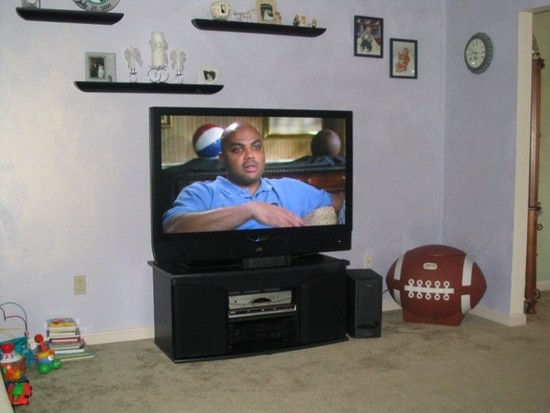 |
|
|
Bronze Member Username: MthomPost Number: 21 Registered: May-05 | Tom - I ordered my 61Z786 through Pac-2000 and just got it delivered today. If you're looking for in person service, you probably won't get it from them, but through e-mail and live chat, they are good. I did get the white glove delivery, to make sure I'd be covered in case of delivery damage. The guys that delivered the TV were great, and the set was in perfect condition ... the box even looked in mint condition (which leads me to believe that more than likely curbside delivery would have been fine). But the guys helped me set it up, check it out, and were more than willing to stick around until I was completely satisfied. I couldn't beat Pac-2000's price, and overall, I am very satisfied. Now a Tech question ... I've set up my DVD Recorder (Panasonic DMR-ES10K) with component cables (new Acoustic Research cables from Best Buy)through my AV Receiver (Kenwood VRS-N8100). I was using the THX optimizer on one of my DVD's and noticed a significant purple shadowing/streaking whenever bright white objects or words are on the screen. When I switched to my SD DirecTV box, connected via S-video, there was no shadowing/streaking. It makes me think it's a cable issue (which I really didn't expect), but I guess it could be from the DVD Player. I'm going to try another cheap DVD player I have with the component cables to test it. Also when I popped in the Matrix DVD, it seemed a bit grainy to me. Any ideas? |
|
|
Bronze Member Username: MthomPost Number: 22 Registered: May-05 | Well, I've narrowed it down. I used one cable directly from the DVD to the TV and it cleared up the problem. So it's either the other cable or my Kenwood in/out connections. I LOVE THIS TV!!! And I haven't even seen the HD on it yet!!! |
|
|
Bug Unregistered guest | Guys, Thanks for all the great posts. I just recently bought a 585 and I very happy with the set so far. I set up the set using a THX optimizer and I get a brightness setting of about -8 or so. When a watch a dark section of a movie I can see what looks like rain falling from right to left. Has anyone else had this problem? I'm running component cables from my sony DVD. Cheers Bug |
|
|
Bronze Member Username: MthomPost Number: 23 Registered: May-05 | Mr. Lynch - are the service manuals for the 575/585 the same or similar for the 786/886? If so, could you send me a copy at michael@mthom.com, and if not, what's the best way to get one for the 786? Thanks! |
|
|
Bronze Member Username: VideobruceBuffalo , NY Post Number: 82 Registered: Nov-04 | Service manuals are not available for the 'G' series yet. It isn't the same set as the 1st generation models. These have ATSC tuners for starters. | |
|
Bronze Member Username: CondorPost Number: 83 Registered: Oct-04 | Ryan hey, what do you guys think of the H/K AVR 235? any owners out there, or anyone else, who wants to share their thoughts? .............................. I have the Harmon Kardon AV235 and it is EXCELLENT in my opinion. Plenty of power and no audible distortion. My HK is driving 4 AR speakers (re-coned) from the early 70's, a new Paradigm center channel and a subwoofer. It is one slick machine and for the "fashion" concious the HK Volume control light is the same blue as the JVC. Makes for a real sharp combo. Jim |
|
|
New member Username: Johng565Baltimore, MD Post Number: 4 Registered: Dec-04 | SIZE: The picture from Brian T. shows that Sir Charles' head has not outgrown a football as some have suggested! Since Barkley's retirement he has put on some weight and Tiger Woods, a golf friend of his, has referred to him as 'Sir Cumference'! Hey, speaking of SIZE, I've got a limited width built in cabinet that I want to put the TV into. It has plenty of height and depth for hot air to escape, but questionable width for the JVC 52. Anyone have dimensions of the new 52G786? I need the total width, and depth of the front corners (2 inches or 1 1/2"), and how far in from the edge that the angeled sides start to go back. I had started looking at this forum last Dec, but got a 44" LG simply because it would fit the space, and that it was an all black cabinet. I took it back after 29 days (to CC) because I saw that I could easily fit in a 50 inch, but have been waiting for better contrast and black levels on the screens. Anyone know the contrast ratio's on the new 'G's? I would love the new JVC if it would fit in my built in cabinet. Have considered taking out some drywall, but my wife... well you know... HDTVtime says "New cabinet design with a thinner frame..." so I'm getting my hopes up. Local stoors say the new JVC 'G's will be here by the end of the month. John G |
|
|
Bug Unregistered guest | Hmm...I guess I'm the only one with this problem. I wonder if I have a bad set? Nov 04 is the date. Other than that one issue listed above the TV has been great. Bug |
|
|
Bronze Member Username: MthomPost Number: 24 Registered: May-05 | Bug - I haven't seen that problem yet ... I had issues with my component video out with streaks and discoloration from bright whites, but it turns out that it was from passing through my Kenwood A/V receiver ... some signal loss. Now I go straight from the DVD to the JVC and it works great. I can still see some neglible analog noise from time to time, but other than that the picture is great. Here's a pic of my completed setup. 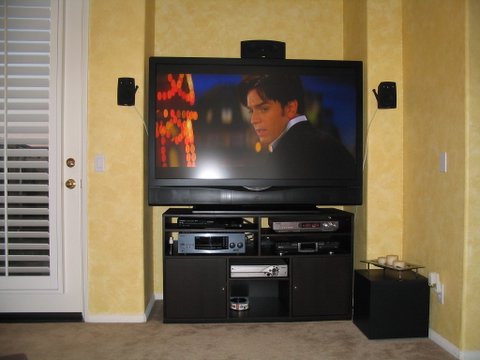 |
|
|
Bronze Member Username: NuclearfishNashville, TN USA Post Number: 62 Registered: Feb-05 | Michael and Brian (and anyone else who has pics), Mr. Lynch has set up a page where we've all been posting pics of our setups... https://www.ecoustics.com/electronics/forum/home-video/114959.html |
|
|
New member Username: BringbackditkaPost Number: 1 Registered: Jun-05 | Please help me with this TV. I have this JVC 52" TV and the color is horrible. It looks as though I am not getting the full spectrum of colors.. A good comparison would be looking at a colorful image as a .gif image.. i am not getting all of the colors, instead of nice tones, i am getting blocks of colors on faces and such. Here is the setup: I have the Comcast Box hooked up using the DVI-D cable. I have spent a consierable time on this forum and I have not seen an exact answer to this problem. Please help, I am hoping it is something simple in the setup of the Comcast box or something simply on the tv itself. I have had comcast techs over a couple times and they said it is the TV (they have said, everything is setup for a great signal). I exchanged out the tv at best buy and still get the same garbage. I am getting DESPERATE, and ready to take back the tv to exchange it to something different. The people on this board are incredible, I know someone on here can help. I am at work right now, so any suggestion will be tried tonight. THANK YOU IN ADVANCE!! BringBackDitka |
|
|
Bronze Member Username: NuclearfishNashville, TN USA Post Number: 63 Registered: Feb-05 | Steven, at this point, I'd call JVC customer service and get them to send a tech out.. you're under warranty, and comcast techs get their training from blind monkeys. scott |
|
|
Bronze Member Username: VideobruceBuffalo , NY Post Number: 85 Registered: Nov-04 | steven w; is this your only source? Have you hooked anything else up to it? Have you tried the component input? |
|
|
New member Username: BstinmanStow, OH Post Number: 3 Registered: Jun-05 | Steven, Have you tried not going through the Comcast cable box for your picture, just going straight to the TV? Or try hooking your cable box up using component cables instead of a DVI-D cable? Being that you have now had two seperate TV's and they both had the same issue I would lean towards the TV not being the problem and probably your box or cable hookups. I know my cable box had a setup area where you can input what formats are supported. By default it was set to only 1080i so I had to go in and add the 720p, etc. I don't think that would have a huge effect on color, but who knows. Also, have you messed with the color settings within the menu? I.E. Color gamma and correction off, etc. Good luck, once you get it going I'm sure it will be worth all the hassle. |
|
|
New member Username: BringbackditkaPost Number: 2 Registered: Jun-05 | Thanks for the quick responses. Yes, I have tried hooking up through component cables through input-1 and the picture looks the same. I will be trying the This stuff when I do get home: - I saw that in the comcast box setup it was set to 1080i, I will see if I can change this tonight. - I have not tried a pscanDVD yet, I will borrow one from my neighbor. - and no, I played around with the color a little, but I will go more in-depth tonight. - it looks as though there is a JVC service center within 10 miles of me, i will be contacting them if none of the recomendations above - or anything that anyone else can recomend to try works. Thank you all for your time! |
|
|
Bronze Member Username: MthomPost Number: 26 Registered: May-05 | Steven - my bet is that it's the cable box. Has Comcast tried switching the box out? By trying both DVI and Component, you eliminate the cable being the problem, and two TV's would eliminate the TV ... the only thing left is the cable box / signal. Trying a DVD player should answer the question. Even if you have a non-progressive scan, you should try it. Good Luck. I know once you solve this issue, you will really love your TV. |
|
|
New member Username: BringbackditkaPost Number: 3 Registered: Jun-05 | Thank you all again, I believe the DVD player should answer my problems. I am actually pretty excited now to get home and try it. I sure hope this works, then I can get comcast out here again to get it working, instead of them blaming everyone else! muchas gracias for the help! |
|
|
Anonymous | Mr lynch please help. i have a 575 november build that has recently been having green lines at the bottom and occationally in the middle of the screen that come and go. Its almost like when bad weather affects the satilite signal but this occurs with my cable. Also do not recieve very good SD reception with Motorola Hd box. Need help badly. | |
|
Bronze Member Username: MthomPost Number: 27 Registered: May-05 | Scott / Mr. Lynch ... I could no longer post on the thread with the setup pictures ... does posting capabilities go away when the thread is archived? While I'm waiting on DirecTV's new MPEG-4 HD equipment (which I heard over the weekend may start rolling out in August), I decided to get an HD antenna so I see the HD content on this TV. Even though I'm very far from the stations, I can get most of the major stations. All I have to say is WOW!!! This TV really shines with the HD content. I can't wait for more! |
|
|
Silver Member Username: Mr_lynchSeattle, WA Post Number: 775 Registered: Sep-04 | I'm back from vacation and sent out the service manual request. The new "G" series service menus are pretty much the same and the "Z" series. I tried it out at Video Only on the 70". Pac 2000- I would recommend them if your looking for the best deal around. I've had 2 friends pick up TVs from them without any problem. I've heard their shipping is sometimes slow, but the set gets there in one piece. |
|
|
New member Username: DawggssCalgary, Alberta Canada Post Number: 1 Registered: Jan-05 | Connection question: I have a Motorola Digital Cable Box. However the instruction manual does not indicate any codes that work on the JVC remote with a Motorola box. Any suggestions on a corresponding or equivalent code(s) to be used for synching the remote? Thanks! | |
|
Anonymous | Mr. Lynch, would you by chance possibly know the measurements of the new 56 inch series? | |
|
New member Username: BringbackditkaPost Number: 4 Registered: Jun-05 | with dvd player hooked up(componenet video), even on pscan - it looks as though i am still not getting all of the colors. My 32" Tube tv looks 10x better. I am so incredibly disappointed in this mess. All I want to do is go home from work and watch baseball games, yet the picture sucks. I have the number to the JVC service center in Aurora, IL, which is pretty close to where I am, I will be calling them in just a bit. Just wanted people to ge the update on it. |
|
|
Bronze Member Username: Pilot53Post Number: 19 Registered: May-05 | Well, I now have my JVC 61Z786 up and running. My old cable box is hooked up via composite, and does not look too bad. I am getting my HD box tomorrow. I purchased a Panasonic DVD player DVD-S77. Has HDMI and Component out. It uses the chip that can cause macroblocking. Well it does, but not real bad. The component out gives a much better signal than HDMI. I tried 2 different cables. With HDMI I can set the DVD player to 480P,720P, and 1080I. I tried each one, and could not get a smooth or focused picture. I used Pirates of the Carribean and Saving Private Ryan. The best picture was with component out. In both cases, I am letting the JVC do the up-converting to 720P. The picture was not to bad, and the motion was OK. You could only see the macroblocking when there were scenes where they would zoom in on something with a solid color that would take over most of the screen, like an army helmet, and the different shades of the color would be in squares, as the shades go darker. I dont think I am missing any colors, as the scenery in SPR is so dynamic and colorfull, especially when they are walking though the fields, and the picture is very sharp mostly. Motion shots are pretty good, too. When they would start with a long shot and slowly zoom into a close shot, the object would appear to slightly jump around. With HDMI, I could not get a decent picture, no matter how I adjusted anything between the player and the tv. I also have some issues about sizing things properly. I do not understand the different views I can get, like full, normal, cinema, etc. I also do not know if it is possible to turn off the tv's ability to up or down convert to 720P. The dvd player will also upconvert to 720P. I guess I have a lot of adjusting to do. I can take the DVD player back with no problems. I just do not know which one to get. I have read alot of the posts, and I am more confused than I was before. Pilot53 |
|
|
New member Username: RavedPost Number: 1 Registered: Jun-05 | It's kind of a shame to use the S77 via component. It only upconverts via HDMI. You could get a good progressive-scan player (without macroblocking) for a lot less money. | |
|
Bronze Member Username: MthomPost Number: 28 Registered: May-05 | Pilot - The DVD Recorder that I got (Panasonic DMR-ES10K) is just a progressive scan, and the picture looks really good. I can see some slight anaalog noise via the component cables, but the picture is still a better than before. The detail and color are very nice. The picture I posted above was a shot from Moulin Rouge DVD. StevenW - That's a shame that it still didn't work with the DVD. Were the problems the same as you had before? Were they the same with the component and other cables? It's hard to believe two TV's in a row would be bad, but I guess anything is possible. My immediate thought if your not getting all the colors is a bad component cable, since that's what it would look like with 1 of the 3 cables being bad. All I can say is to hang in there and see what JVC has to say. You won't be sorry, once it is working properly. Maybe take the DVD and component cable to the store and hook it up there, and if it works, get them to exchange it out one more time. I feel for you ... good luck! |
|
|
Bronze Member Username: Pilot53Post Number: 21 Registered: May-05 | Dave, Thanks for replying. I have tried to find a DVD player with HDMI and upconverting without the Faroujda chip (I am sure I spelled it wrong). I do not know which one to get. I wanted to use the HD cable box on component out, and the DVD player on HDMI, but I guess that will not work with this unit. There are some comparisons out there, but they are old. One of the reasons I got this one is because it was made in April/05, and I thought maybe they fixed the problems. I was wrong. I can take the DVD player back and try and find another one that has the right features and chip. Maybe I can find something on the net. Pilot53 |
|
|
New member Username: Tom_asaroManahawkin, NJ United States Post Number: 6 Registered: Jan-05 | I finally took the plunge! I was trying to figure out which online store to purchase from when I noticed buydig.com was charging me tax. I did a little research and found out they were only 30 minutes away from my office. It's seems a little shady to me, but buydig.com is also beachcamera.com (and I'm sure they have a few others). Beach Camera actually has a storefront in NJ, so I took the ride. The store actually scared me. Everything was outdated models and marked 50% off. I would never buy anything from this place. The only reason I had to visit the store was to process my credit card. (There was no way I was paying cash at the warehouse - which is what they suggested I could do). The sales guy wrote my order up and promptly tried selling me the Mack service warranty (3 year) for $180. I was planning on using the Visa warranty. After declining about 50 times (not exaggerating - this guy was persistant!), he said he was going to "give it to me for no profit" for $140. I agreed, but still used the Visa card just in case. I picked the HD52Z585 up from their warehouse which was 10 minutes away. This must be where they ship all their online orders from. The set was shipped to them in late May (I'm not sure when it was built). Final cost was $2,082 which includes tax and the 3 year Mack warranty (has anyone used this yet?). Now I have to wait until Saturday for the Comcast guy to bring the HD box. Anything I should be prepared for when this guy comes? Most of the Comcast subs I've dealt with are clueless. Thanks for all the info everyone has shared on this forum! |
|
|
Bronze Member Username: Pilot53Post Number: 23 Registered: May-05 | I went out and got the Sony DVP NS975V. I installed it. Put in the Saving Private Ryan (SPR)DVD and whoa!!!!!!!!!!!!! What a picture with HDMI. I could not believe it. The color, the quality of the picture, etc. I still have some tweaking to do, gamma levels, etc. Still, right out of the box, it was great. I am a happy dude now. Tomorrow afternoon, the HD box gets here from Adelphia (they suck). Pilot53 |
|
|
New member Username: RavedPost Number: 2 Registered: Jun-05 | Glad you found a DVD you are happy with. I'm surprised you had problems with the Panny; maybe you had a bad unit. It's a very popular player. Personally I went with the Oppo DVI player. It produces a fantastic picture, however, it is Faroudja-based so has the macroblocking issue. However, that is not a problem if you set the output to 480p. Some would say it's a waste to have an upconverting DVD player but then let your TV do the upconversion, but I disagree. The real value is in the digital connection between the player and the TV. The JVC has a good scaler. |
|
|
Bronze Member Username: RexPost Number: 31 Registered: Oct-04 | I read an article in today's Los Angeles Times that talked about a split in the format of DVD's. One format is the current DVDs with dual layer HD-DVD, and another is Blu-Ray that almost doubles the DVD capacity. Hewlett Packard, Sony, Pioneer, and some major studios including Disney are supporting the Blu-Ray. The article says that current DVDs will run in both systems, however, the new formats will not run in each others system. I hope that our JVC TV's will be compatible. This may cause us to think about our next DVD player a little longer. Here is a link to the article: http://www.latimes.com/news/printedition/la-fi-dvdwar26jun26,1,5893931.story?ctr ack=1&cset=true |
|
|
Bronze Member Username: Juan_sardaMiami, Fl USA Post Number: 20 Registered: Jan-05 | Rex the link you gave requires registration in order to read the article, would you copy the article text & post it here? The article sounds really interesting | |
|
Unregistered guest | I love this TV. I finally got everything in. Its all perfect, but the bulb blew last week! Called the rep, hell replace this coming week. Even with this pain I wouldnt do anything different. This TV blows all others away in my estimation. How do you post pictures in here??? It tells me the size is too big when I try to upload them. do you change the properties?? |
|
|
Bronze Member Username: RexPost Number: 32 Registered: Oct-04 | I will try to upload a PDF of the article.
|
|
|
Bronze Member Username: NuclearfishNashville, TN USA Post Number: 64 Registered: Feb-05 | Just want to pipe in real quick about the hd-dvd and bluray thing. JVC supports HD-DVD, developed by Toshiba, and with a growing number of supporting studios. Who knows who will win, but I'm betting it will be HD-DVD, if for no other reason that your average joe can immediately understand what HD-DVD is when he walks into Best Buy and sees the signs, but will have to be told what BluRay is, and would never ask. My dad is that kind of guy. A LOT of dads are that kind of guy. Also, HD-DVD will be out 1st, along with the players, and I'm not going to wait around for number 2. I may get a PS3 when they come out, so I guess I'll be able to watch both eventually, but I really feel that plain-old psychology will take HD-DVD to the top. scott |
|
|
New member Username: MasonjPost Number: 6 Registered: Jun-05 | For anyone who is interested here is a recent article from "Tom's Hardware Guide" explaining the two technologies "HD-DVD (also known as AOD)" and Blu-ray: http://www4.tomshardware.com/business/20050616/index.html Mason |
|
|
parts unknown Unregistered guest | bhend4 you have to be a registered user to post pictures |
|
|
Bronze Member Username: MrtomasuloPost Number: 56 Registered: Mar-05 | Pilot-- sorry if I steered you wrong on the Panny s77 (I had vouched for it). I might have major macroblocking problems on mine and just be too stupid to know it. I did do some A/B comparison testing with the Toshiba 5980 and thought that I prefered the Panasonic picture (slightly). Glad you found one you like though. I might even want to try that Sony out myself, although might be too late for me to return the 77. |
|
|
Bronze Member Username: Juan_sardaMiami, Fl USA Post Number: 21 Registered: Jan-05 | Rex, thanks for posting PDF on DVD wars, but is doesnt say Blu-Ray DVDs will not play on current HD TVs. Or does it mean it will only play on the up comming 1080p tvs. Does anyone know? Are current 720p HDTVs compatible with the New Blu-Ray DVDs? Below I posted some of the article: DVD formats HD DVD and Blu-ray systems will play current DVDs, but differ in these ways: Data capacity (per layer) Current DVD: 4.7 gigabytes HD DVD: 15 gigabytes Blu-ray: 25 gigabytes Maximum image resolution (in pixels) Current DVD: 640x480 HD DVD: 1920x1080 Blu-ray: 1920x1080 Current DVD: All HD DVD: Warner Bros., Universal, Paramount |
|
|
New member Username: Tom_asaroManahawkin, NJ United States Post Number: 7 Registered: Jan-05 | This might be a stupid question. . . At the moment I have my old DVD player connected via S-Video. If I buy a new player with component or HDMI out, will I notice any difference in the video quality? Thanks, Tom |
|
|
Bronze Member Username: Justme123Post Number: 51 Registered: Mar-05 | T.A. The simple answer is...... yes. "The only STUPID question, is the one left unasked!" |
|
|
New member Username: UhphikapPost Number: 3 Registered: Jun-05 | What's the difference between the HD52Z575 and HD52Z585? | |
|
New member Username: UhphikapPost Number: 4 Registered: Jun-05 | Nevermind, I found the answer to that...575 is the Silver item and 585 is the black item. | |
|
Silver Member Username: Mr_lynchSeattle, WA Post Number: 778 Registered: Sep-04 | The 585 also has smart sound, but if you use a reciever than it is a worthless feature. | |
|
New member Username: UhphikapPost Number: 5 Registered: Jun-05 | Mr. Lynch, You seem to be one of the most knowledgeable people around here on this TV...I have a question for you. Right now, BuyDig.com has the HD52Z575 for $1825.00 delivered and no tax (I'm in Texas) which seems to be a SMOKIN' deal. I know the new versions of the TV are out and more are coming out soon...is there any reason why I should not get the 575 and spend more money/wait on the newer models? What will I be missing out on if I get the 575 instead of one of the newer models? |
|
|
Silver Member Username: Mr_lynchSeattle, WA Post Number: 779 Registered: Sep-04 | If your looking for a smoking deal, check out The newer 52" "G" series will be out next month, and it adds a few features but will go for around $2600. It adds a new Genessa processor, 5 point color management (vs. 4 in the 575/585), a PC input (nice addition), and 2 IEEE 1394 inputs among other things. I really like the new inputs, but I personally would not spend nearly $1000 more for them. I've seen the 60" and 70" "G" series and I did not think there was a notice improvement in the already outstanding picture. |
|
|
New member Username: Tom_asaroManahawkin, NJ United States Post Number: 8 Registered: Jan-05 | Brian - I opted to get the HD52Z585 last week. I agree with Mr. Lynch that the new inputs aren't worth ~ $1,000. I also purchased from buydig.com and everything went smooth. If you buy from pac-2000, make sure you add another $150 if you want their "white glove" delivery (on top of the $165 shipping). I'm not sure what kind of shipping buydig.com uses (I picked mine up from their warehouse). - Tom |
|
|
New member Username: Tom_asaroManahawkin, NJ United States Post Number: 9 Registered: Jan-05 | Does anyone else have the Scientific Atlanta 3250HD set top box? I found the previous posts about changing the grey sidebars to black by selecting the 4:3 over-ride, but I can't find that option on this model. Does anyone have suggestions? Also, I ran the "HD Setup Wizard" and selected all the resolutions (480i, 480p, 720p, 1080i, etc) to be passed though to the TV. As I flip through the channels now, it tells me what signal is coming through in the bottom right hand of the screen. Should I go back and change these settings to 720p only or leave it as I have it? Thanks for any help. - Tom |
|
|
Silver Member Username: Mr_lynchSeattle, WA Post Number: 780 Registered: Sep-04 | Tom- Your right about that. Pac-2000 is $175 for shipping, and another $165 if you want "white glove" delivery. I've never had anything shipped by them, I've only picked things up in person. Either way, Buydig and Pac-2000 are the cheapest around. The 4:3 override trick is for the Motorola box. I set my box to output at 720p. I didn't notice much of a difference between it and 1080i. |
|
|
New member Username: UhphikapPost Number: 6 Registered: Jun-05 | Thanks for the info everyone. I'll check into PAC-2000 and see what I think. BuyDig seems to be a very reputable service. | |
|
New member Username: MaverikmPost Number: 1 Registered: Jun-05 | MR. Lynch I should be getting delivery of my 61HDz585 today sometime and would greatly appreciate a copy of the service manual mavmer@msn.com |
|
|
New member Username: MaverikmPost Number: 2 Registered: Jun-05 | Bah MSN thinks the .pdf file is a virus  Could you possibly send it to this email address please? mavmer@verizon.net Thanx in advance! Can't wait to get it ISF calibrated in a month or so! |
|
|
Bronze Member Username: DougaPost Number: 46 Registered: Dec-04 | Question for you all. I currently own a 61" 575 JVC, but I am considering buying another set (a 52") for another room. I plan on using this set to hook up to xbox and possibly a PC. That is where my question comes in. The new versions have a PC input. Would this be the ideal means of connecting a PC to a set. I would much rather purchase the cheaper 575, but do not wish to loose the ability to hook-up a pc. Does it yield good results using a PC with a DVI-D graphics card to HDMI cable? Any suggestions or experience is apprecited. |
|
|
Bronze Member Username: MthomPost Number: 29 Registered: May-05 | Maverick, you'll have to tell us how the ISF calibration goes. Have you had one calibrated before? I've debated on having the calibration done, but was just going to do adjustments on my own. Any recommendations on HD antennas? I've been using the Terk TV3 per Circuit City's recommendation. It's got an inline amplifier (I'm far from all the stations). I get several stations, but holding the signal can sometimes be hard. I'm probably going to return it and try others ... basically holding off until the new DirecTV equipment is released. |
|
|
New member Username: MaverikmPost Number: 3 Registered: Jun-05 | I had my Toshiba 61H95 ISF calibrated which the JVC is replacing 5 years ago, and I have to tell you the difference between my Video Essentials calibration and the pro calibration was amazing! | |
|
New member Username: UhphikapPost Number: 7 Registered: Jun-05 | When you guys speak of the calibration, exactly what are you talking about? I'm new to all this and I've never had to worry about calibrating a TV before. When I buy the JVC, it will be the first TV over 27" I've ever owned. | |
|
New member Username: MaverikmPost Number: 4 Registered: Jun-05 | A TV right out of the box usually has it's settings set way too high, especially the contrast.I would suggest purchasing a copy of Digital Video Essentials which explains and walks you through the process. You should see a noticable difference in the picture quality just calibrating the set this way. An ISF calibration involves more. If you would like more info regarding ISF check out www.imagingscience.com or www.lionav.com Well the TV just got delivered The guys are putting together the stand atm, heh it's like watching Laurel n Hardy. So I'm off to check out the new toy |
|
|
Silver Member Username: Mr_lynchSeattle, WA Post Number: 782 Registered: Sep-04 | The JVC, along with most other TVs, come out of the box very bright and overly vivid. It looks great at first but after some time with the set you might desire a more accurate picture. I loved the out of the box settings but after a few weeks I made some adjustments using the THX test patterns that come on some DVDs. When I wanted more, I moved on to making adjustments using DVE. One day a good friend of mine who is ISF certified offered to calibrated my set. It involved using a color analyzer, an HD signal generator and several other tools. He properly adjust the gray scale, brightness, contrast, and set the colors to the correct levels. A lot of the adjustments were done in the Service Menu, and a few tweaks were made to the user menu. I would say the results were absolutely incredible. The blacks became blacker, shadow detail was increased, the white levels are now bright without having a bluish tint, and colors are now more accurate and natural looking. The service general runs around $250, but it is a great way to get the most out of your TV. I would only recommend it if you feel you can get more out of your set. If you happy with what you see now, it makes it a tougher decision. For more info check out www.imagingscience.com |
|
|
New member Username: UhphikapPost Number: 8 Registered: Jun-05 | Cool, thanks again. | |
|
Bronze Member Username: ToonaPost Number: 22 Registered: Jan-05 | Mr. Lynch, I have a question about your remote and your JVC. We have the same TV and now just purchased the MX500 after reading just about as much as I can on remotes... Anyways, we can not get the JVC to turn on within a macro. When programming a macro to turn on our satellite receiver, audio receiver and TV, the code to turn on the TV does not seem to work properly. I have tried many, many different combinations including shuffling the order of the power commands, including adding different pause times, and have had no success. I have also used different manufacturer setup codes and have found two different ones that work with the TV, but have had no luck with the macro. The macro works fine to turn everything off, but when turning everything on, the TV does not come on. I've emailed the URC people and they said the JVC code is too big to use and we should have got an MX3000. What do you do? Thanks for your help! Kathy |
|
|
Silver Member Username: Mr_lynchSeattle, WA Post Number: 783 Registered: Sep-04 | Kathy- You can program "System off" buttons to turn on/off all your equipment including the JVC TV. I use to have it programed on the "system off" button, but I kept accidentally bumping it and turning the TV off. Waiting for the TV to go though the shut down/power on proceedure gettings annoying. I ended up created a TV power button on the LCD screen to control the TV. When I want to watch TV I hit "system off" and it turns on the reciever and cable box. Then I press the "TV power" button I created. It is an extra step, but it prevents me from accidental power offs. I use M1, M2, and M3 to select TV modes. M1- Changes all components to "TV mode" for viewing signals from the cable box. M2- Changes everything to watch DVDs, including powering on the DVD player and opening the tray. It also selecting "DVD" mode on the reciever and selects the "theater pro" video status. M3- changes the TV to Input 2 "xbox", and switches the reciever to the Xbox input. |
|
|
chazno Unregistered guest | For those of you looking into "Avia" and "Digital Video Essentials" for self tweaking. The disks are available from Netflix, (and I read that blockbuster had them too) if you want to use them without buying them. |
 Upload
Main Forums
Today's Posts- Home Audio Forum
- Home Video Forum
- Home Theater Forum
- Car Audio Forum
- Accessories Forum
- All Forum Topics